Nuri
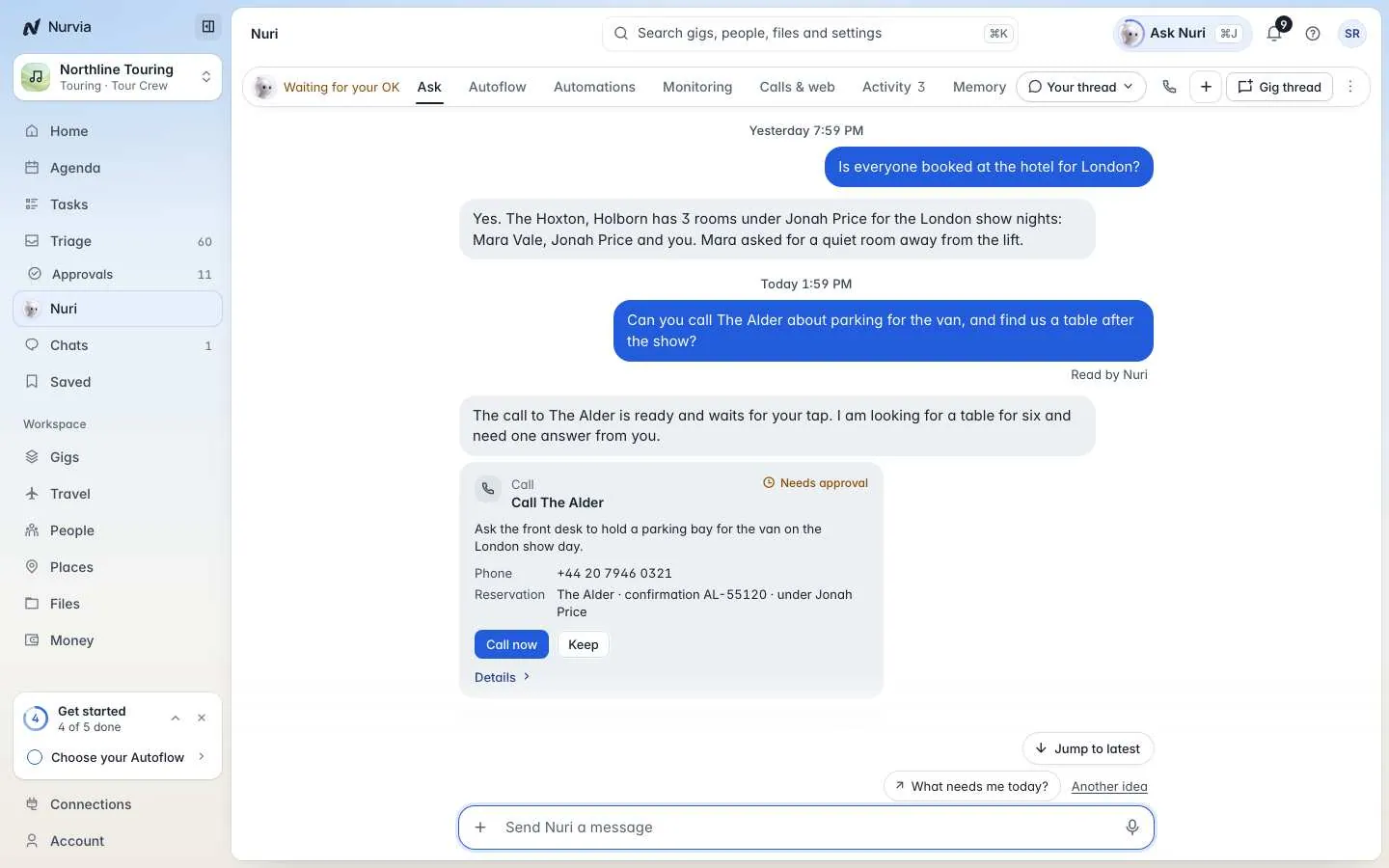
Nuri is the AI operator inside Nurvia. Ask in plain words and it answers, updates plans, drafts messages, watches flights and runs tasks — with your approval.
Nuri is the assistant built into Nurvia. Ask it anything about your gigs, plans, travel and team, or hand it a job — it does the work and shows you a receipt for every change.
There's one Nuri for you across all your workspaces, including Personal. It only uses records you can already open, and each workspace's permissions still apply.
Open Nuri
- Click Ask Nuri in the top bar, or press ⌘ J, to open Nuri beside whatever you're looking at.
- Choose Nuri in the sidebar for the full page with all its tabs.
Try it
Copy any of these into Nuri to get a feel for it.
What's happening this week, and what needs me today?Move load-in at the London show to 13:30 and tell the crew.Tell me if TP 1350 is delayed more than 30 minutes.What Nuri does

Answers

Updates plans

Reaches out

Keeps watch
Nuri's tabs on the web
| Tab | What it's for |
|---|---|
| Ask | Your conversations. Asking Nuri → |
| Autoflow | What Nuri may do on its own in each plan. Autoflow → |
| Automations | Automations, routines and reminders, and the morning brief. Automations → |
| Monitoring | Flights, fares, plans and pages Nuri watches. Watches → |
| Calls & web | Phone calls and browser runs, and what's live now. Calls and browser → |
| Activity | Everything Nuri did, and its task board. Tasks and activity → |
| Memory | What Nuri knows: memory, profile, vault, payments and tools. Memory and vault → |
Nuri asks before it acts
Nuri asks before paying, sending or signing anything, unless an Autoflow rule you set allows it. Passports, payment details, deleting, paying someone new and money above your limits always ask.