Nuri
What Nuri remembers about you and your teams, how to correct or forget it, and how the vault keeps secrets out of sight.
Nuri gets more useful as it learns your preferences, your people and how your team works. You can see everything it has learned, where it learned it, and correct or forget any of it.
Where to find it
- Web — NuriMemory, with Memory, Profile, Vault, Payments and Tools across the top. The same pages are in SettingsAbout you and memory and SettingsVault and cards.
- iPhone — Memory, Vault and Personal information in Nuri's menu.
Memory
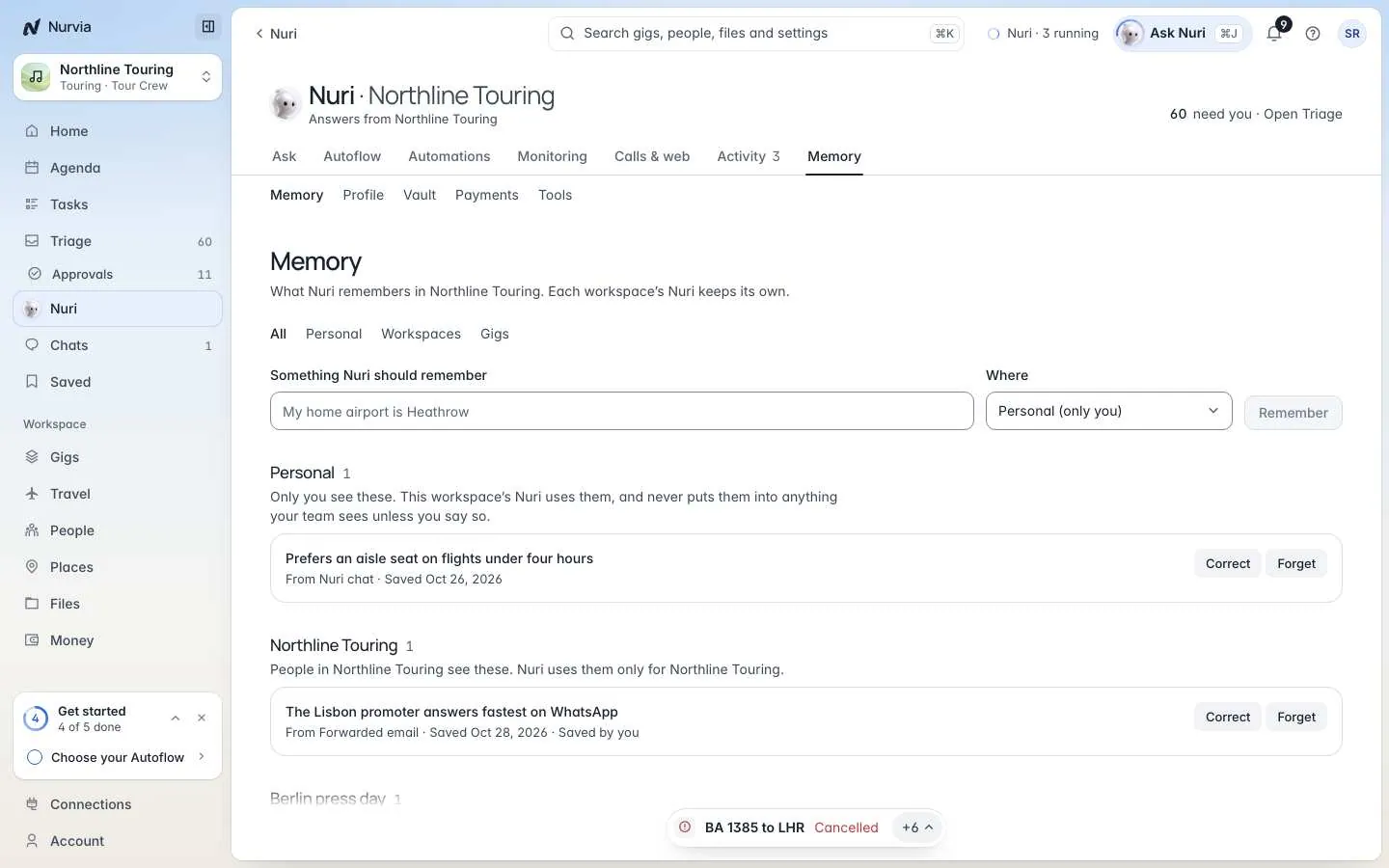
Each learned fact shows where it came from, when, and how sure Nuri is (Fairly sure or Not sure). Filter by People, Bookings, Preferences or Other, and by Personal, Workspaces or From mail.
- Personal facts are yours. Only you see them, and they follow you into every workspace.
- Workspace facts are shared with the people in that workspace, and Nuri uses them only there.
Tell Nuri something directly, or type it into Something Nuri should remember:
Remember I prefer aisle seats and never fly before 8am.Remember that the Lisbon promoter answers fastest on WhatsApp.To change what Nuri knows:
- Correct — fix a fact. The old value is kept as replaced, so you can see what changed.
- Forget — Nuri stops using it. If it comes up again, Nuri asks you.
- Forget everything — clears your personal memory. Workspace and plan notes your team shares stay, and you can restore what you forgot for 24 hours.
Every answer you give in Triage teaches Nurvia too.
Profile
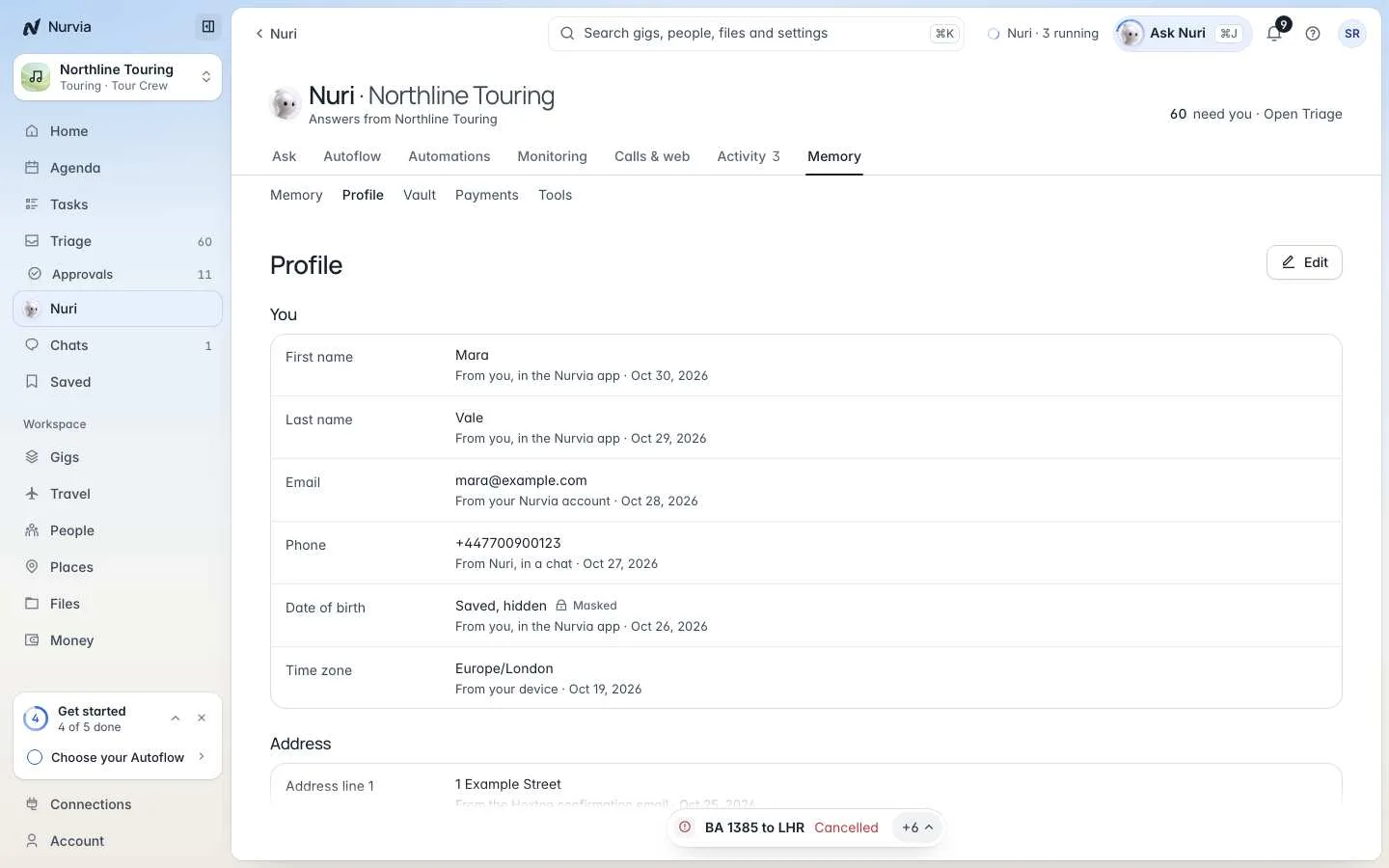
Profile (About you) shows what Nuri knows about you — name, contact details, time zone, address — and where each detail came from. Nuri sets every reminder and brief on your time zone.
Identity and payment details are always masked, never edited there, and Nuri asks you each time before it uses one.
Vault
The Vault holds sign-ins, cards, addresses and other details Nuri can use for you when you ask. Choose Add to the vault and pick what to save.
- What you add goes straight into the vault. Nuri never sees a password, code or card number — only that it's saved.
- Nuri types a saved sign-in only on its own site, and never sees a code sent to you.
- Remove deletes an entry with its secret. This can't be undone; if Nuri needs it again, it asks you.
Secrets are never shown
Passwords, codes and card numbers are never shown — in the vault or anywhere else in Nurvia.
Tools and accounts
SettingsWhat Nuri may doTools and accounts lists:
- Connected accounts Nuri can use, and any that need you to Sign in again.
- What Nuri may access in each workspace. Nuri only uses records you can already open — turn an area off to keep Nuri out of it.
- Where Nuri reaches you.
- Pages Nuri made — only you can open one until you turn on Anyone with the link.
- Documents Nuri made — work documents and filled forms, kept privately for a few days. Only you can download them.
Your content never trains AI models
Nuri uses your information to do your tasks. Your conversations, documents and outputs are never used to train AI models. See AI and your data.