Nuri
Have Nuri phone a venue or restaurant, or complete a task on a website — you confirm before anything starts and can step in at any time.
Some jobs need a phone call or a website: holding a parking bay, booking a table, checking in for a flight. Nuri can do these for you. You approve each one before it starts, follow along live, and get the outcome with proof.
Where to find it
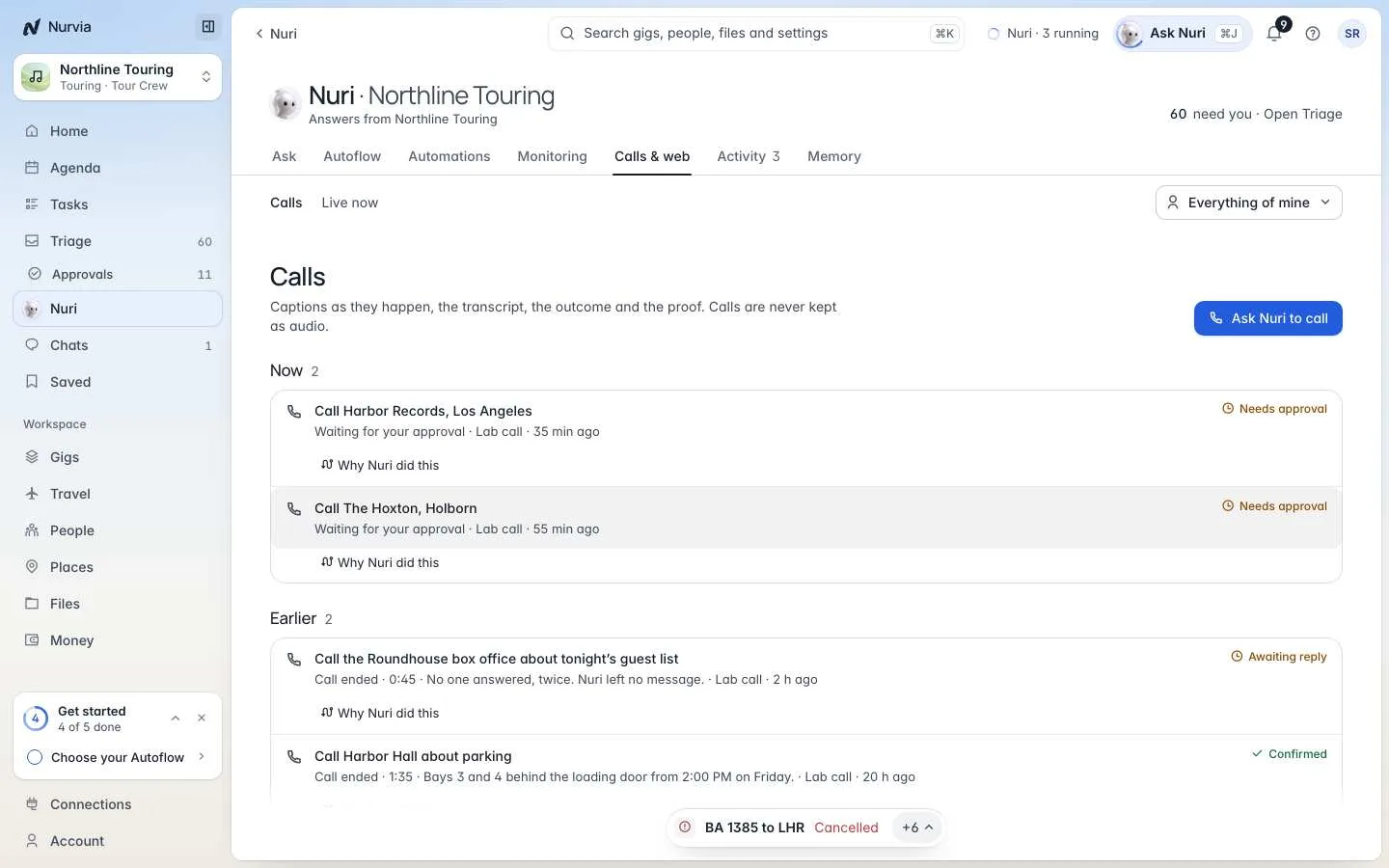
- Web — NuriCalls & web. Calls lists every call; Live now shows calls and browser runs in progress.
- iPhone — Calls in Nuri's menu.
Not on every account yet
Calls and browser runs may show as not switched on yet or not connected here on some accounts. Everything else in Nurvia still works.
Calls
Ask in the chat, or choose Ask Nuri to call and fill in Who, Their number and Why Nuri is calling.
Call The Alder and book a table for six at 9 tonight, under Sam.Call the Roundhouse box office and confirm they have the eight guest list names for tonight.Approve the brief
Asking for a call dials nothing. The call card shows exactly what will happen: who Nuri calls, why, What Nuri may share and the Fee limit. Nothing is dialled until you approve.
Nuri introduces itself
Nuri says it is an AI assistant first and reads a consent notice. It goes on only on a yes — if they say no, Nuri ends the call politely.
Follow along
Watch live captions and the transcript, Join the call if you want to, or End call at any time. If they ask for a fee above your limit, Nuri puts them on hold and asks you.
Get the outcome
The call page shows the Outcome, the Transcript and any proof. Call back with this call as context drafts a follow-up call for you to approve.
Calls are private by design
Calls are recorded only when recording is enabled and the required consent is given. Every call keeps a summary and a text transcript. Nuri never shares a card number, password or code on a call.
Browser runs
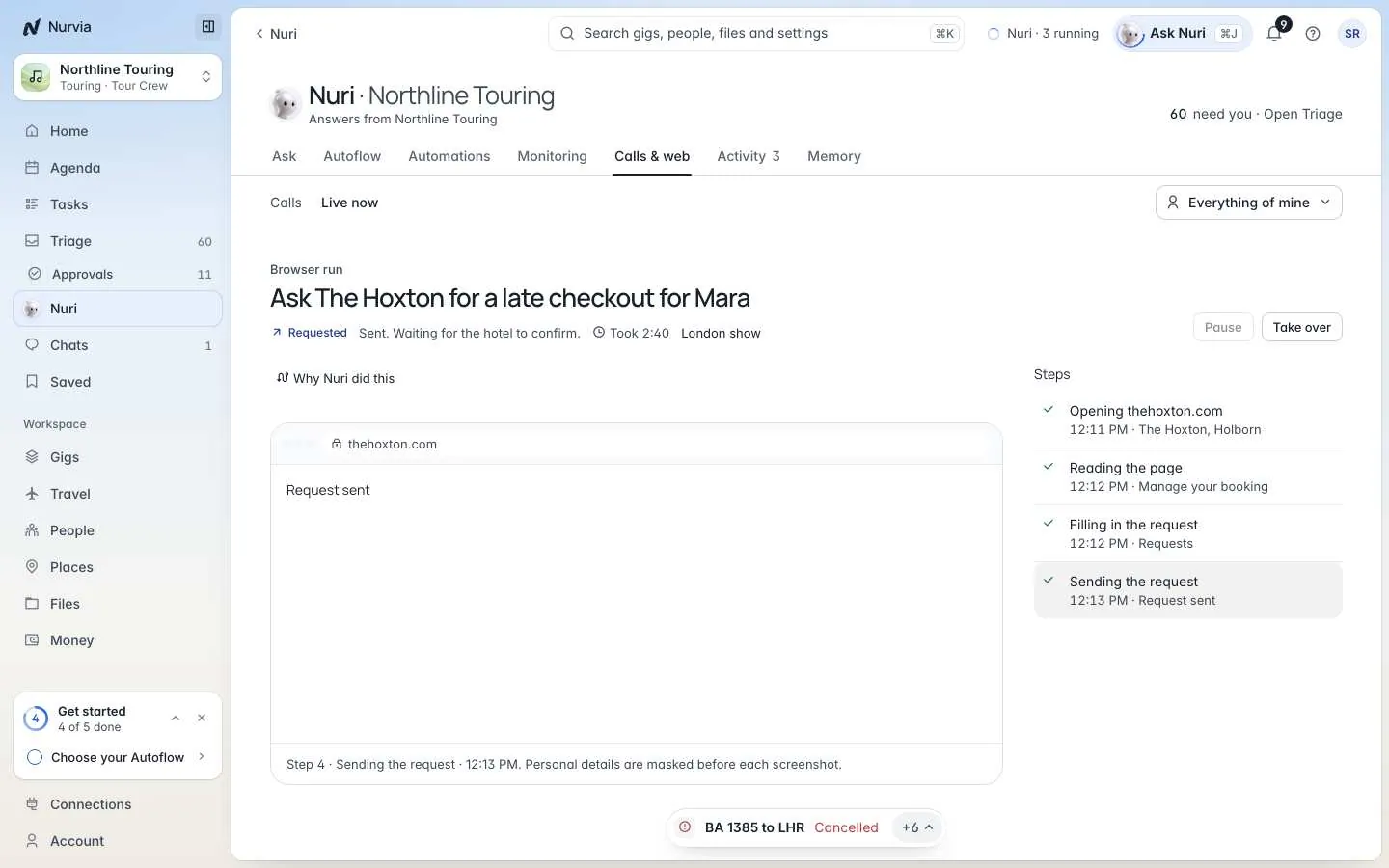
Nuri can work through a website in a secure cloud browser — checking in, filling in a request, finding a table. Ask in the chat, or choose Start a browser run and fill in What Nuri should do and the Site.
Check in for BA 117 on britishairways.com and pick two aisle seats together.Ask The Hoxton for a late checkout for Mara on Friday through their website.The run page shows What Nuri saw and What Nuri is doing, step by step. Personal details are masked in its screenshots.
- Pause — Nuri stops before its next step.
- Take over — you drive the browser yourself; Nuri waits until you Hand back to Nuri.
- Cancel task — steps not yet sent are stopped.
Nuri asks before anything that pays, sends or can't be undone, and hands sign-ins, bank checks and CAPTCHAs back to you.