Web app
The one list of what waits on you — import questions, approvals, conflicts, requests and Nuri's work — and how to clear it fast.
Triage is the single list of things only a person can decide. Nurvia keeps it short: clear matches never wait here, and every answer teaches Nurvia for next time.
Where to find it
- Web: Triage in the sidebar (press G then I). Approvals under it is Triage filtered to Needs a decision (G then V).
- iPhone: Triage on Home. See Triage and approvals on iPhone.
The count is the same everywhere — the sidebar, Home, the bell and Nuri.
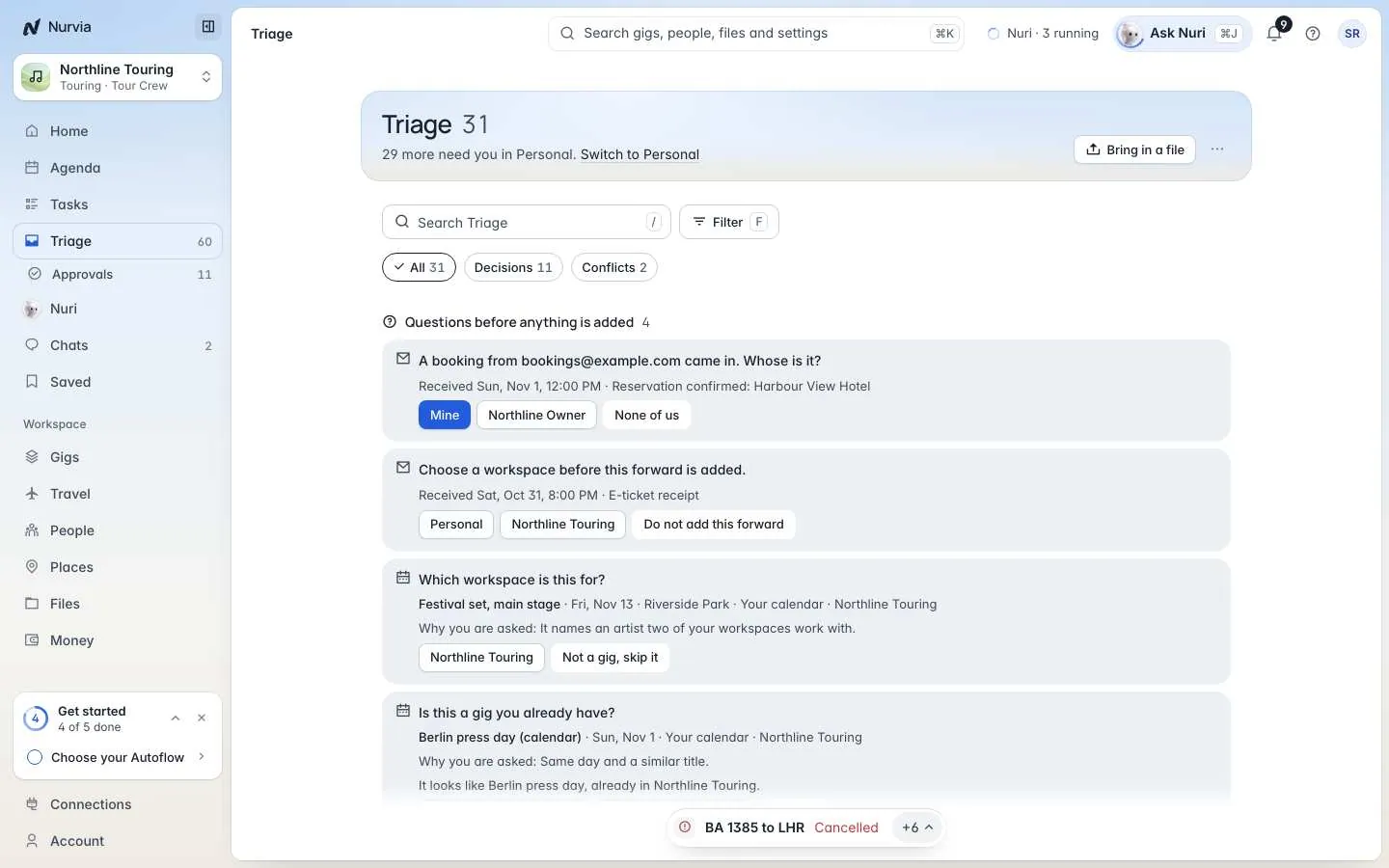
- Bring in a file — drop a confirmation, list or PDF straight into Triage.
- Search and Filter — by workspace, plan, kind, source or who's on it.
- Quick filters — All, Decisions and Conflicts.
- A question — what Nurvia read and why it's asking.
- One-tap answers — pick one and Nurvia learns for next time.
Clear your Triage
Answer the questions first
Questions before anything is added sit at the top: which workspace or plan an email belongs to, or whether it's a plan you already have. Pick an answer and Nurvia adds it — and remembers for next time.
Decide each item
Open an item to see what Nurvia read and why. Then accept or approve (A), Change (C), assign it to someone (I), move it to a plan (M), or dismiss or decline it (D). Press ⌘ Z to undo.
Snooze what can wait
Press H to snooze until Later today, Tomorrow morning, Before it matters or Next week. It comes back marked Back from snooze.
Approve a decision
Needs a decision shows each approval with The message, What changes, What will be shared and the Proof, then Approve, Change or Decline. You have to see a message's words before you can approve it.
10-second undo
An approved send goes out after 10 seconds. Undo stops it — nothing has left Nurvia yet.
Filter and sort
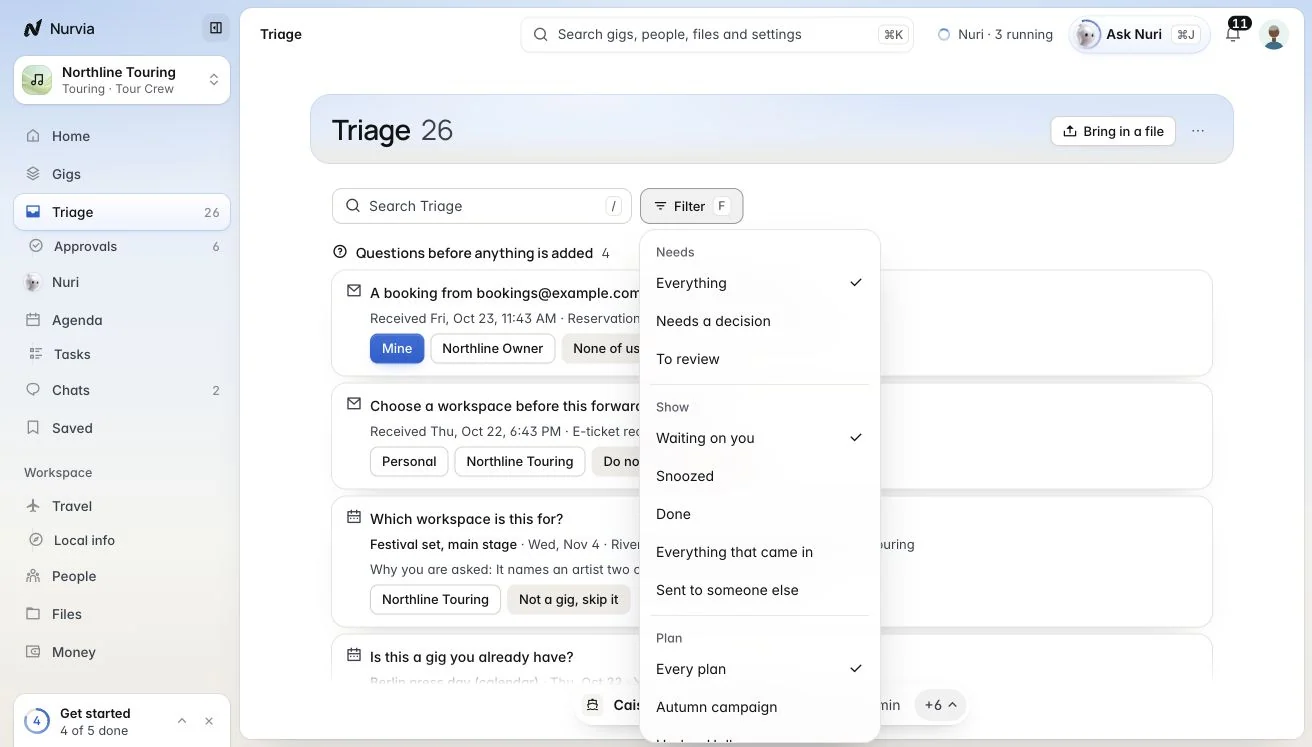
- Quick filters: All, Decisions, Conflicts, Missing info and Nuri work. Press 1, 2 or 3 for everything waiting, needs a decision, or done.
- Show: Waiting on you, Snoozed, Done, Everything that came in or Sent to someone else.
- Filter (F) by workspace, plan, kind (emails and uploads, advance forms, approvals, proposals, changes, conflicts, requests, mentions…), source, Who is on it, or Due in a day.
- Group by urgency, plan, kind, source, owner or mailbox, and Order by Nuri's order, newest, oldest or due soonest.
Review finds from your email
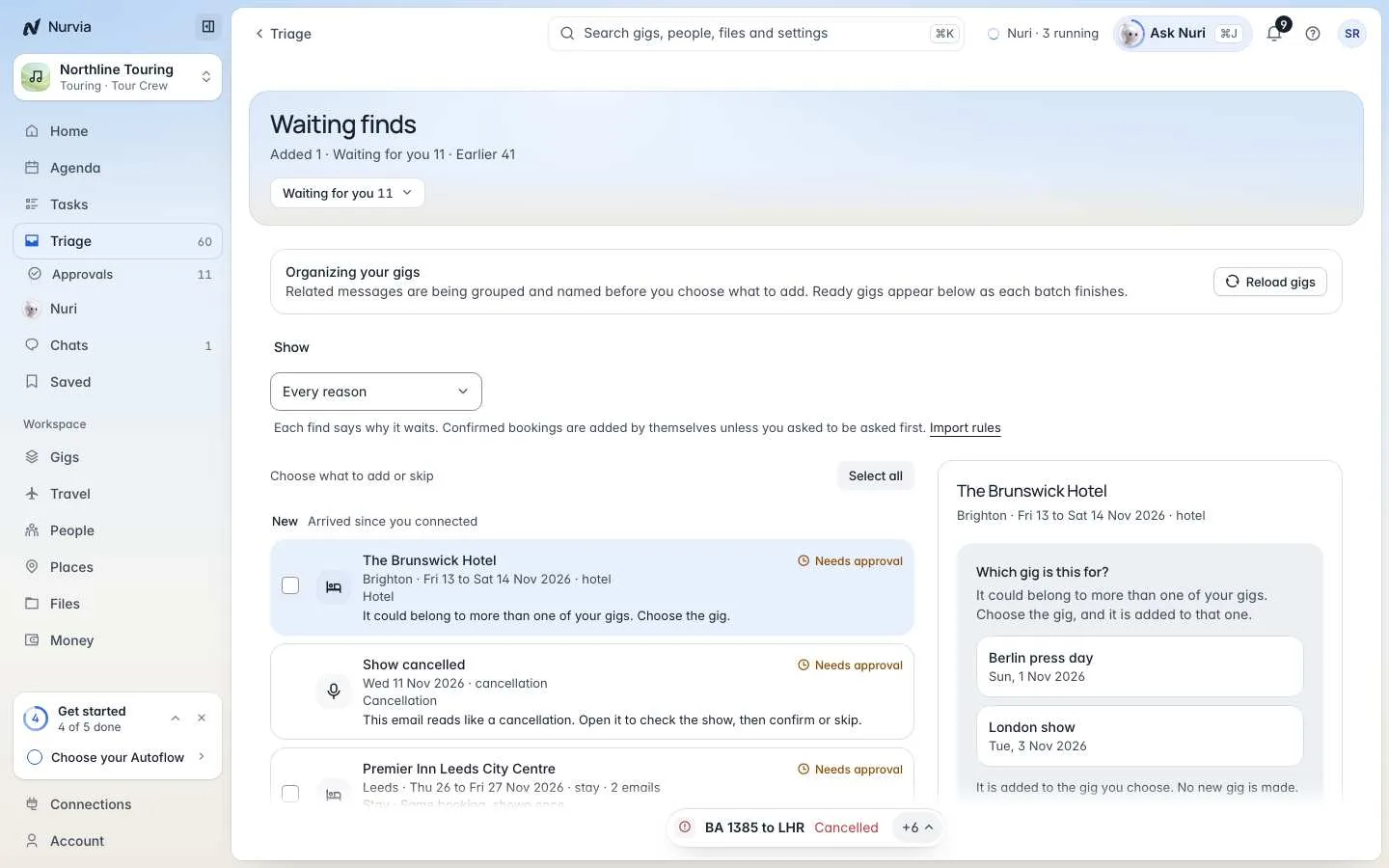
Choose Review finds to see what Nurvia read from your mail that's still waiting. For each one: Add, Skip, Skip all, Read it anyway or Bring it back. Filter by mailbox and Why it waits. See Reviewing finds.
Bring something in
Drop files anywhere in the app (Drop to send to Triage), choose Bring in a file, press U to Bring in a document, or press C for Add anything. Nothing is added until you choose Add.
Older decisions and every receipt are in Activity.