Get started
Ask Nuri about your plan, have it change a time, contact someone and watch a flight, then approve what goes out.
Nuri is the AI operator built into Nurvia. It already knows your plans, so you can hand it the small jobs that eat your day, in plain words. It prepares the work and asks you before anything changes or goes out.
What you'll do: ask Nuri a question, give it three small jobs, and approve its work.
Open Nuri
On the web, click Ask Nuri at the top of any page (or press ⌘J). On iPhone, tap Ask Nurvia anything at the top of Home.
Ask it something
Start with a question it answers from your plan:
Is everyone booked at the hotel for Lisbon?Nuri answers from the plan's stays: who is booked where, and for which nights.
Give it three jobs
Send these one at a time:
Move Friday's airport pickup to 1:30 PM and tell everyone on the planEmail the venue and ask where we can park on SaturdayWatch TP 1350 and tell me if it's delayed more than 30 minutesApprove what goes out
Nuri prepares the change and the email, then shows each as a card marked Needs approval. Read it, then choose Approve to go ahead or Keep to leave things as they are. The same cards wait in Triage under Approvals.
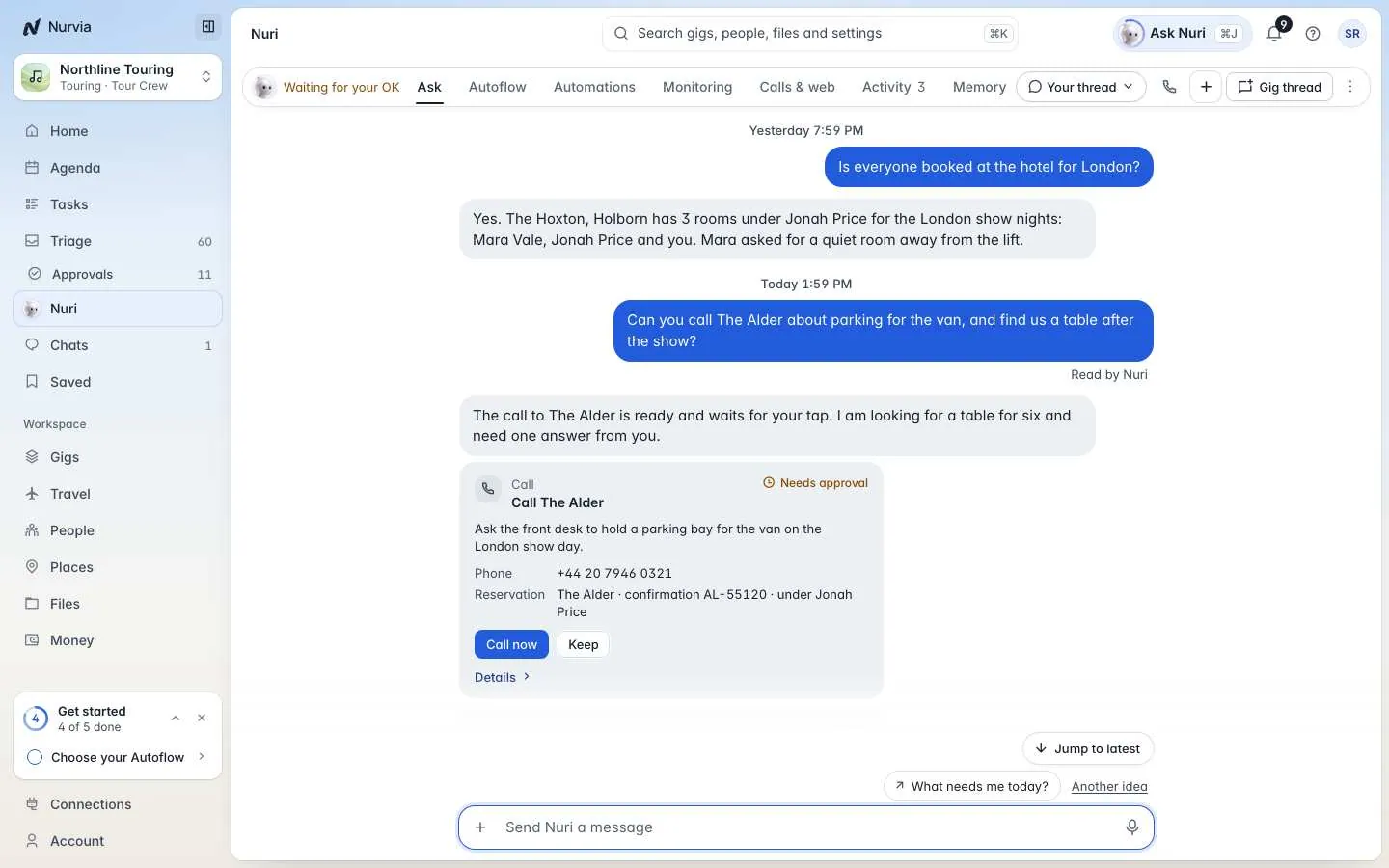
Nothing leaves without you
An approved email goes out after 10 seconds, and Undo stops it until then. Passports, payment details, deleting and paying someone new always ask, whatever you've set.
Your first plan is ready
Your plan is built from email, shared with the right people, on everyone's phone, and Nuri is watching your flight.
On the web, open Nuri in the sidebar and choose Monitoring. Every flight, fare or page Nuri watches is listed there, and you can stop any of them.
Yes, within limits you set. Turn on Autoflow for the plan and add rules in plain words, like "Approve ground transport under $60". See Autoflow and rules.