Get started
Nurvia turns the emails, calendars and files behind a show, trip or event into one live plan your whole team works from.
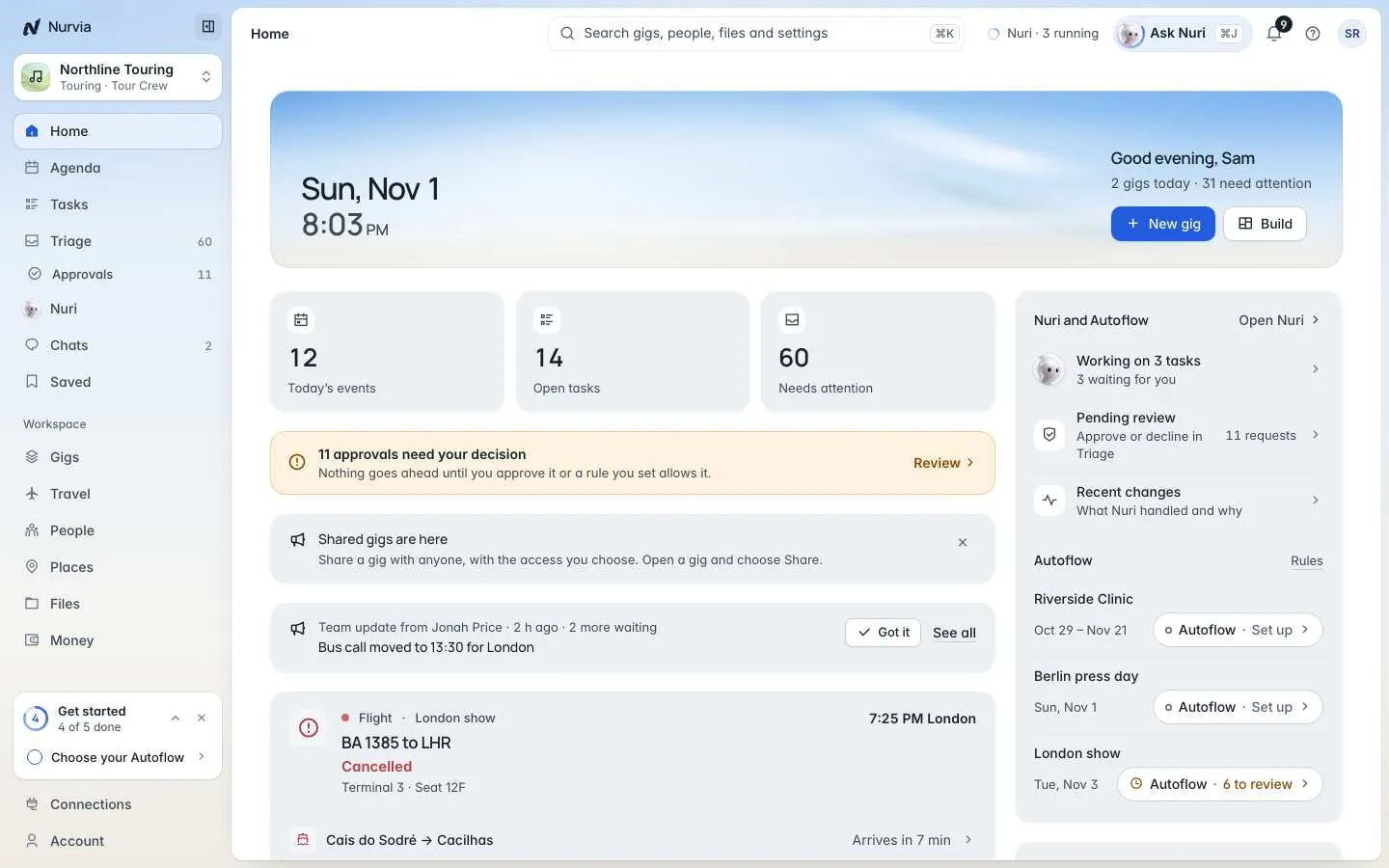
Nurvia is a planning and logistics workspace. Connect your email and calendars, and Nurvia reads them, works out which plan each booking belongs to, and fills that plan in for you: the show or event, flights, hotels, rides, people, schedule and documents. Everything it adds shows where it came from, and you can undo it.
It started with music touring (artists, DJs, managers, agents and tour managers) and works for any kind of plan: a wedding, an away game, a business trip, a conference or your own holiday.
How it works
Bring in where your plans already live
Connect Gmail, Google Workspace or Outlook, or forward booking emails to your Nurvia address. You can also link calendars, upload files or just tell Nuri. Connect your email
Nurvia builds the plan
Confirmations, itineraries, advance sheets and contracts become structured items on the right plan: flights with live status, stays with check-in times, rides, set times, contacts and guest lists. Duplicates are merged, and when a booking changes, the item updates and keeps its history.
You answer only what needs a person
When something is genuinely unclear, such as which workspace a booking belongs to, it lands in Triage as one short question. Answer it once and Nurvia remembers for next time.
Your team works from one plan
Everyone with access sees the same plan on the web and on iPhone, with live flight changes, alerts, chat and day-of-show details. Nuri, the built-in AI operator, answers questions, makes changes and follows up, and asks before anything goes out.
What you can do with it

Plans
One page per show, trip or event: schedule, people, guests, travel, stays, files and money together.

Travel for everyone
Flights, stays and rides for the whole team, with live status, gate changes, delays and cancellations.

Email that files itself
Booking emails become plan items, with the original message one click away.

Nuri, your AI operator
Ask in plain words. Nuri searches, edits plans, drafts replies, calls venues and runs tasks, with your approval.

Teams and roles
A workspace per act, company or client, with roles that decide who sees guest lists and money.

Money
Expenses, receipts, deposits, reimbursements and settlements, shown only to the people who should see them.
Where you can use it
| Web app | iPhone app | |
|---|---|---|
| Where | nurvia.app/dashboard in any modern browser | The Nurvia app for iPhone (install) |
| Best for | Setting up workspaces, reviewing imports, editing plans in depth, money and admin | Show days, travel days, live flight status, chat and quick answers from Nuri |
| Sign in | Email and password, Google or Apple | The same account: Apple, Google or email |
Your account, workspaces and plans are the same everywhere. A change on one shows up on the other within seconds.
Your word for a plan
Every plan uses its workspace's word: music workspaces say gig, a business might say trip or meeting, a family event. Personal says plan until you pick a word. These docs say "plan" unless something only applies to one kind.