iPhone app
Plan chats, direct messages and team rooms — with live trip cards, polls, voice messages and Nuri's outbox.
iPhone
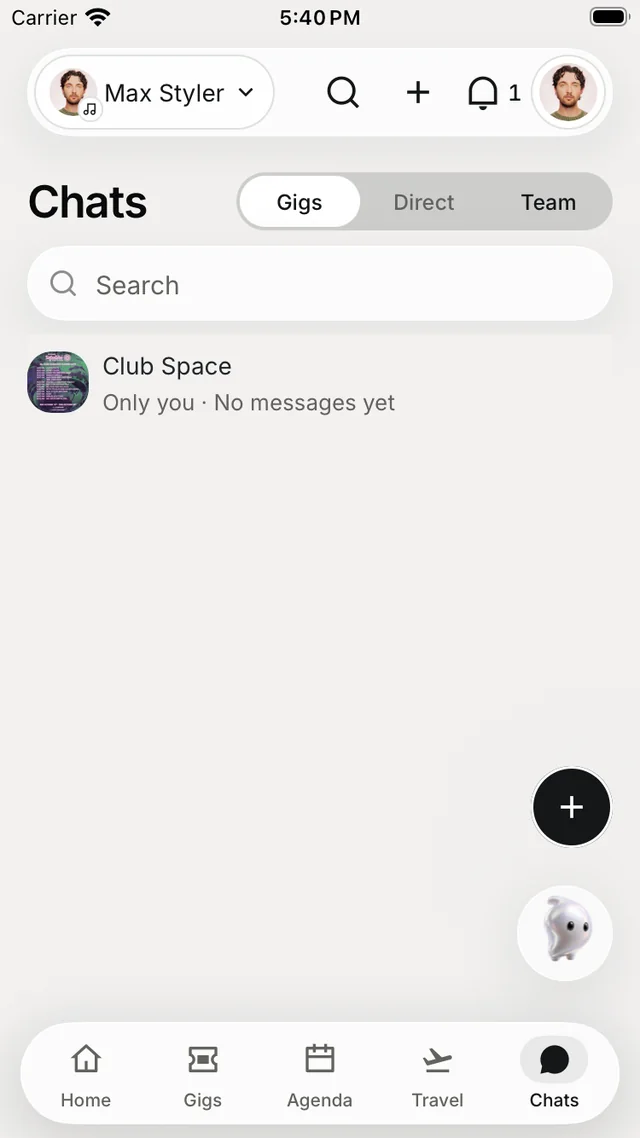
The Chats tab is your team's messaging. Every gig gets its own chat, every team gets a room, and you can message anyone on your team directly.
Find a chat
Switch between three scopes at the top: Gigs (or Plans), Direct and Team. Search finds chats and people. A team room can Convert to channels — a room for each topic.
To start a conversation, tap +, then New chat and Start a direct chat, and search your team.
In a conversation
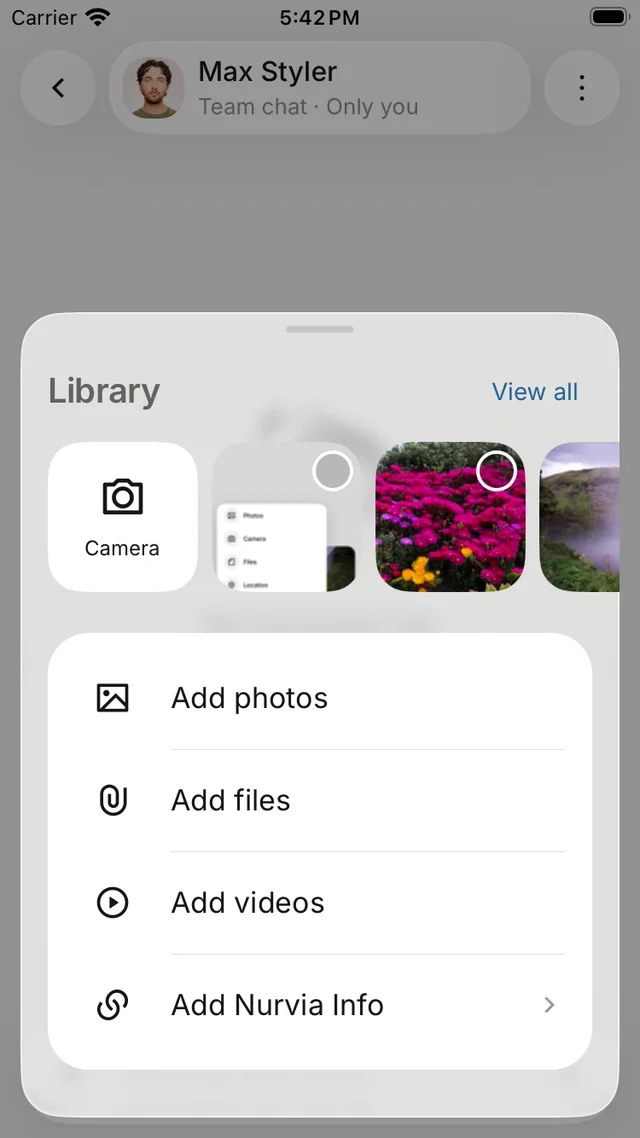
- Attach — take a photo, or add photos, files or videos.
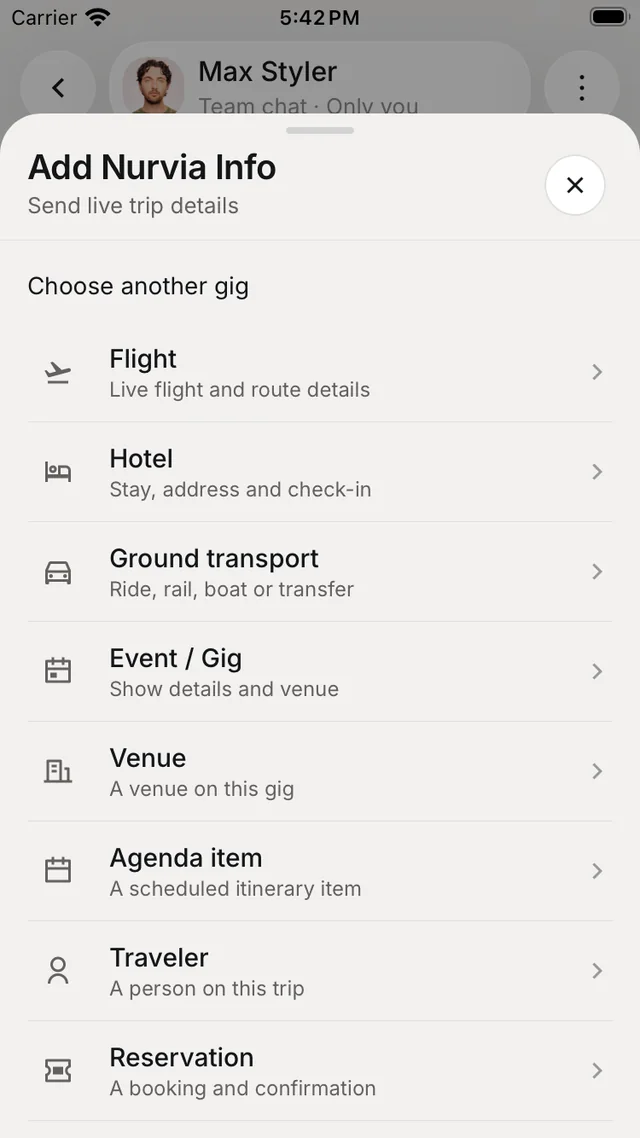
- Add Nurvia Info — share a live card for a flight, hotel, ground transport, gig, venue, agenda item, traveller or reservation. Send live trip details shares a card that keeps itself up to date.
- Ask a poll — everyone in the chat can vote; allow more than one choice if you like.
- Voice messages — hold the microphone to record, up to five minutes.
- @mentions and Pinned messages.
- Long-press a message to react, Reply, Copy, Select text, Share, Pin message or Delete for everyone.
Chat settings
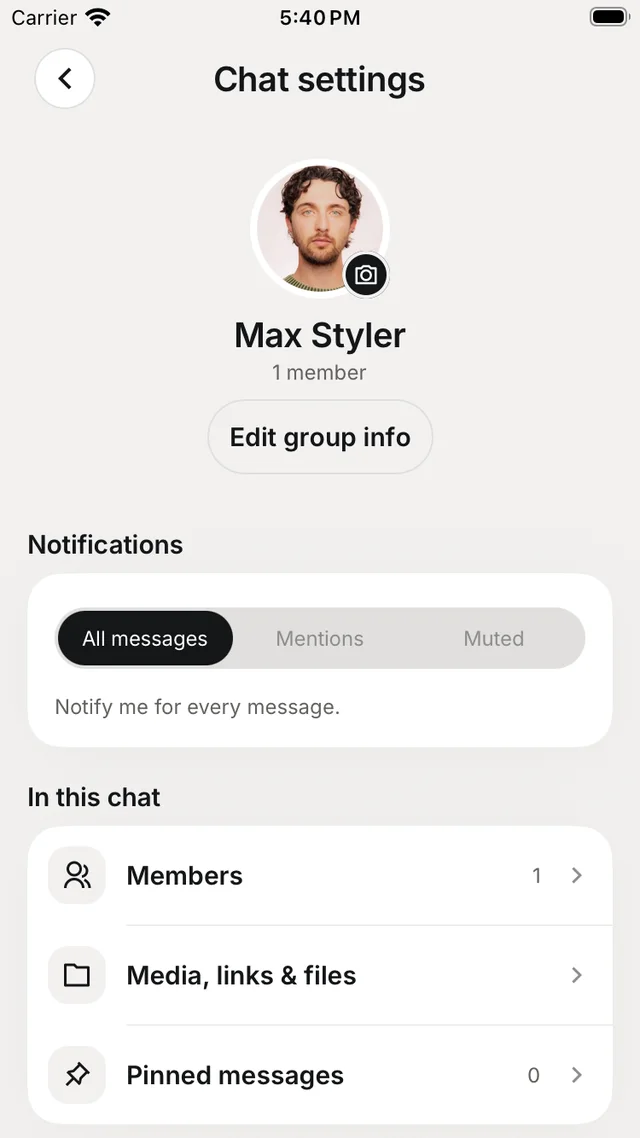
Tap the chat's name for Chat settings.
Settings for one chat
- Edit group info — the name and picture.
- Notifications — All messages, Mentions or Muted.
- Members, Media, links & files and Pinned messages.
- Read receipts — show when your messages have been read.
- Save media — save newly received photos and videos to your iPhone.
- Leave group.
Nuri's outbox
Drafts Nuri writes for people outside Nurvia wait in Nuri's outbox until you send them. Nothing goes out on its own.