iPhone app
Your profile and every section of iPhone settings — account, notifications, Live Activities, workspace, Nuri, travel and app.
Tap your photo at the top right of any main screen to open your profile, then the gear for Settings. Settings follow your account across devices, apart from a few that belong to this iPhone, such as drafts.
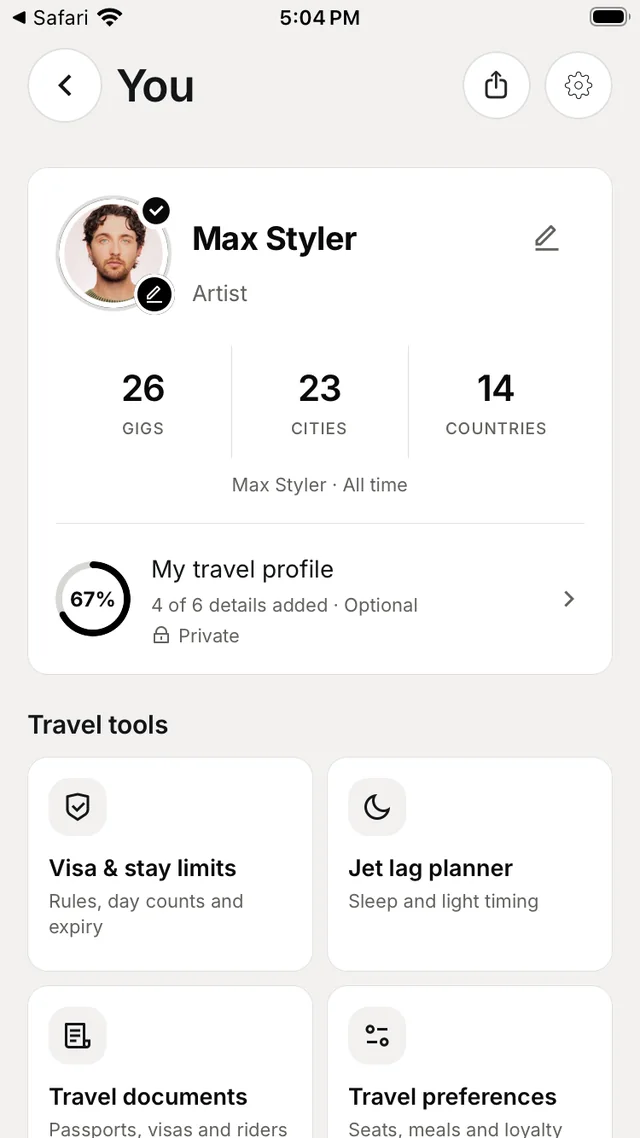
Your profile
Your photo, name and role, with your gigs, cities and countries, and My travel profile — how complete it is. Below:
- Travel tools — Visa & stay limits, Jet lag planner, Travel documents, Travel preferences, Everyone's travel and Money back.
- Connections — Manage connections for email forwarding, calendars and messaging, with a Reconnect pill when a mailbox needs it.
- History — gig, flight, travel, accommodation and venue history for the workspace.
- My bookmarks — Saved guests and Bookmarks.
- Team & permissions, Approvals, Passport and Share your profile.
Settings sections
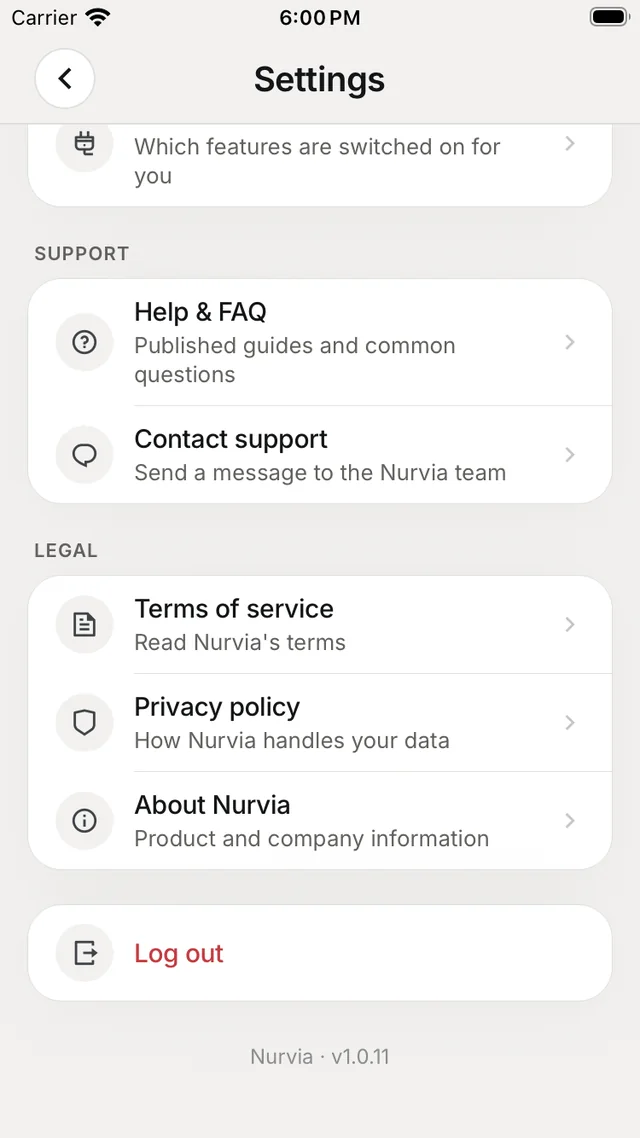
At the top: Drafts (continue an unfinished item), Shared with Nurvia (items saved from other apps) and Live Activities (Lock Screen updates).
| Section | What's there |
|---|---|
| Account | Account settings (name, username, mobile number, password, birthday), Plan & billing, Privacy & visibility, Notifications, Devices and Download your data. |
| Workspace | Team settings, Connections and Email import. |
| Nuri | Approvals and access — how Nuri asks before changing things. |
| Travel | Travel preferences, Travel documents and Visa & stay limits. |
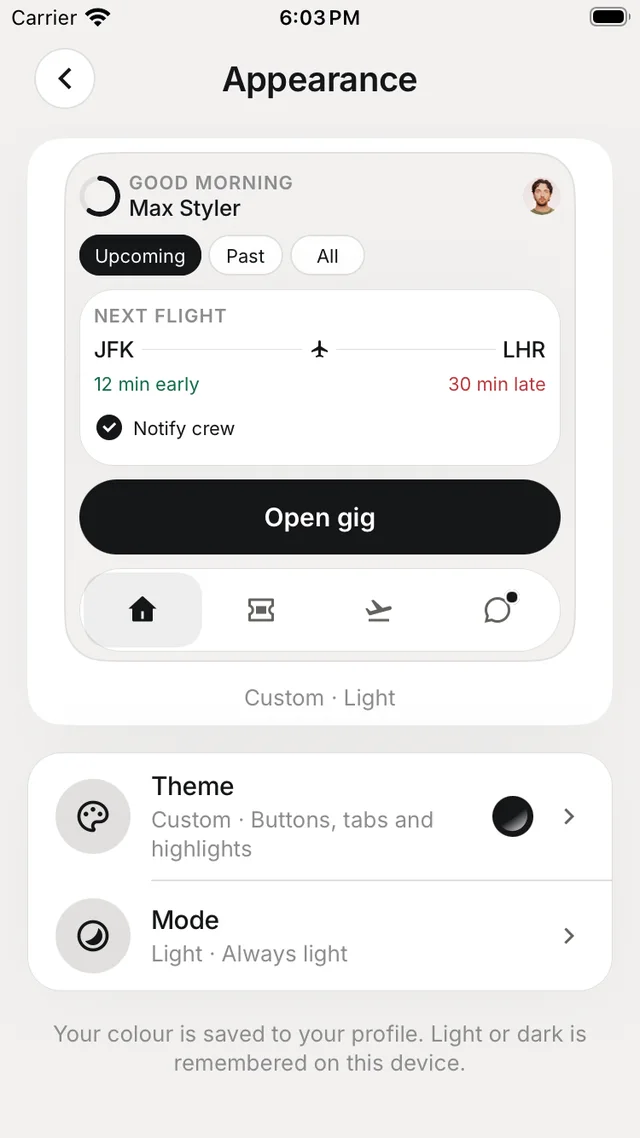
| App | Appearance (accent colour, light or dark) and Units & formats (°C or °F, 12- or 24-hour, miles or kilometres). |
| Support | Help & FAQ and Contact support. |
| Legal | Terms of service, Privacy policy and About Nurvia. |
At the bottom: Log out, and the version line — include it when you contact support.
Teams
ProfileTeam & permissions — create or join a team, invite people, manage groups and access, edit the team, and choose what it calls things (for example Gig and Gigs). See Members and invites.
Protect your account
Turn on two-step sign-in for your account — see Account.