iPhone app
List, day, week and month views with a map of the day, time-zone options, and a checklist your team confirms.
iPhone
The Agenda tab shows everything with a time — gigs, stays, travel and agenda items — for the workspace you have open. The checklist keeps track of what people still need to do.
Agenda
Pick a day from the date strip, or tap Today to jump back. The switch at the bottom changes the view:
| View | Shows |
|---|---|
| List | Each day's stops in order, with travel estimates between them. |
| D (day) | A timeline of one day, all-day items at the top. |
| W (week) | Seven days side by side. |
| M (month) | The whole month at a glance. |
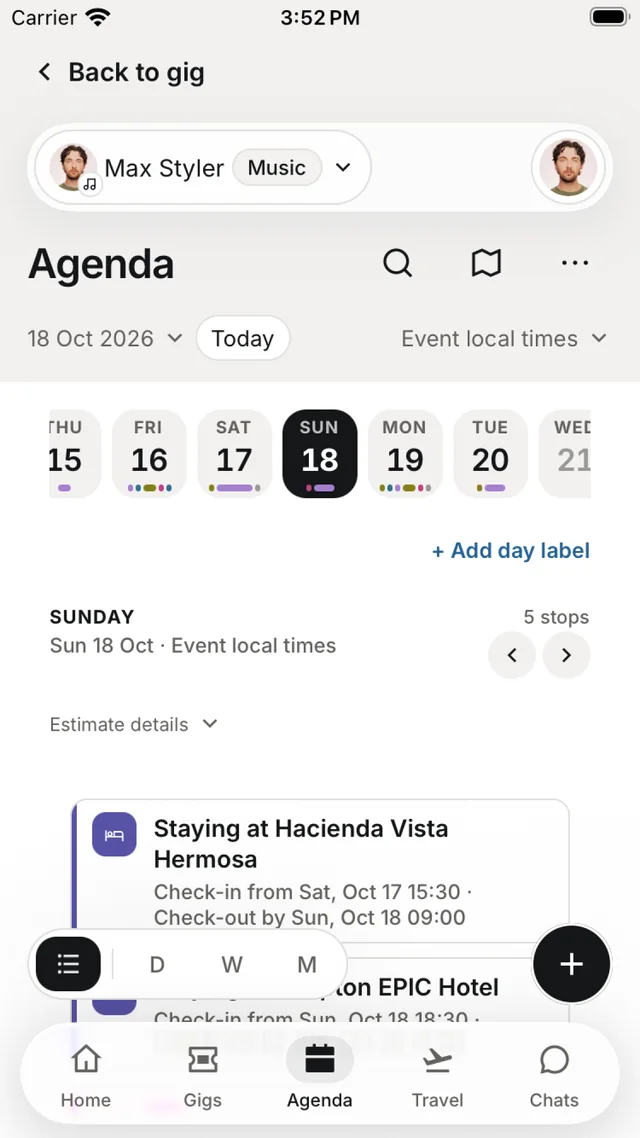
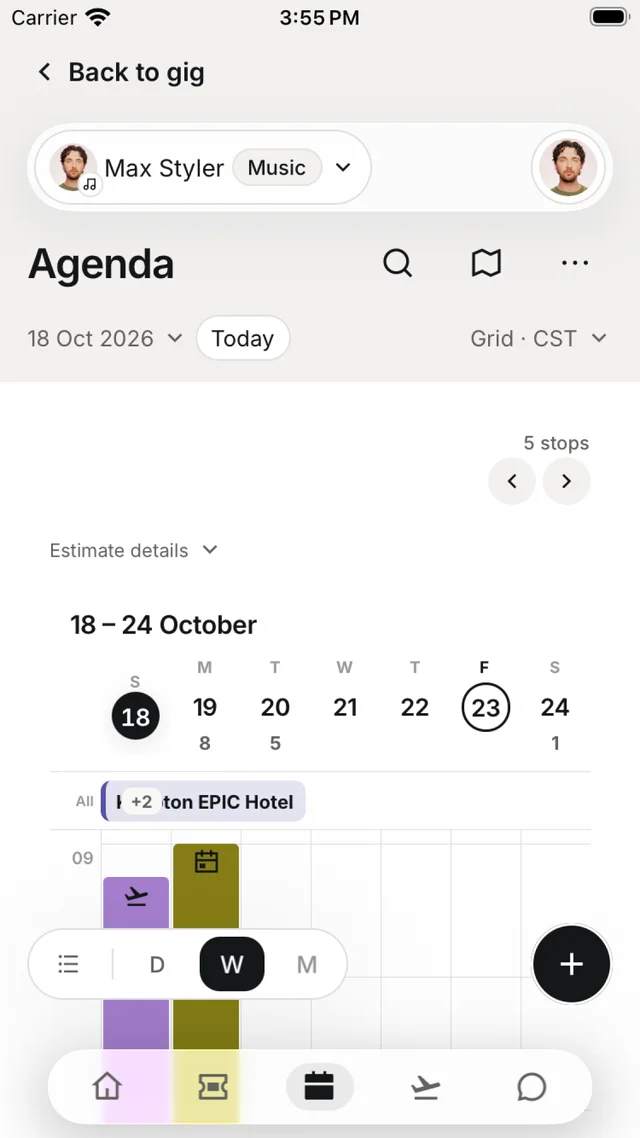
- Tap + to add an agenda item, with people, a location and a calendar. In an agenda item you can also turn on Pin to my Lock Screen.
- Add day label names a day — for example Travel day.
- The map button shows the day's stops on a map.
- Gigs without a set time say Time to confirm. Repeating events open as a series.
Agenda options
Tap ⋯ for these:
| Setting | Options |
|---|---|
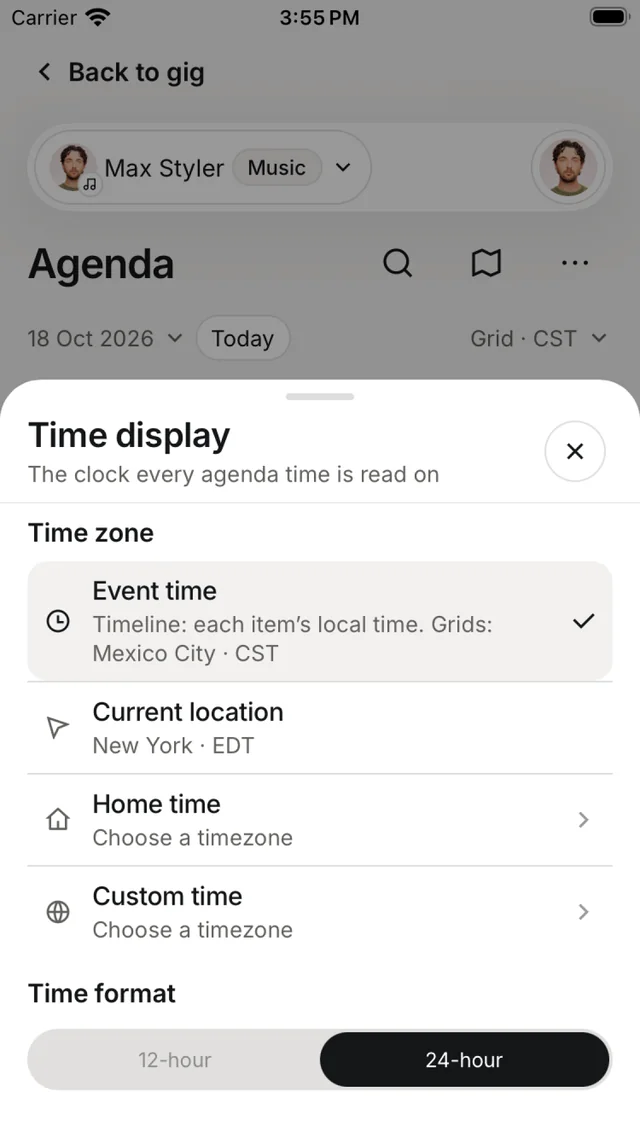
| Time display | Event time (each item's local time), Current location, Home time or Custom time |
| Time format | 12-hour or 24-hour |
| View by | Choose which calendars appear — Gigs, Venue, Accommodation, Running order, Travel and General |
| Calendar colors | A colour for each calendar |
| Calendar feeds you share | A subscribable link — see Calendar export |
Each gig's own agenda (the Agenda tile on the gig) supports day labels and Copy a day.
Checklist
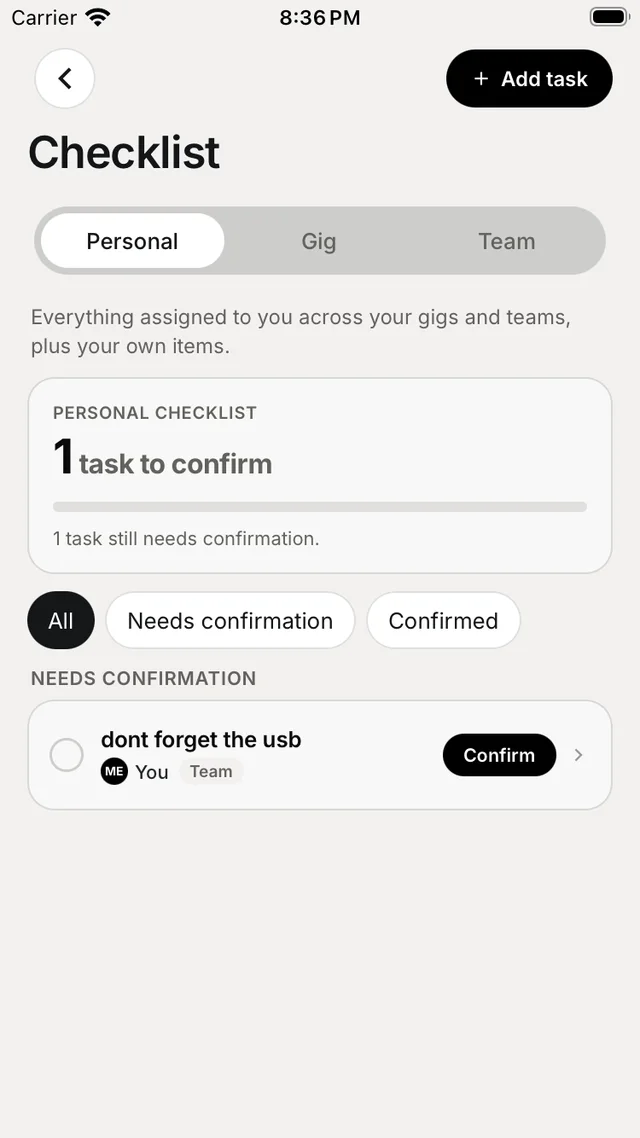
Open the Checklist card on Home, or tap + and choose Request checklist.
How it works
- Choose Personal, Gig or Team.
- Tap Add task and assign it.
- People tap Confirm on their task. You see progress such as 3 of 5 confirmed, and can Reopen a task if needed.
Filter by All, Needs confirmation or Confirmed. Personal shows everything assigned to you across your gigs and teams. The checklist works offline with your saved tasks.