iPhone app
Build the running order with Quick add, retime it from doors, and run the guest list with access types and guest links.
Both live on the gig: open the gig and tap the Run of Show or Guest list tile.
Run of Show
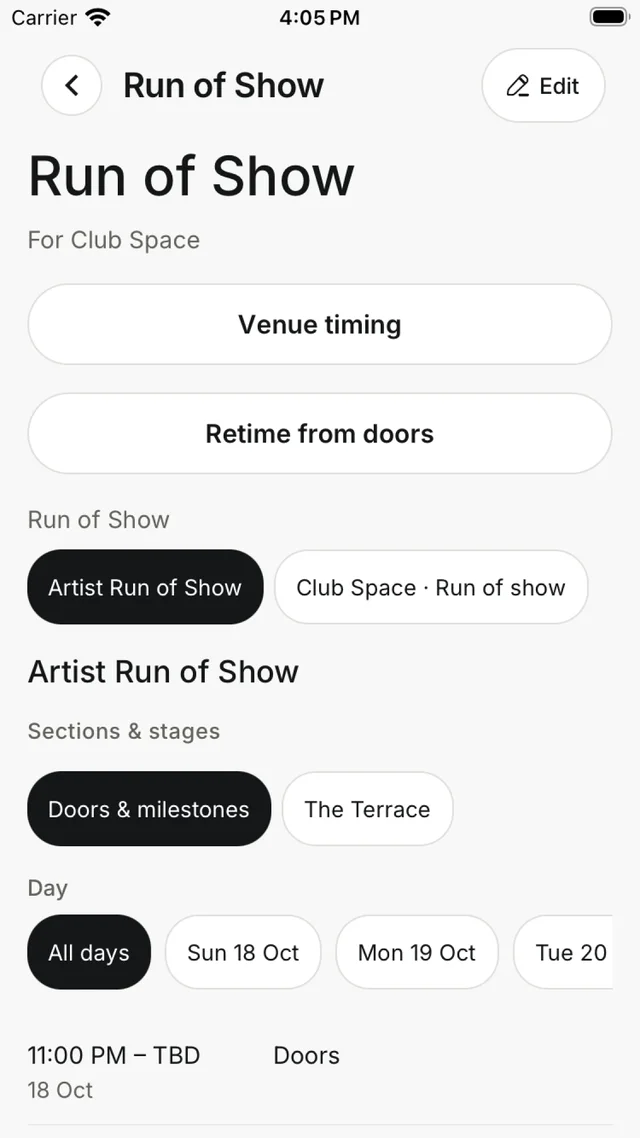
The Run of Show is one simple list for the gig, with every cue in time order. If you've made more than one running order or section, chips at the top let you switch between them.
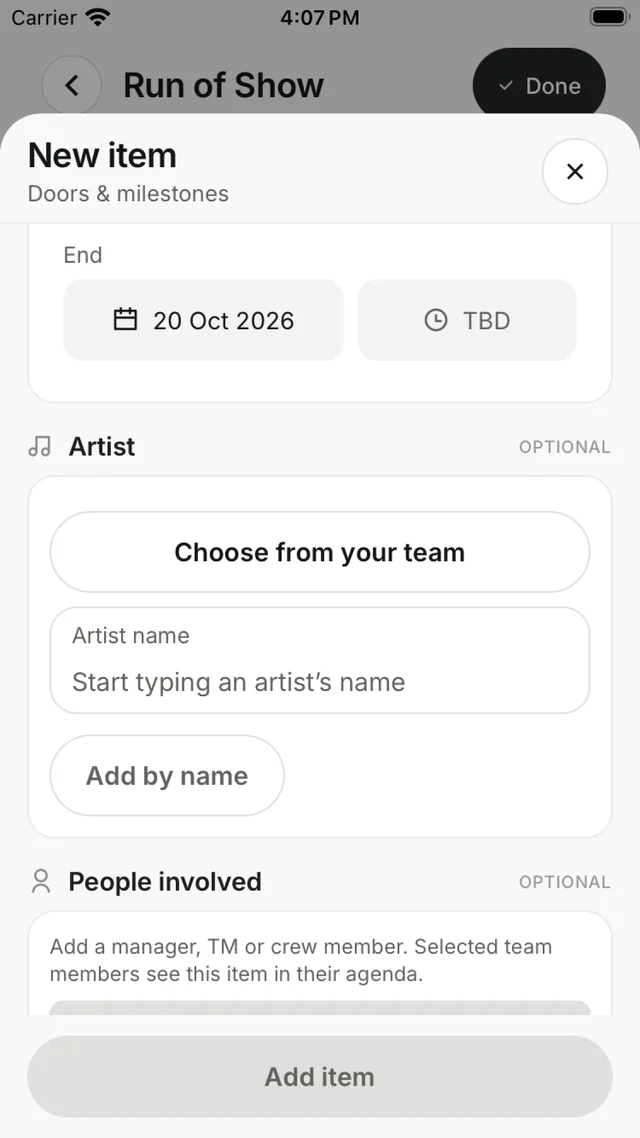
- Add item — a title, start and end time, the Artist, People involved (they see the cue in their own agenda), notes and attachments.
- Quick add — paste a whole lineup, one act a line. Check the preview, then save it all at once. Lines listed twice are added once.
- Venue timing — shows doors and milestones from the venue.
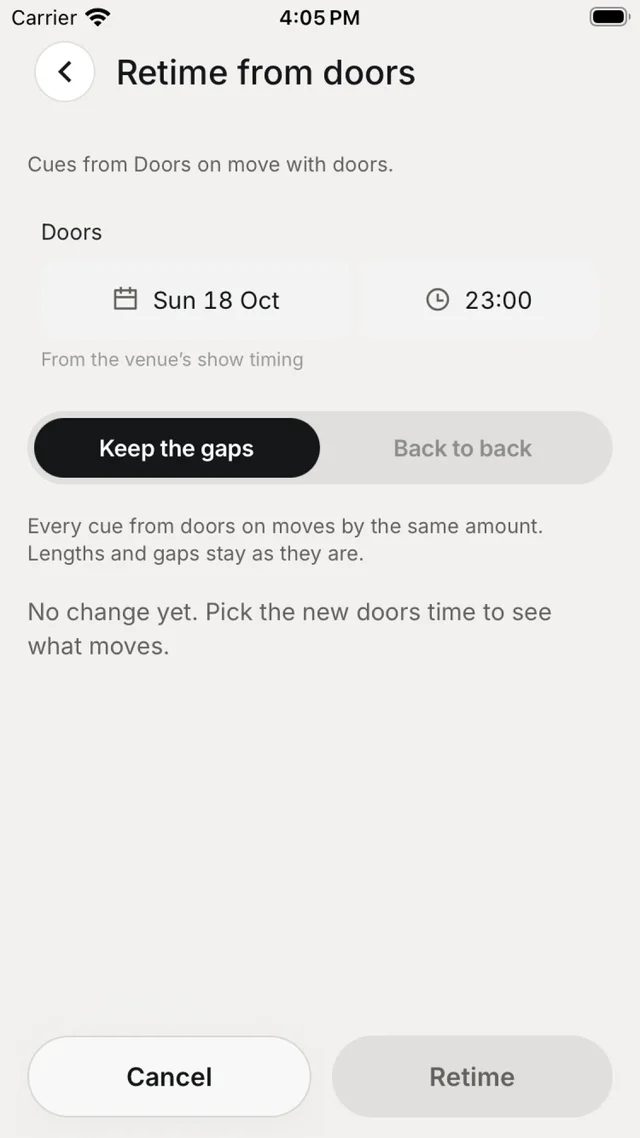
- Retime from doors — pick the new doors time, then choose how the rest moves.
Retime from doors
| Choice | What happens |
|---|---|
| Keep the gaps | Every cue from doors on moves by the same amount. Lengths and gaps stay as they are. |
| Back to back | Each cue starts when the one before it ends. |
Nothing changes until you tap Retime.
Guest list
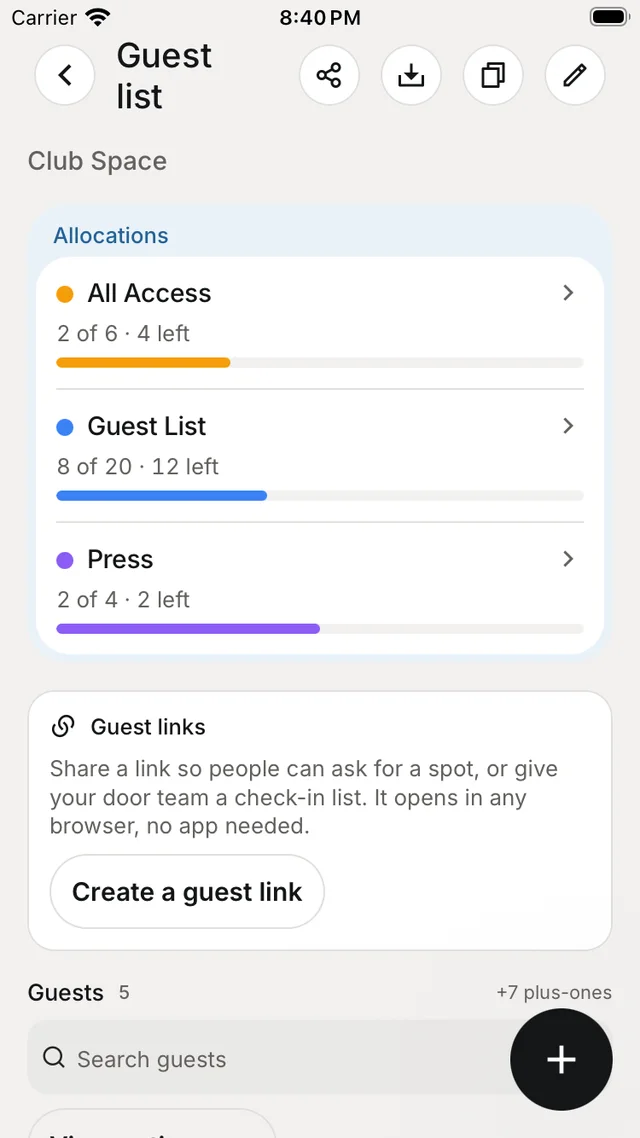
The guest list shows your Allocations — each access type with how many are used and left — then your guest links and every guest with their access type and plus-ones.
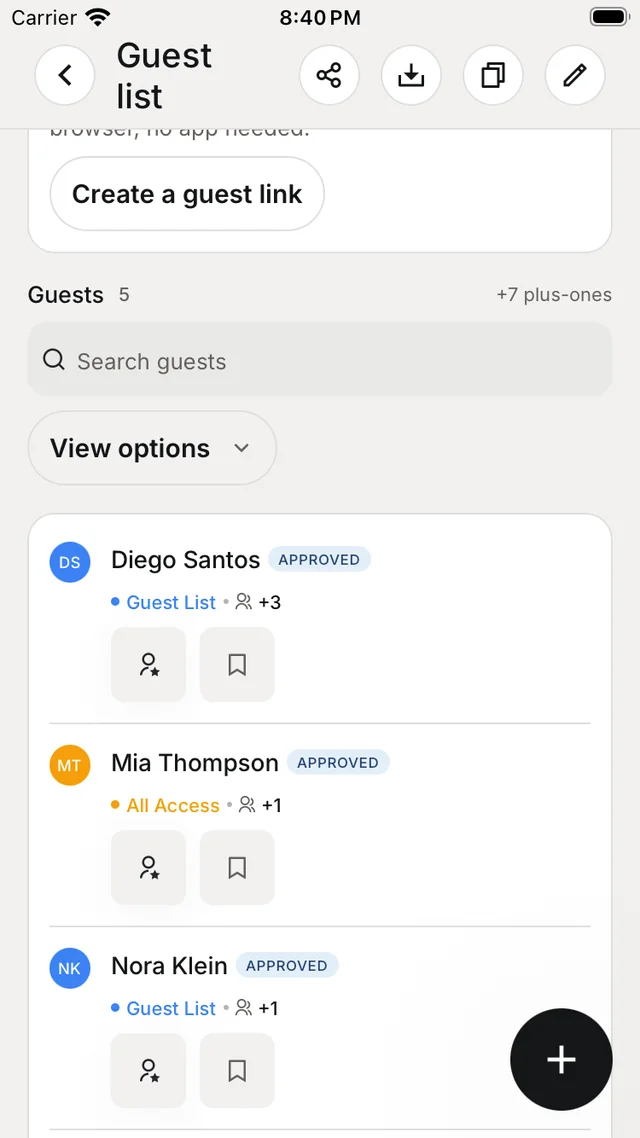
Add guests
- Tap + to add a guest, or long-press + to Add from the crew.
- Add from saved guests brings back people you've had on lists before.
- Import guest list takes an upload, a forward or pasted text in any format — you review it before anything is added.
- Before a guest gets an email, the app asks Email them an invite. If you don't choose it, they get nothing.
Set Access types with allocations and see Totals by access type. You can also Copy list, Share guest list, export it, or copy it to another gig.
Guest links
Tap Create a guest link and choose the kind:
| Link | What it does |
|---|---|
| Guest requests | People open the link, choose an access type and ask for a spot — no app or account needed. Set caps, plus-ones and a closing time; requests wait in Pending approval unless you turn approval off. |
| Door check-in | Door staff see approved guests and check them in. Anyone with the link can read guest names, so share it only with the door team. |
Approve waiting requests one by one or with Approve all.
Past guests are kept in ProfileSaved guests.