iPhone app
Ask Nuri by text or voice, attach photos and files, approve changes and undo, and choose how much Nuri may do on its own.
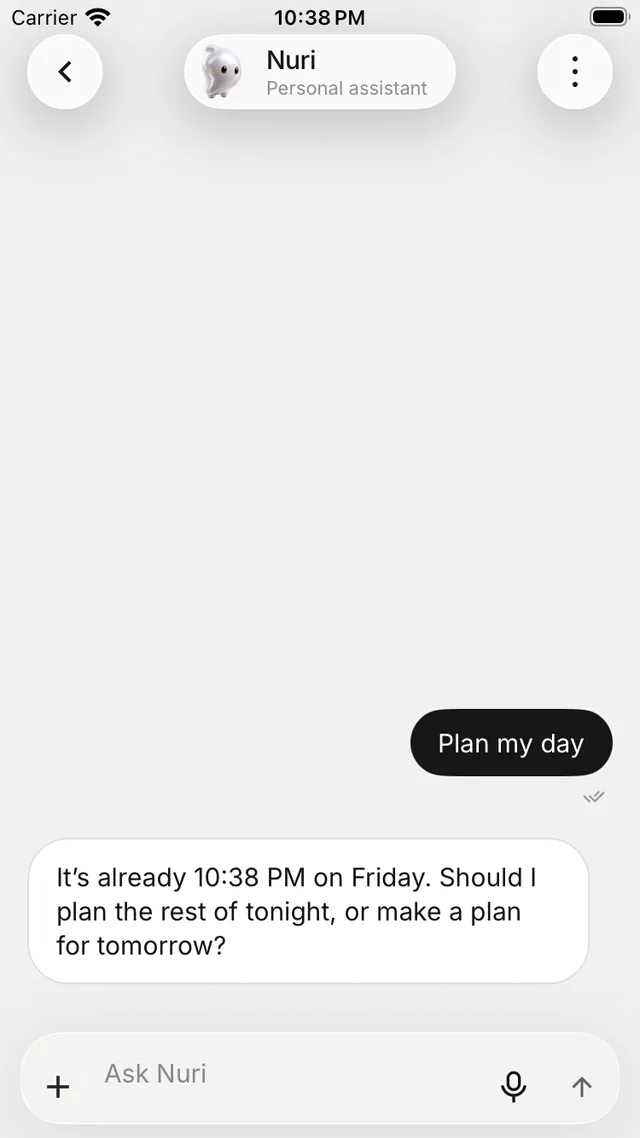
Tap Ask Nurvia anything at the top of Home. Nuri is your assistant for gigs, travel, team and expenses — it answers from records you can already open, and it asks before it changes anything unless you've told it otherwise.
Ask
A new conversation offers starters such as Plan my day, Draft a message to my team, Summarize my next gig and What should I prepare for my next trip? Or type your own question in Ask Nuri.
- + — Add photos, Add files, Add videos, or Add Nurvia Info to attach a gig, flight, stay or person card. You can also choose Find flights or Find a place to stay.
- Microphone — Talk to Nuri for up to five minutes. Your words become a draft that you review before sending.
- Stop — stops a reply mid-way.
Replies
- Sources show as numbered markers — tap one to see where an answer came from.
- When Nuri changes something, the reply carries one receipt card with See what happened and Undo.
- Long-press a message to copy, share, select text or react.
The Nuri menu
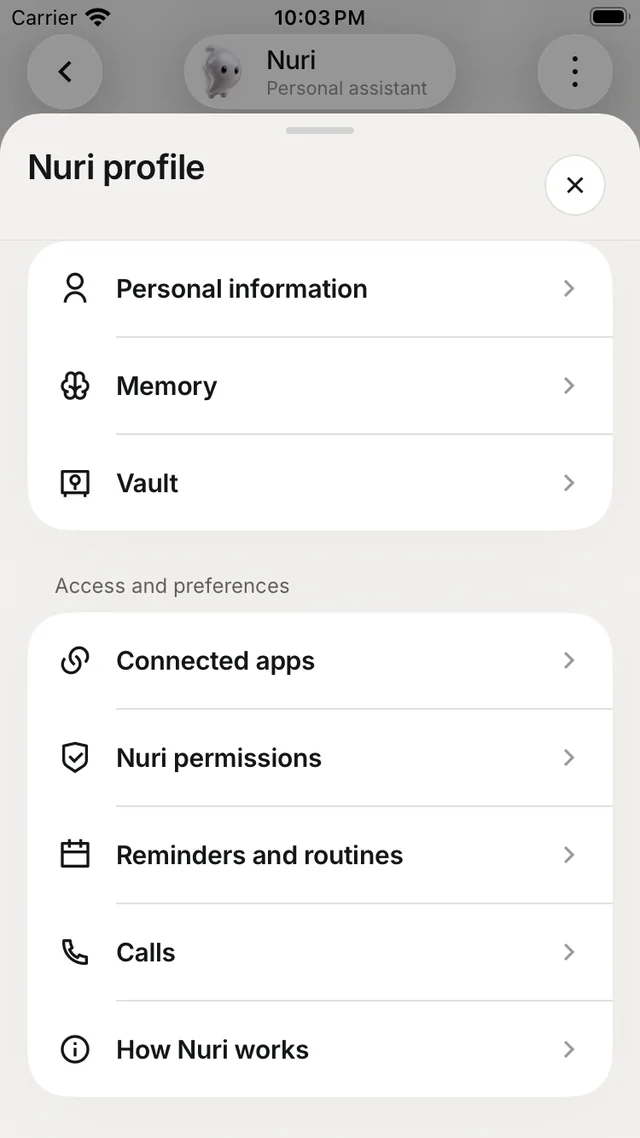
Tap ⋮ at the top right to open Nuri profile.
| Item | What it does |
|---|---|
| Chat history | Your messages and Nuri's replies |
| Nuri Activity | Changes and results, each with Undo |
| Personal information | Details Nuri can use when helping you |
| Memory | What Nuri remembers — tell it something new or Forget |
| Vault | Saved logins, cards and personal details Nuri can use when you ask |
| Connected apps | Accounts Nuri can use |
| Nuri permissions | Approval mode and what Nuri can reach |
| Reminders and routines | Scheduled work and quiet hours, such as a morning brief |
| Calls | Call history and transcripts, when recording was turned on with consent |
| How Nuri works | What to ask and what to double-check |
| Clear conversation | Deletes the chat history, not your records |
Everything waiting for your yes is in ProfileApprovals — see Triage and approvals.
Approval modes
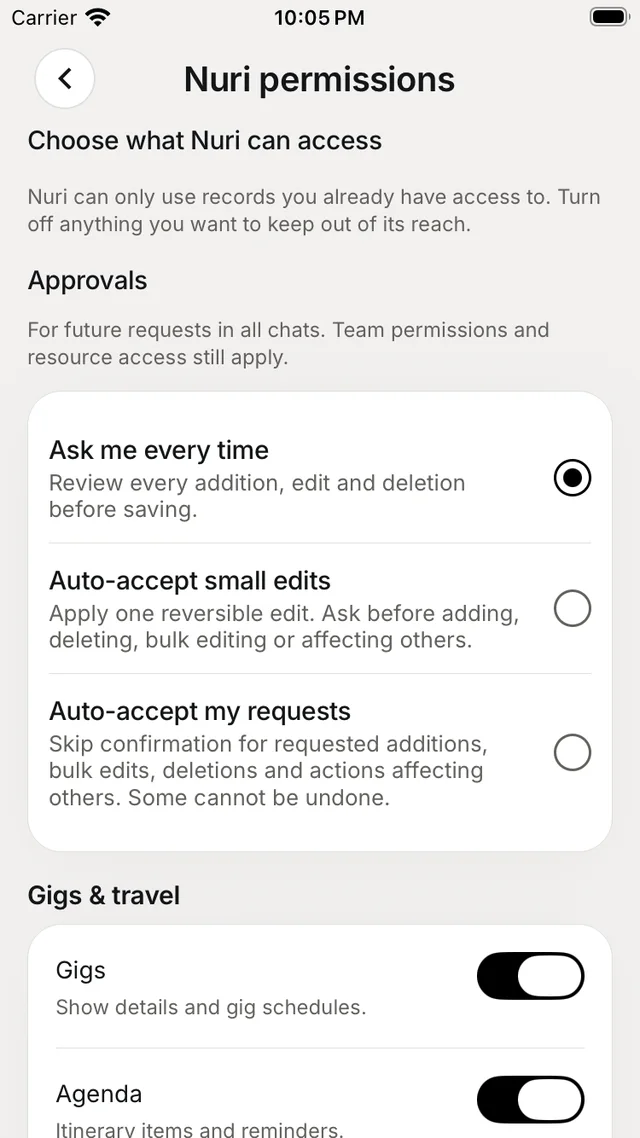
Choose a mode in Nuri permissions, or in SettingsApprovals and access:
| Mode | What it means |
|---|---|
| Ask me every time | You review every addition, edit and deletion before it's saved. |
| Auto-accept small edits | Nuri applies one edit that can be undone, and asks before adding, deleting, bulk editing or affecting others. |
| Auto-accept my requests | Skips confirmation for what you ask, including bulk edits and actions affecting others. Some can't be undone. |
Below the modes, Choose what Nuri can access has a switch for each area — Gigs & travel, People & teams, Work & files and Your account. Nuri can only use records you already have access to, and team permissions still apply.
Check before you rely on it
Nuri can make mistakes or use information that has changed. Confirm times, gates and bookings. A draft doesn't send a message, and a suggestion doesn't book travel.