Teams & settings
Invite people by email, link or code, organise them into groups, approve join requests, and manage ownership.
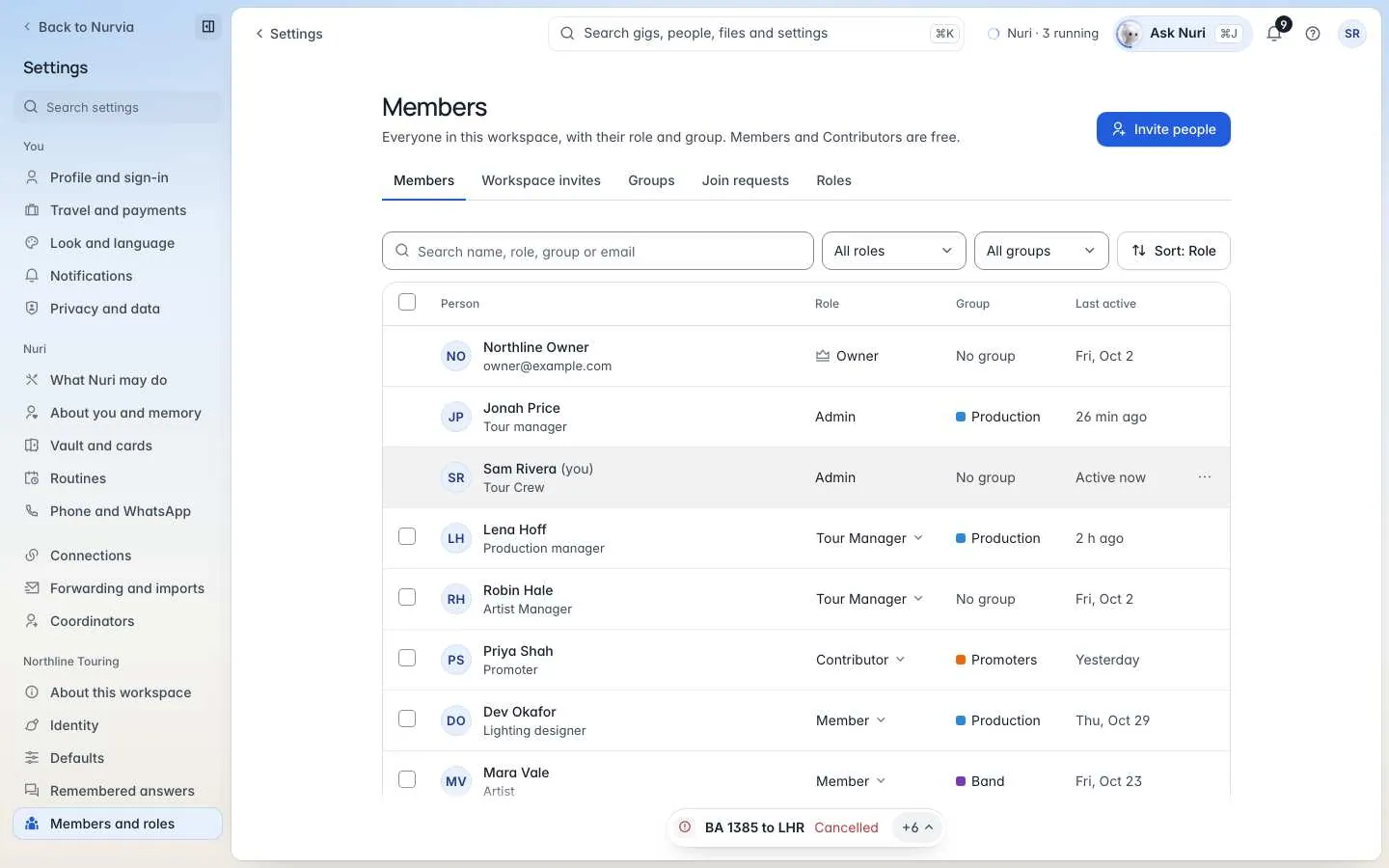
Who is in the workspace and how they got there. Invite people with the role they need, sort them into groups, and decide who may join from a link.
Where to find it
| Platform | Path |
|---|---|
| Web | SettingsMembers and roles, with tabs for Members, Workspace invites, Groups, Join requests and Roles. |
| iPhone | ProfileTeams, then your team — or SettingsTeam settings. |
Invite someone
Choose how to invite
On Workspace invites, choose Invite someone by name or Several emails — or make an Invite link.
Pick the role they join as
Members and Contributors are free. Managers are paid seats — invite them by email. See Roles and permissions.
Send it
Send the invite, or share the link, code or text message. You're done when the person shows on Members with the role you picked.
| Way to invite | Notes |
|---|---|
| Invite someone by name or Several emails | Each person joins with the role you pick. |
| Invite link | Share a code, link or text message. It works for 1 day, 7 days or 30 days. |
| Import a crew list (iPhone) | A CSV, checked before anyone is invited. |
| Invite from contacts (iPhone) | Pick people from your phone's contacts. Nobody is invited automatically. |
Links give only free roles
A link can be passed on, so it gives only free roles. Invite Managers by email. New link stops the old one at once, and you can also revoke or resend invites.
Members
Search and filter by group or role. Move to group, Set access, Remove, suspend or restore someone. There's one Owner and any number of Admins; only the Owner can Transfer ownership. Manager seats shows how many paid seats are in use.
Groups
A crew, a department, a band. Each person sits in one group.
Join requests
Share the workspace's ask-to-join link — nobody joins until you approve. Approve or Decline each request, with an optional note.
Announcements and audit
- Announcements — post to everyone in the workspace. Guests and Externals can read them but not post.
- Audit (Owner and Admins) — who changed what in the workspace, and when.