iPhone app
Live flight status, gates and baggage belts, the step-by-step airport journey, terminal maps and rides from the airport.
Open any flight from Travel, Home or a gig. Nurvia follows it from check-in to the baggage belt and tells you what to do next at each airport.
Live flight status
Flight cards use two colours:
Green
Red
You'll also see where the plane is: Not departed, Taxiing for takeoff, Airborne, Landing soon, Landed and At the arrival gate. Cancelled and diverted status comes from the airline's own record.
- Gates and terminals — departure and arrival gates; if a gate changes, the current one wins. A connection that needs a terminal change is flagged.
- Baggage claim — the expected belt on arrival, marked Predicted until it's confirmed.
- Flight updates — every change, newest first.
- More about this flight — the inbound aircraft, onboard amenities, route history, airport status and a live map.
- Find alternative flights — when you need a backup.
- Online check-in — while check-in is open, Home shows a card with a Check in button.
A booking with an outbound and a return shows the current flight and +1 more flight.
Airport journey
Open it from Home's airport card or from the flight's Open journey. Departure walks you through check-in, bag drop, security, passport control and the walk to your gate, with a time range for each step, then Board at and Gate closes. Arrival covers the gate, leaving the aircraft, customs, baggage claim and your ride.
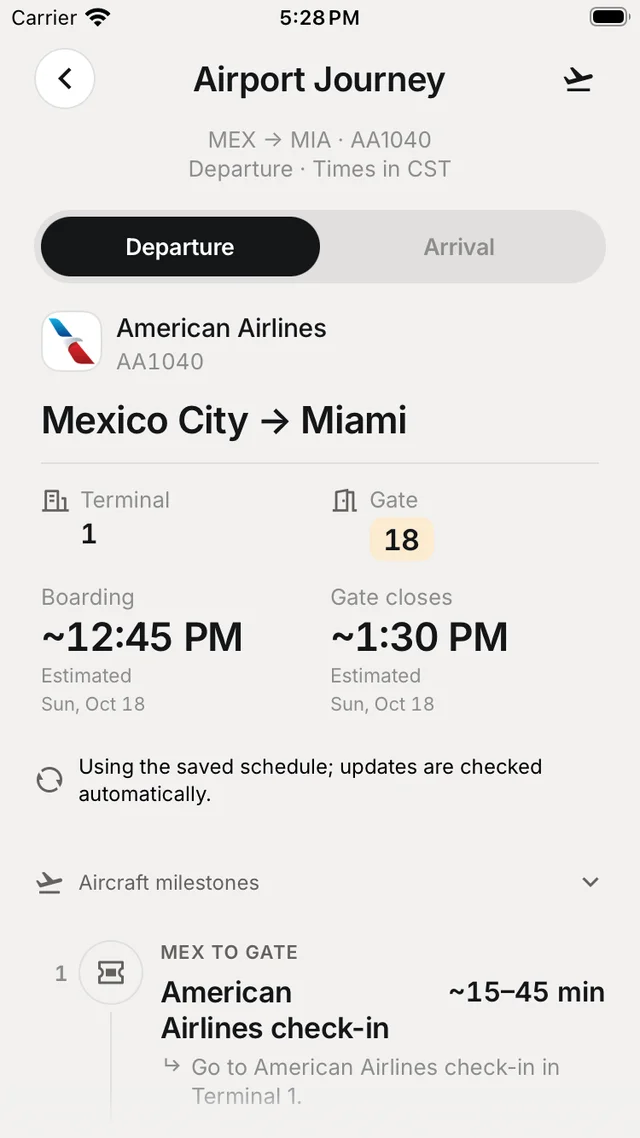
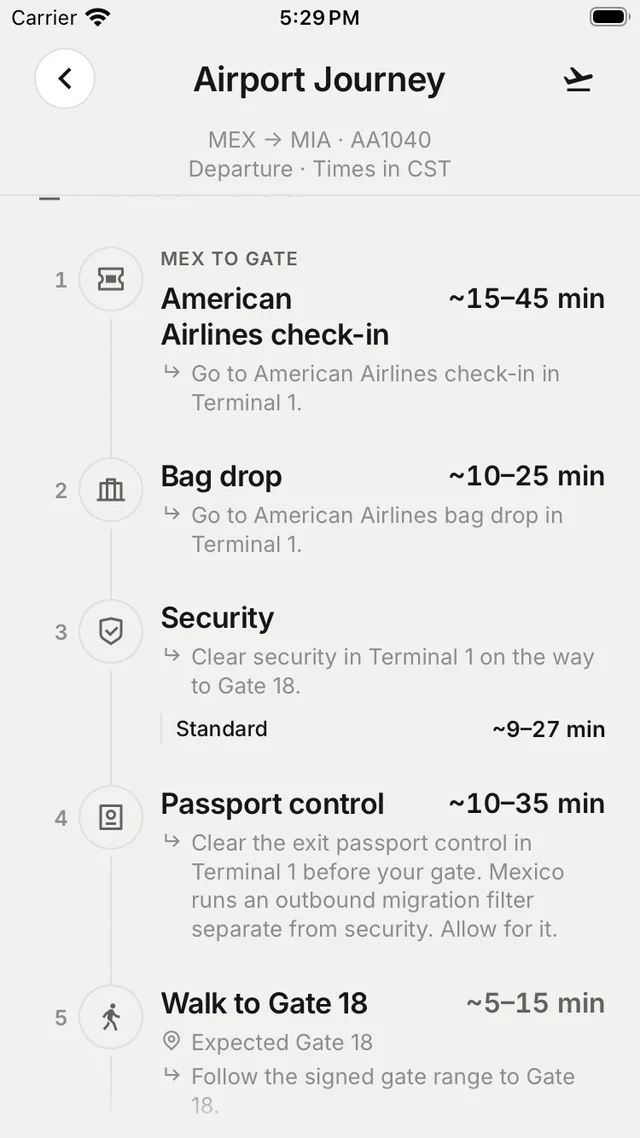
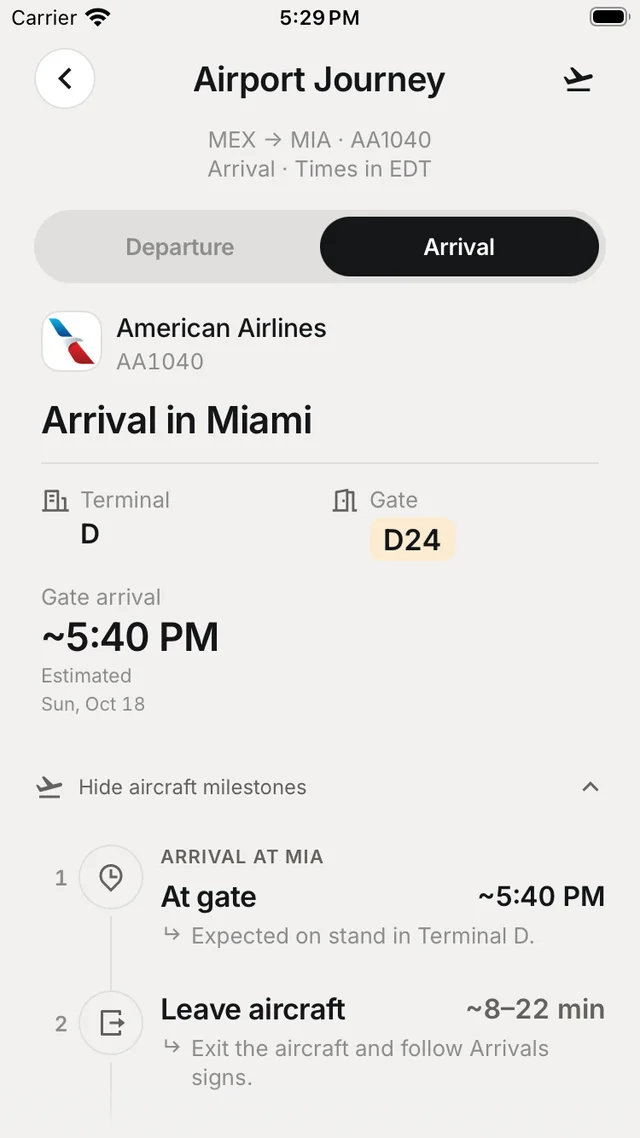
Times use your saved schedule and are checked again automatically. Ask Nuri for help, or Check again to refresh.
Terminal maps
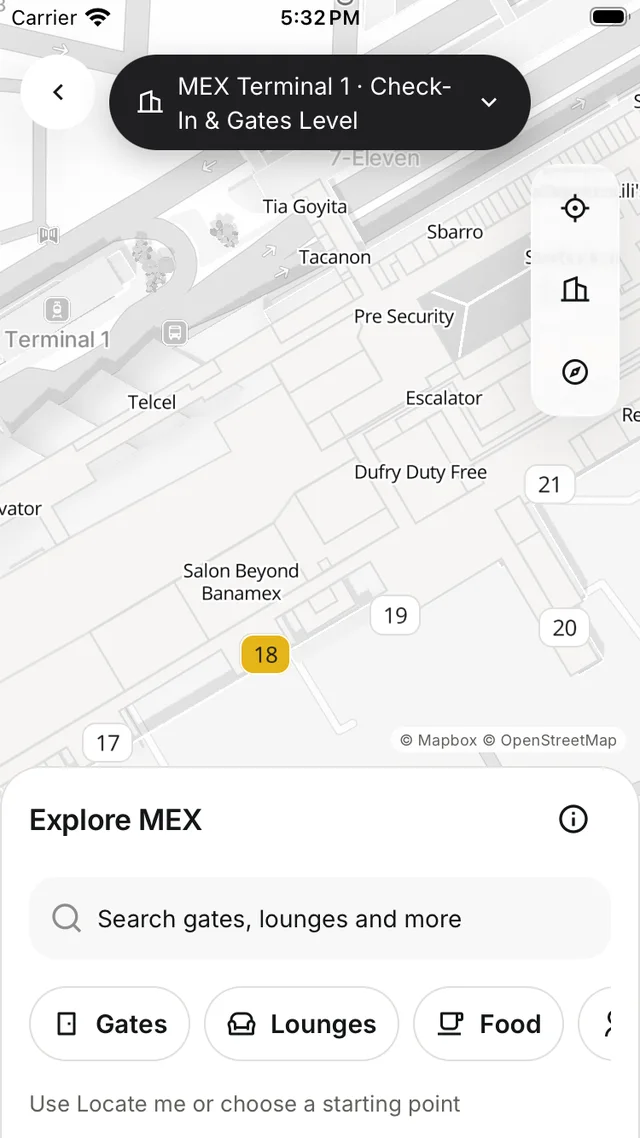
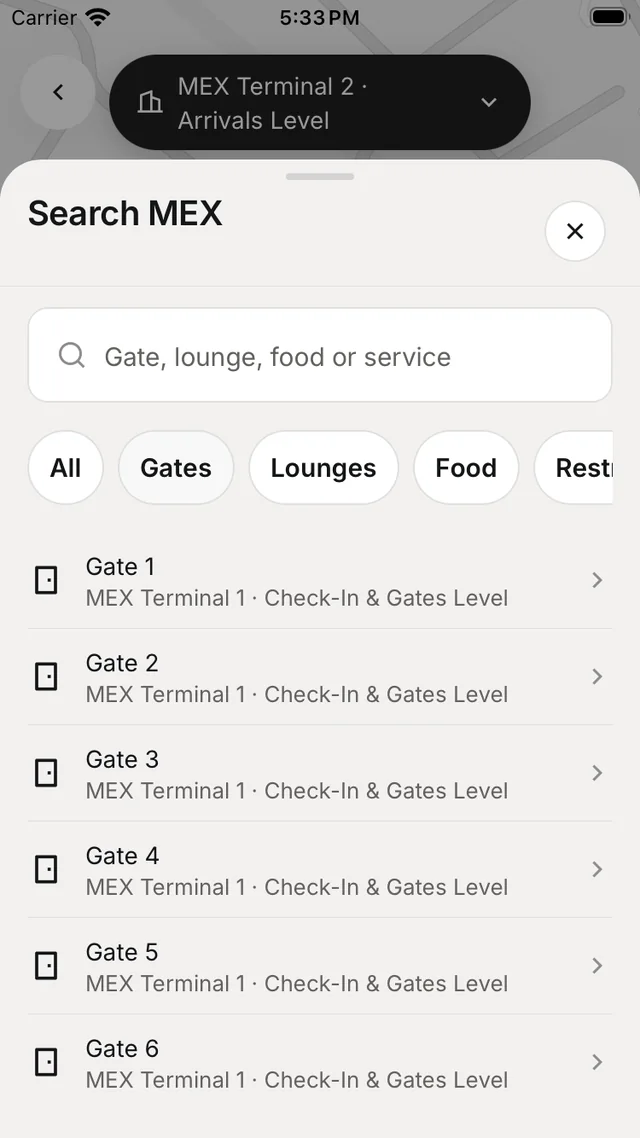
Open a terminal map from the flight's actions, or search airports by code, city or name. Choose a level, search for a gate, lounge, food or service, and tap Locate me to see where you are.
Rides from the airport
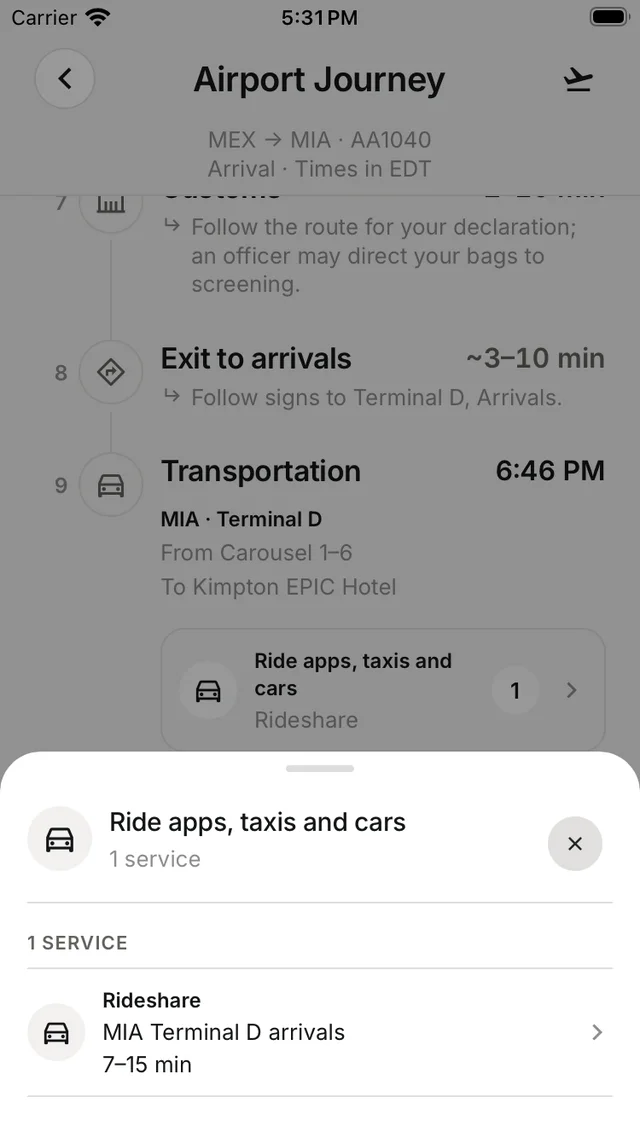
On arrival, Nurvia lists rail, public transport, hotel shuttles, taxis, rental cars and rideshare from that terminal, ranked as Best overall, Fastest, Fewest transfers and Best with luggage. Rideshare opens the provider's app; Call hotel shuttle and Book on official site do what they say. A booked ride shows the driver, vehicle, plate and Call driver.
City welcome
After you land, Welcome to [city] shows your arrival details, the weather, the airport journey, city updates, local customs, useful phrases and Explore local guide.
Your flight also runs as a Live Activity on the Lock Screen and Dynamic Island.