Teams & settings
Theme, density, temperature, distance, time format and app language — saved to your account so every device matches.
WebiPhone
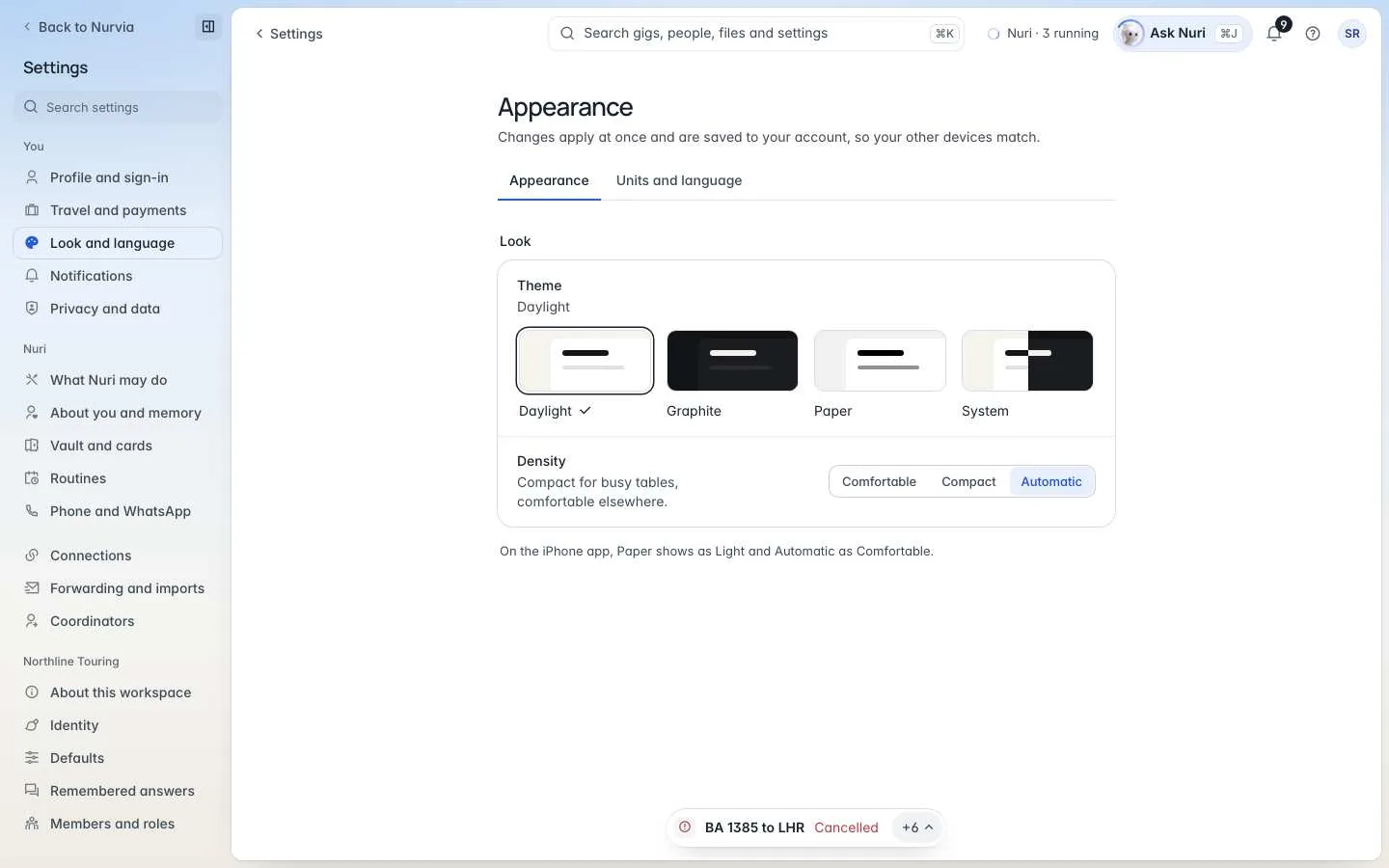
How Nurvia looks and reads for you. Changes apply at once and are saved to your account, so your other devices match.
Where to find it
| Platform | Path |
|---|---|
| Web | SettingsLook and language, with two tabs: Appearance and Units and language. |
| iPhone | SettingsAppearance for your accent colour, and SettingsUnits & formats for units and time. |
Appearance
ThemeChoiceDefault System
Daylight (cream and ink), Graphite (dark), Paper (high contrast), or System, which follows your device.
DensityChoiceDefault Automatic
Comfortable (more room), Compact (more on screen), or Automatic, which picks per screen.
On iPhone, Paper shows as the light theme, and Automatic density as Comfortable.
Units and language
TemperatureChoice
Celsius or Fahrenheit — used everywhere, including airport weather.
DistanceChoice
Kilometres or miles.
Time formatChoice
12-hour or 24-hour clock.
App languageChoiceDefault English
Nurvia is in English for now. Your choice is saved and used as other languages arrive.
Workspace colours are separate
The accent on a workspace's mark and plan covers — Sky, Lilac, Mint, Aqua, Sand or Pearl — is set by admins in Workspace identity. Status colours, like green for confirmed and red for cancelled, never change.