Trust & billing
Everything is free during the beta. Here's who pays, the planned prices after the beta, and what counts toward each allowance.
Nurvia is free during the beta. After it, you pay for your own plan and, on teams, for the Managers who run the shared logistics — never for Members or Contributors.
Everything is unlocked during the beta
Every personal and team feature is free during the beta, with no credit card. Fair-use limits may apply to calls and agent actions. Your beta account and workspaces won't automatically become paid — you'll choose a plan before paid subscriptions begin, and your data stays either way.
Where to find it
| Platform | Path |
|---|---|
| Web | Usage and billing in the account menu, or SettingsPlan and usage. |
| iPhone | SettingsPlan & billing. |
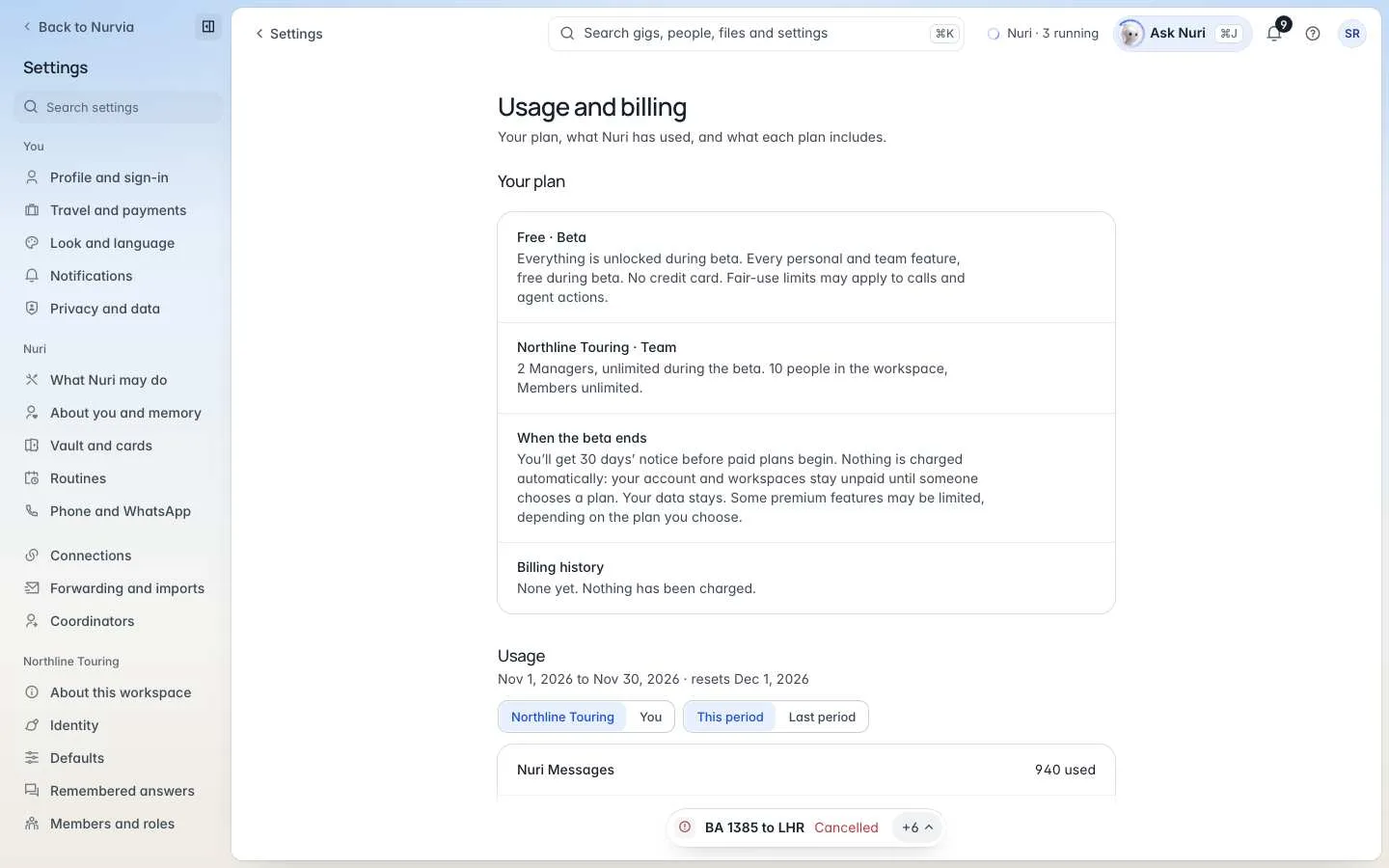
It shows your plan, what Nuri has used this period — for the workspace or just you — and what each plan includes. Only the workspace Owner can change the plan or payment details.
Who pays
- Members and Contributors are free — they're never paid seats.
- Managers are the paid seats on team plans.
- Flights, stays and other bookings are paid to the provider, at the provider's price. You see fares, room rates and change fees before you approve.
- Nurvia never charges a booking fee, a rebooking fee, or any fee beyond your plan.
Planned prices after the beta
These are today's planned prices and may change before paid plans begin.
| Plan | Monthly / yearly | Nuri messages | Nuri Actions | Agent Actions | Nuri Call minutes | Inboxes |
|---|---|---|---|---|---|---|
| Free | $0 | 25 / mo | 2 / mo | 1 lifetime | 1 lifetime call, up to 3 min | Basic |
| Plus | $10 / $99 | 150 / mo | 25 / mo | 10 / mo | Up to 10 / mo | 1 |
| Pro | $50 / $499 | 1,500 / mo | 150 / mo | 50 / mo | 100 / mo | 3 |
| Executive | $100 / $999 | 5,000 / mo | 500 / mo | 200 / mo | 300 / mo | 10 |
Free includes 2 active personal plans; Plus and up are unlimited. Your personal plan also covers what teams assign to you — on Plus, a flight your tour manager books still gets your gate and delay alerts.
What counts
| Allowance | What it is |
|---|---|
| Nuri message | A normal request, like "When does my flight leave?" Retries and Nuri's internal reasoning don't count. |
| Nuri Action | Nuri changes something inside Nurvia, like "Move dinner to 8 PM." |
| Agent Action | Nuri does something outside Nurvia, like checking you in or filling in a form. One task, start to finish, usually counts once. |
| Nuri Call minutes | Time Nuri is connected to a call — including waiting on hold. |
When an allowance runs out
Nurvia stays usable — only the capability that ran out pauses until your next billing period or an upgrade.
- Mid-call, Nuri finishes the call. It never hangs up mid-conversation.
- A running workflow finishes; new Agent Actions wait.
- You can still edit everything yourself, and Managers always keep manual access to team logistics.
- Warnings arrive at 80% and 95% of a limit — see Notifications.
Price changes
A price change for an existing subscription ordinarily takes effect no earlier than your next renewal after at least 30 days' notice, and you can cancel before it applies. Nurvia doesn't add automatic overages or paid add-ons without your authorization.
For billing questions, email support@nurvia.app. Organizations can use central billing.