Web app
Every shortcut in the web app. Press ? anywhere to see them.
Web
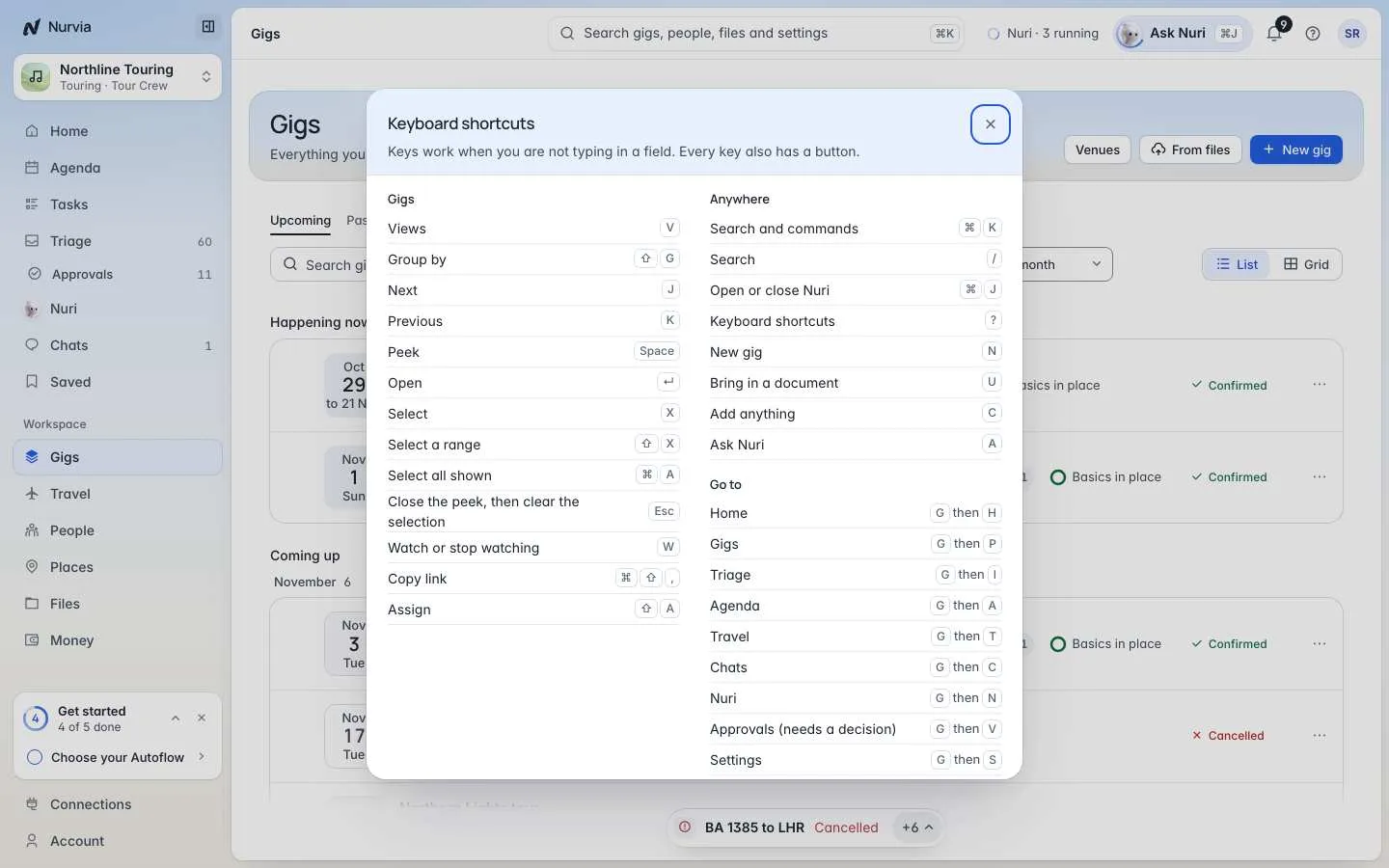
Move around Nurvia and clear your work without touching the mouse. Shortcuts work whenever you're not typing in a field, and every key also has a button.
Where to find it
Press ? anywhere to open Keyboard shortcuts. The sheet lists the keys for the page you're on first, then Anywhere and Go to. In ⌘ K, commands show their key on the right.
On Windows, use Ctrl where this page shows ⌘.
Anywhere
| Keys | Action |
|---|---|
| ⌘ K | Search and commands |
| / | Search |
| ⌘ J | Open or close Nuri |
| ? | Keyboard shortcuts |
| N | New plan (in music workspaces, New gig) |
| U | Bring in a document |
| C | Add anything |
| A | Ask Nuri |
Go to
Press G, then:
| Key | Page | Key | Page |
|---|---|---|---|
| H | Home | T | Travel |
| P | Plans | C | Chats |
| I | Triage | N | Nuri |
| A | Agenda | V | Approvals (needs a decision) |
| S | Settings |
On a plan
Press G, then:
| Key | Section | Key | Section | Key | Section |
|---|---|---|---|---|---|
| O | Overview | L | People | K | Tasks |
| B | Brief | F | Files | D | Records |
| E | Schedule | M | Money | X | Changes |
| R | Travel | G | Guests | Q | Arrivals |
| Y | Stays | W | Show | J | Checklist |
| U | Board | Z | Activity |
Sections a plan doesn't have are skipped.
In lists
In Plans and other lists, the keys for the page sit at the top of the sheet:
| Keys | Action |
|---|---|
| J · K | Next · Previous |
| Space · ↵ | Peek · Open |
| X · ⇧ X | Select · Select a range |
| ⌘ A | Select all shown |
| Esc | Close the peek, then clear the selection |
| W | Watch or stop watching |
| ⇧ A | Assign |
| ⌘ ⇧ , | Copy link |
| V · ⇧ G | Views · Group by (Plans) |
Triage
| Keys | Action |
|---|---|
| 1 · 2 · 3 | Everything waiting · Needs a decision · Decided |
| F · / | Filter · Search Triage |
| A | Accept or approve |
| C · E | Change · Edit |
| I | Assign |
| M | Move to a plan |
| H | Snooze |
| D | Dismiss, decline or done |
| ⇧ D | Merge the duplicate |
| ⌘ ⇧ , | Copy link |
| ⌘ Z | Undo the last change |
Travel
| Page | Keys |
|---|---|
| Travel | / search · F filter · S sort |
| A flight | J airport journey · E edit flight · P people and seats · C copy booking reference · V viewing as · [ ] previous or next leg · . more |
| A stay | E edit · C copy confirmation number · R go to Rooms |
| A ride | E edit ride · D directions · C call the driver |
| Documents | S scan · N add |
| Visas and days | L log a trip · N add visa · C add counter |
Other pages
| Page | Keys |
|---|---|
| Agenda | D day · 3 3 days · W week · M month · L list · P map · T today · N new item · / search |
| Chats | N new chat · / search · J K next or previous · I details · U all or unread · X select |
| Money | N add expense · / search |