Web app
Team to-dos with owners, due times and priorities — and the option to hand a task to Nuri.
Tasks collects every to-do across your plans in one list — yours, your team's and Nuri's. Use it to see what's overdue, what's due tomorrow, and who is on what.
Where to find it
- Web: Tasks in the sidebar. Each plan also has its own Tasks section.
- iPhone: the checklist in the Agenda tab. See Agenda and checklist.
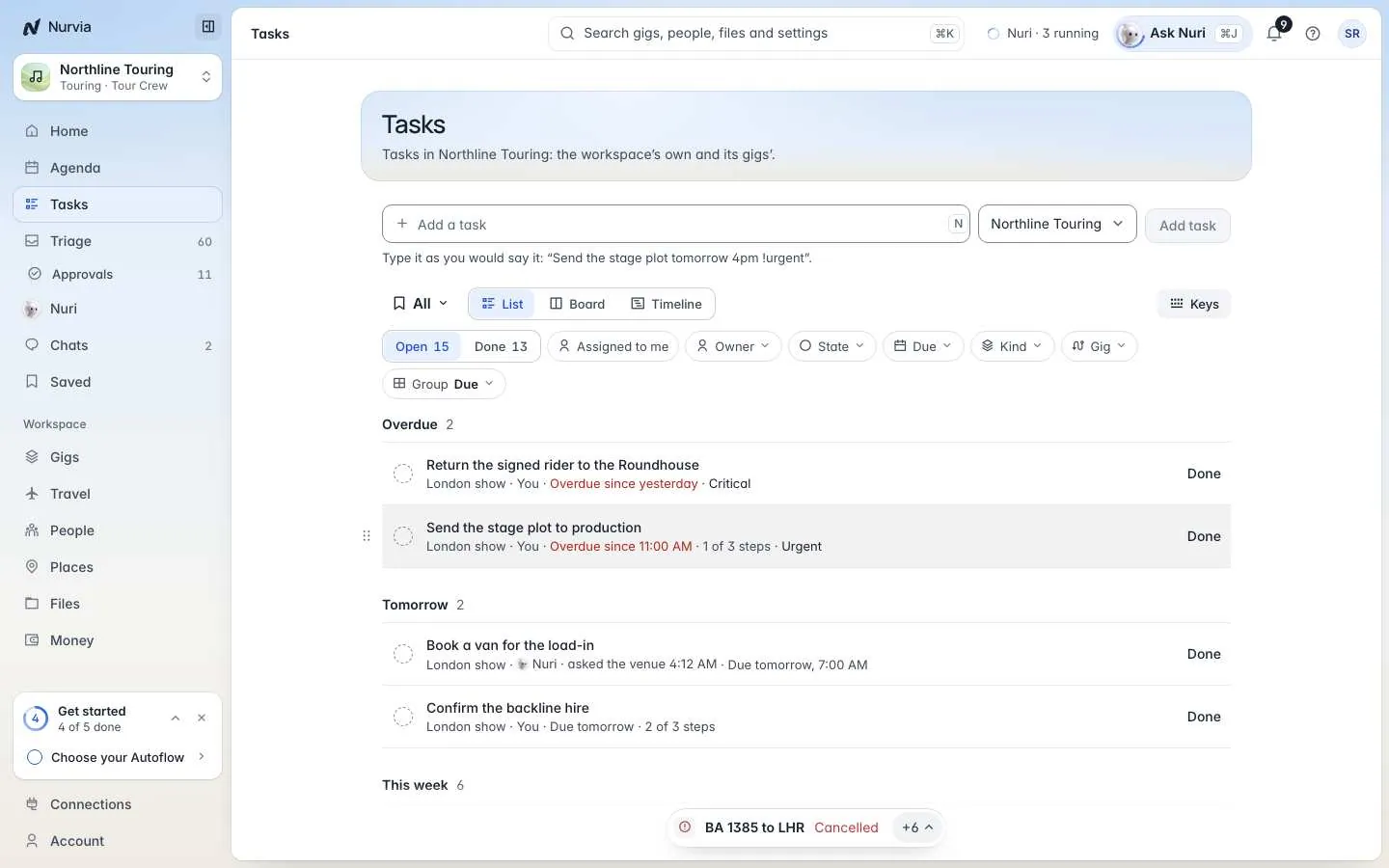
Tasks are grouped by when they're due — Overdue, Tomorrow, This week and Later — with the plan, owner, steps and priority on each row. Tick the circle or choose Done to finish one.
Add a task
Type it the way you'd say it
Click Add a task at the top and write it out, with a due time and a priority if you like:
Send the stage plot tomorrow 4pm !urgentWhat Nurvia understood shows under the line before you add it.
Choose where it goes
Pick the workspace or plan it belongs to, then press Enter. To add several at once, use Paste tasks.
Find the right tasks
- Show switches between Open and Done.
- The view switch shows the same tasks as a List, a Board by state, or a Timeline by due date.
- Filter by Owner — Everyone, You, Nuri, a teammate, or No owner — or by state, due date, kind or plan.
- In the list, drag a task to another group to make it due today, due tomorrow, or clear its date.
Task details
Click a task to open it.
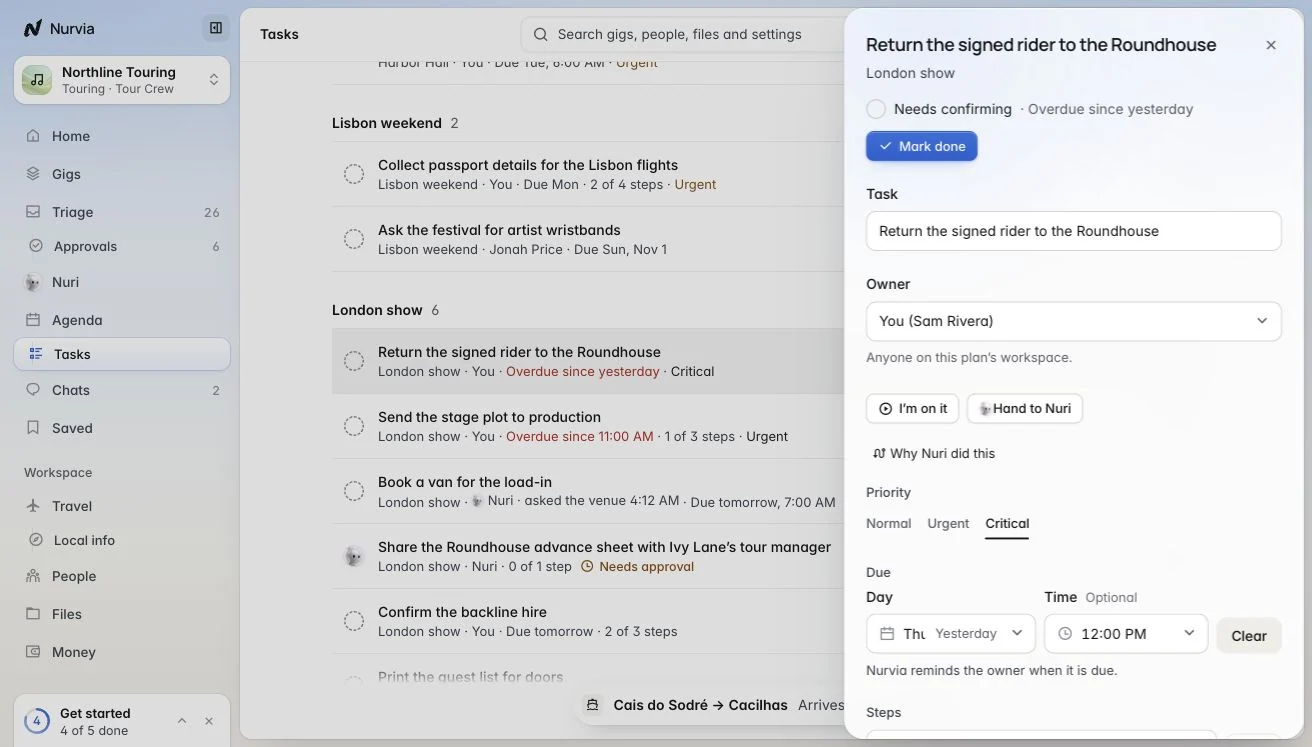
| Field | Notes |
|---|---|
| Owner | Anyone on the team, or no one. A personal task is always yours. |
| Priority | Normal, Urgent or Critical. |
| Due | A day, and a time if you want one. Nurvia reminds the owner when it's due. |
| Steps | Break it into smaller steps with Add a step. |
| Notes | Anything the owner should know. |
Hand it on
- I'm on it — tells the team you're working on it.
- Hand to Nuri — say what Nuri should do. Choose Take it back at any time.
Nuri asks before it sends anything or spends money on a task you handed over.