Email & calendar
Choose what email imports bring in, whether shows become gigs, whether changes update existing items, and when Nurvia asks first.
Import settings decide what Nurvia brings in from your mail and how. They apply to every connected mailbox without a rule of its own, and to bookings you forward.
Where to find it
- Web — SettingsForwarding and importsEmail imports (What email imports bring in).
- iPhone — SettingsConnectionsImport settings.
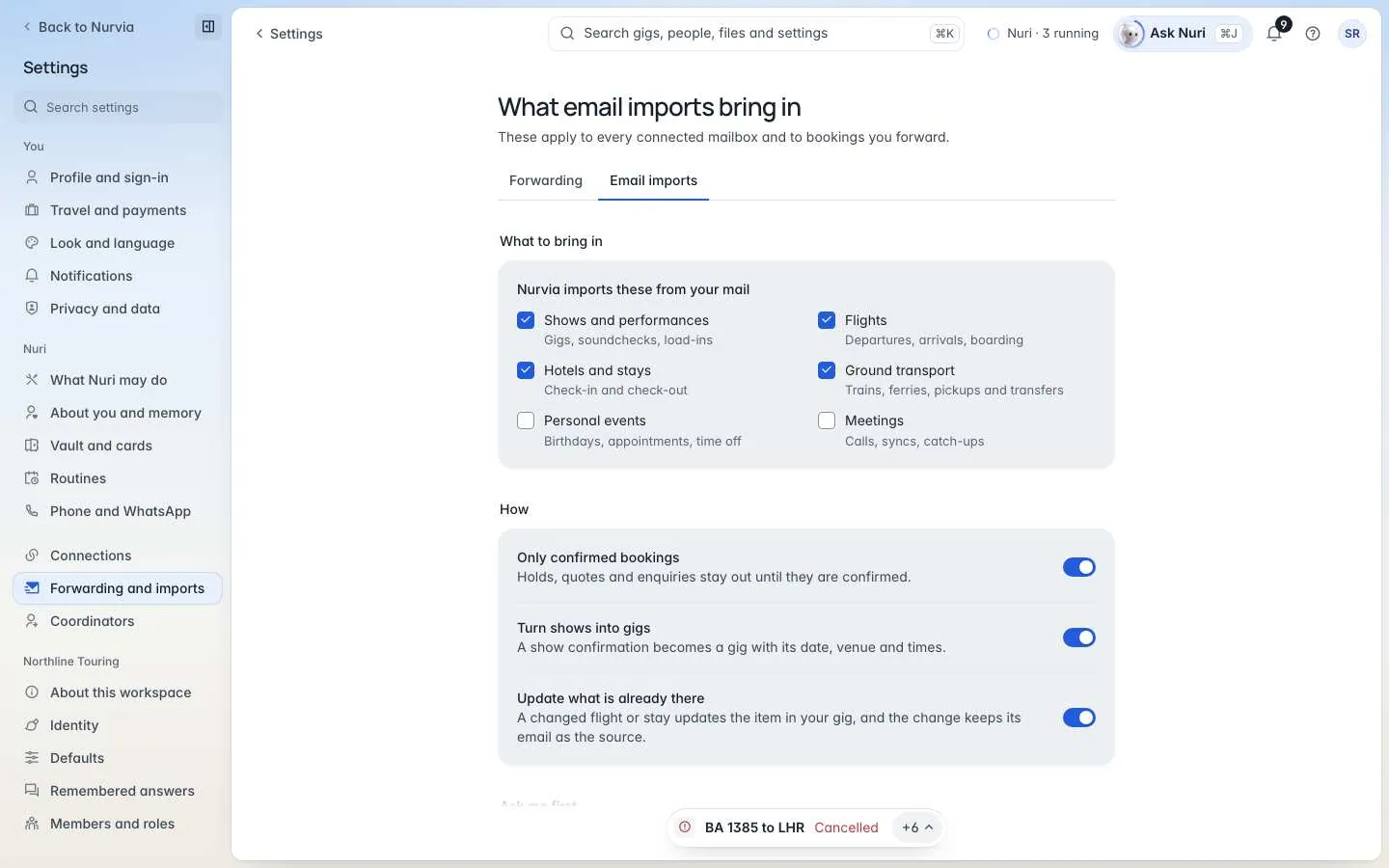
What to bring in
Tick the kinds of booking Nurvia imports from your mail: Shows and performances, Flights, Hotels and stays, Ground transport, Personal events and Meetings.
How it's added
| Setting | What it does |
|---|---|
| Only confirmed bookings | Holds, quotes and enquiries stay out until they're confirmed. |
| Turn shows into gigs | A show confirmation becomes a gig with its date, venue and times. Music workspaces only. |
| Update what is already there | A changed flight or stay updates the item in your plan, and the change keeps its email as the source. |
| Ask me first | New finds wait in Triage for you to add or skip. |
| Ask before adding gigs | Show confirmations, holds and changes wait for you. |
| Ask before adding everything else | Flights, stays, transfers and events wait for you. |
| Forwarded bookings go to | The workspace forwarded mail lands in. |
Connected mailboxes each have their own setting on their account page, and email rules can set their own too.
Quick setup
Set up imports walks you through four quick choices for a new mailbox: where its bookings go, what to bring in, how new finds are added, and any coordinators and assistants. Every one can be changed later.
Import progress
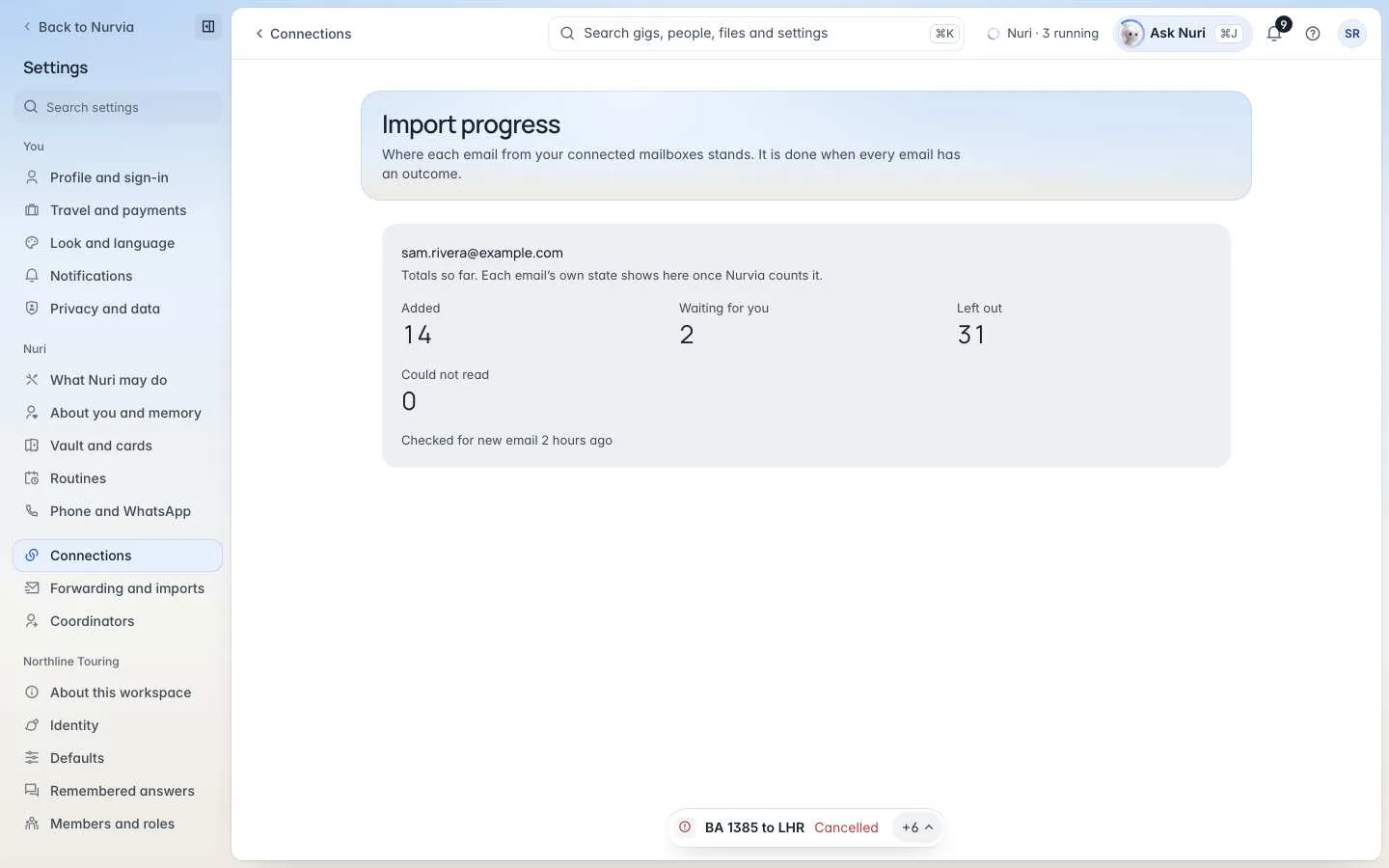
Import progress shows where each email from your connected mailboxes stands — Added, Waiting for you, Left out and Could not read — and when Nurvia last checked for new mail. It's done when every email has an outcome.
Nothing is sent or booked by importing
Importing only fills in your plans. Nuri sends, books or pays only when you approve it or a rule you set allows it.