Email & calendar
For admins — set what a whole workspace imports from email and calendars, preview it as a dry run, run import jobs with spending limits, and undo from activity.
Workspace imports decide what belongs in a team workspace — which kinds of booking, which names and senders, which mailboxes and calendars feed it, and how far back to read. Admins set them once; everyone's connected mailboxes then follow the same rules.
Where to find it
SettingsWorkspaceImport and calendar, with Rules and history, Artist matching, People contributing and Activity across the top.
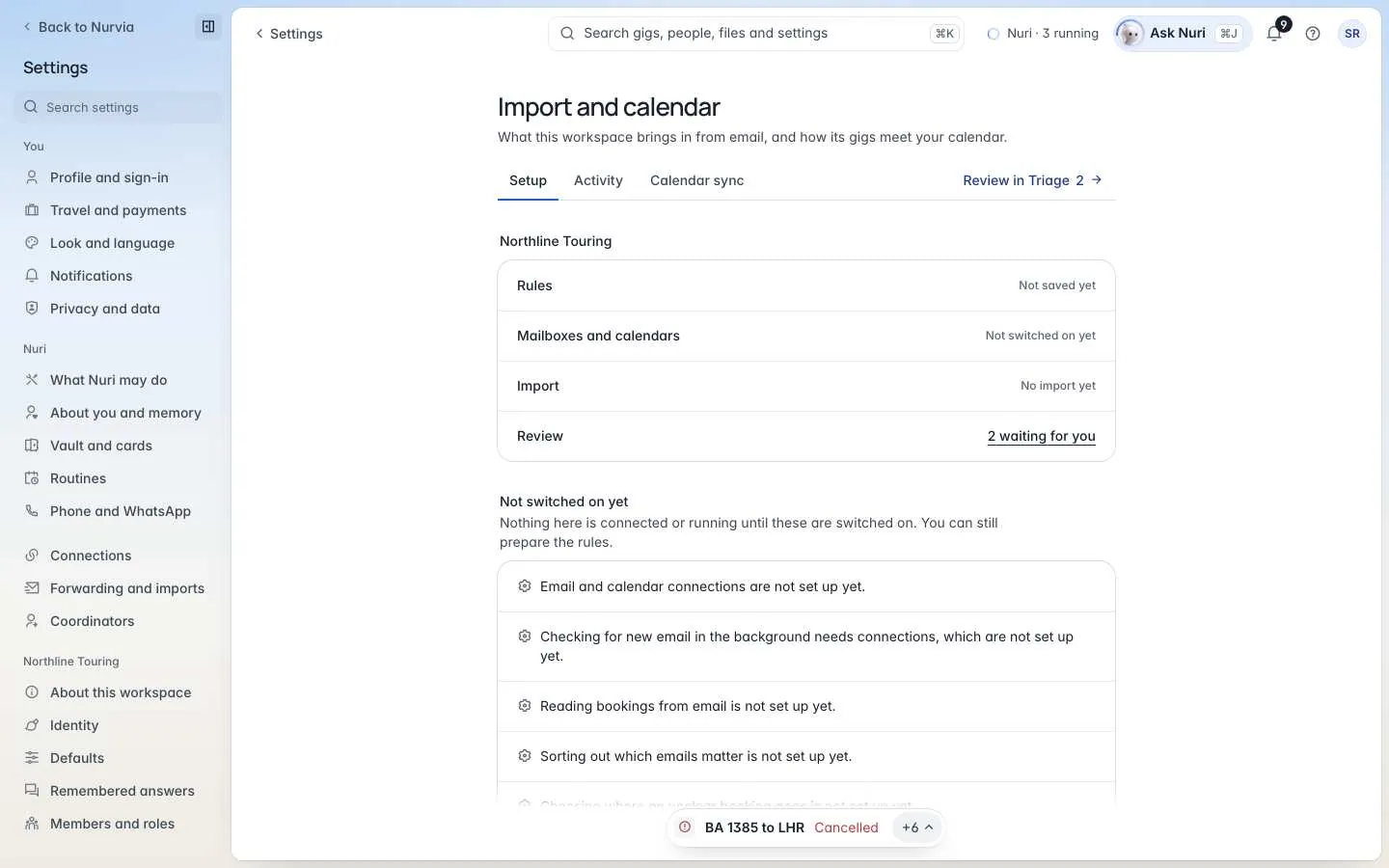
Set up the rules
The setup walks through five steps:
Workspace and purpose
Describe what belongs here In your own words — Nurvia turns them into rules you check before anything is saved.
Only import the band's gigs and touring logistics, not personal trips.What to recognise
The kinds of item to import, Who and what belongs here (names, clients, projects or addresses), and optional Senders and words to include or leave out. Mark Private email to keep the email itself to its owner.
Connections
Choose which of Your mailboxes and calendars feed the workspace. Mailboxes From other people here show too — only their owners can change those.
History and calendar
How far back the first import reads, How past email is added (Add clear matches or Review everything first), and what happens after — Keep checking for new email, Apply changes from the same booking and Mark cancellations.
Review and start
Preview the rules, then Turn on and Start import.
Preview is a dry run
Preview shows what the rules would import. Nothing is imported and nothing is written to any calendar. Changed rules stay a draft (Save draft) until you turn them on.
Import jobs
An import job reads past email for the workspace. You can leave the page — it keeps going. Its page shows Import counts, what's Still waiting, and What did not go through.
- Each job has a Spending limit — an estimate of the cost of reading. If it's reached, the import pauses itself; Resume to carry on.
- Pause, Stop the import or Try again. Trying again never adds anything twice.
- Anything Nurvia isn't sure about waits in Review for you.
Artist matching
Lists the artists the workspace imports bookings for, with aliases, contacts and domains. Email and calendar items for other artists stay out. Suggested artists can be added or dismissed.
People contributing
Whose own mailboxes and calendars feed the workspace — never what they read. See Coordinators and other apps.
Activity
Activity shows what the import and calendar sync did in the workspace — what was added, changed or merged — with Undo beside each item.