Email & calendar
Check what Nurvia read from an email next to the original, fix fields, pick the right plan, and bulk-import files.
A find is a booking or detail Nurvia read from your mail that's waiting for you — because it could belong to more than one plan, looks like a change or cancellation, or you asked to check finds first. Clear matches never wait here.
Where to find it
- Web — Review finds in Triage (From your email), or Finds waiting for you in SettingsConnections.
- iPhone — Found in your email on Home, Email imports in Triage, or See email finds in SettingsConnections.
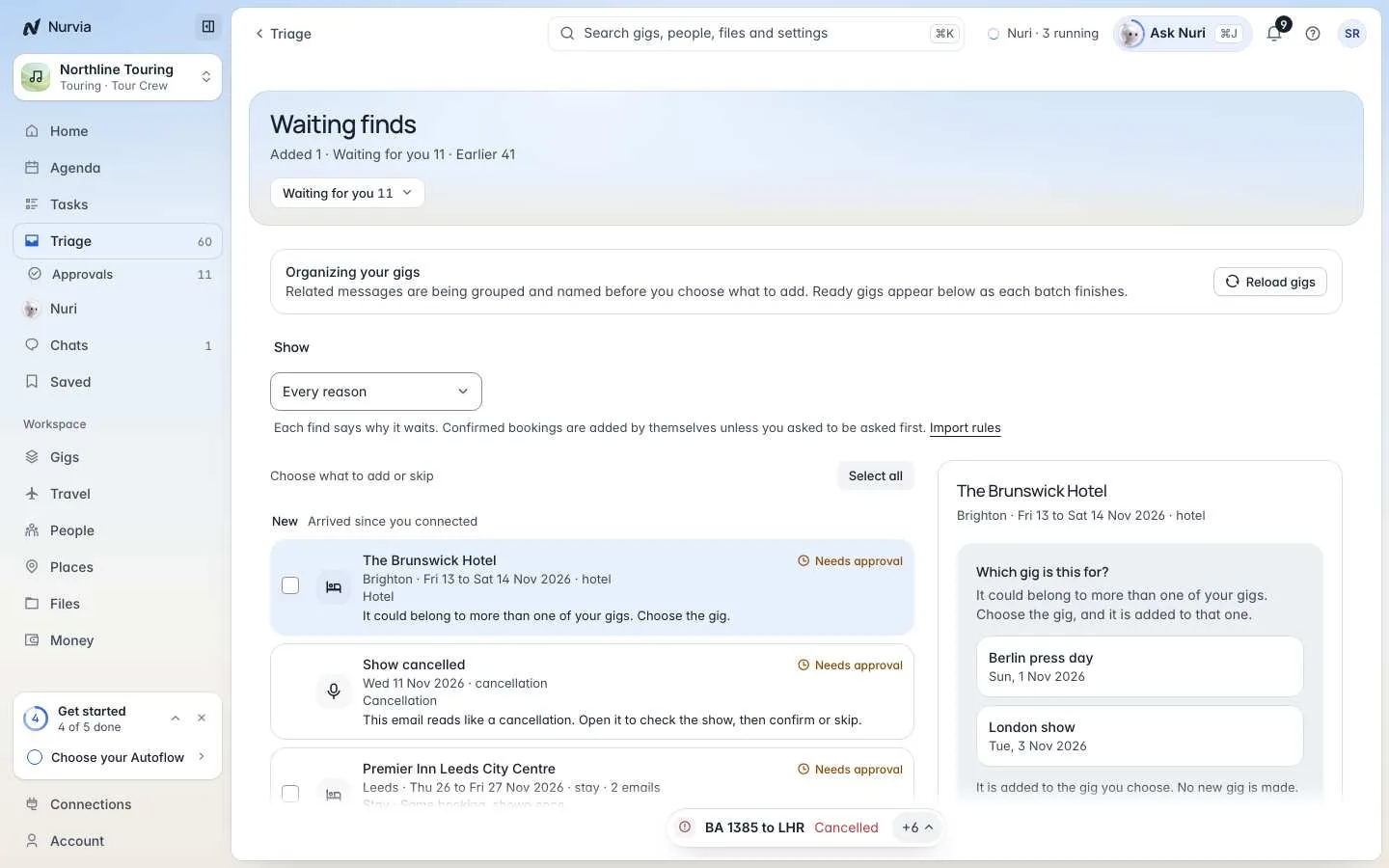
Waiting finds
Each find says why it waits — for example It could belong to more than one of your gigs. Filter by mailbox and by reason with Show.
Choose what to add or skip
Select one find, several, or Select all.
Answer what Nurvia asks
If it asks Which plan is this for? (or Which gig), pick the plan. It's added to the one you choose — no new plan is made.
Add or skip
Choose Add, Skip or Skip all. Changed your mind? Bring it back returns a skipped find, and Read it anyway reads one Nurvia left out.
Every answer teaches Nurvia, so similar emails go straight in next time.
Review one item
Open a find to see What Nurvia read next to the original — the email, file, chat or calendar event.
- Accept each field or correct it, and use Show in source to see where it was read.
- Choose a plan, or Not this plan if Nurvia picked the wrong one.
- Mark duplicate, Skip, or Add to the plan.
When you add it, you'll see Added. Nothing was sent or booked. — and Undo if you change your mind.
Hidden instructions never count
Everything is read as text. If an email or file contains instructions, Nurvia doesn't follow them, and the review page tells you so.
Importing many files
Drop several files at once and Nurvia runs an import job: reading, sorting into plans, then ready to check. Save all, or check items first. You can leave the page while it runs. Imports are kept for 7 days. Nothing is sent, booked or paid.
On iPhone
Finds show on Home as Found in your email, in Triage under Email imports, and on the gig as tiles with a source chip and Undo. See Triage and approvals.