Email & calendar
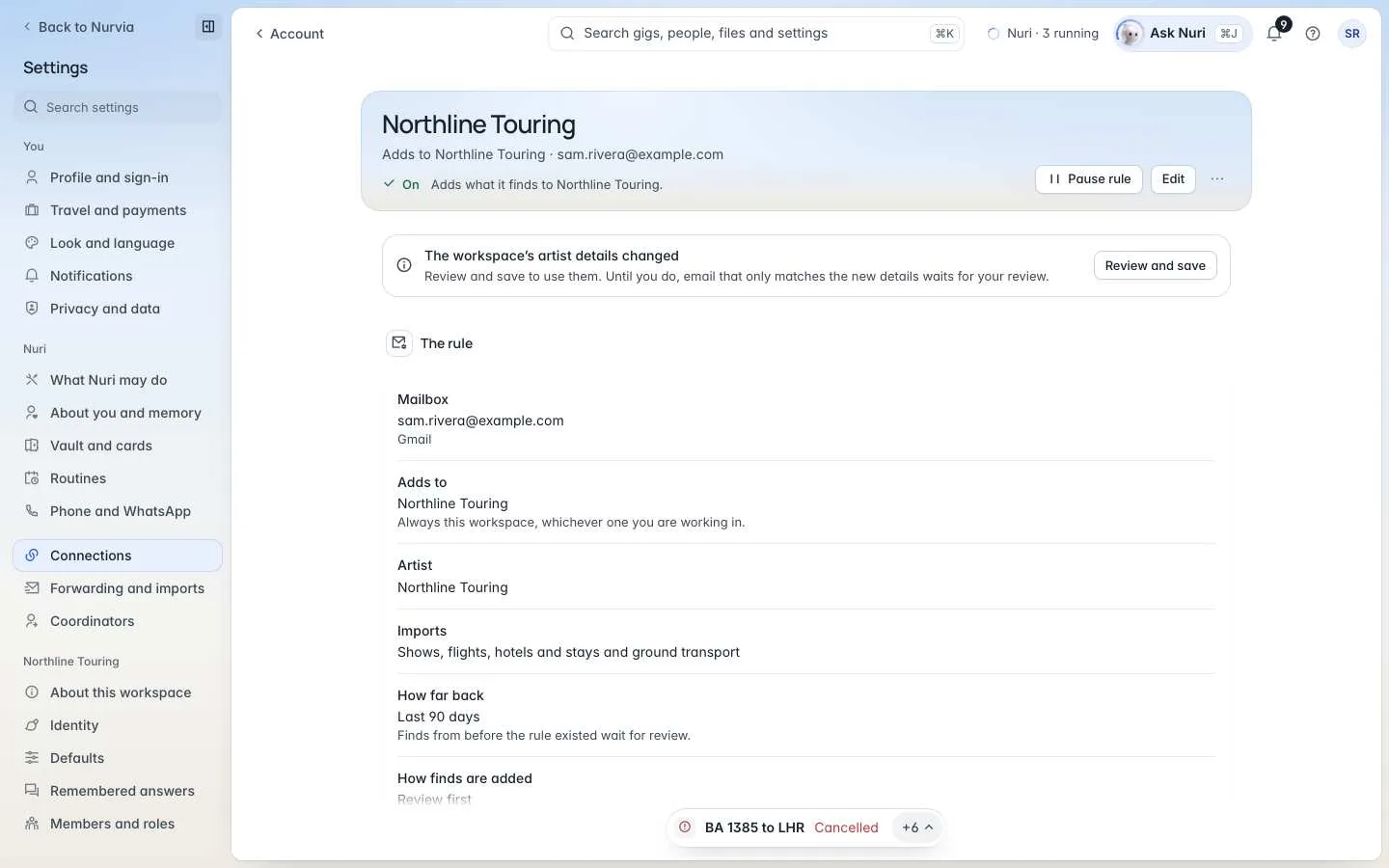
Tell Nurvia which mailbox to read for which workspace and artist, how far back to go, and whether finds are added on their own.
An email rule says where a mailbox's bookings go and how they're added: one mailbox, one workspace and, in agency or music workspaces, one artist. Most people need one rule per mailbox; agencies often have one per artist.
Where to find it
- Web — the Rules section of SettingsConnections.
- iPhone — SettingsConnectionsEmail rules.
Create a rule
Choose New email rule. Nothing starts until you turn it on.
Mailbox
Under Which mailbox?, pick a connected mailbox.
Workspace and artist
Choose Which workspace does it add to? and Which artist does it look for? Add Also known as names — other names the artist goes by, separated by commas.
What to import
Choose What it imports (shows, flights, hotels and stays, ground transport, and so on), How far back to read, and How finds are added.
Preview and turn on
Check The rule in words, then choose Turn on rule.
How far back
| Option | What it reads |
|---|---|
| New email only | Nothing from before the rule is switched on. |
| Last 90 days | Recent email first, then new email. |
| Last year | A full season of bookings and travel. |
| All history | Everything the mailbox lets Nurvia read, up to five years back. It can take a while. |
| Custom range | Dates you choose. |
Finds from before the rule existed always wait for your review.
How finds are added
- Review first — every find waits for you to add it or skip it.
- Add automatically — confident matches are added. Anything unclear still waits for you.
Manage a rule
Open a rule to see The rule and its Activity — what it found, added and left out.
- Edit — change what it looks for and imports. The mailbox and workspace stay.
- Pause rule — nothing more is added until you resume it. Email that arrives meanwhile waits for up to 30 days.
- Remove rule — the mailbox stays connected and everything already imported stays where it is.
- Back to one workspace — send everything in this mailbox to one workspace again.
Rules on a teammate's mailbox
A rule belongs to whoever owns the mailbox. An Owner, Admin or Manager of the workspace can Stop rule so it no longer adds there; after it's allowed again, it stays paused until the mailbox owner resumes it.
Artists and aliases
In agency and music workspaces, SettingsWorkspaceArtists lists the artists the workspace imports bookings for, each with aliases (Also written as), contacts and domains. Email for other artists stays out. If the workspace's artist details change, a rule asks you to Review and save them.
On iPhone, Email aliases covers other names bookings use for you, such as a legal or passport name.