Email & calendar
Forward confirmations to import@nurvia.cc from any email account — no mailbox connection needed.
Don't want to connect a mailbox, or have a booking in an account you haven't connected? Forward it to import@nurvia.cc and it lands in your plans. It works from any email app, and you can also copy the address on an email thread so Nurvia follows the replies.
Where to find it
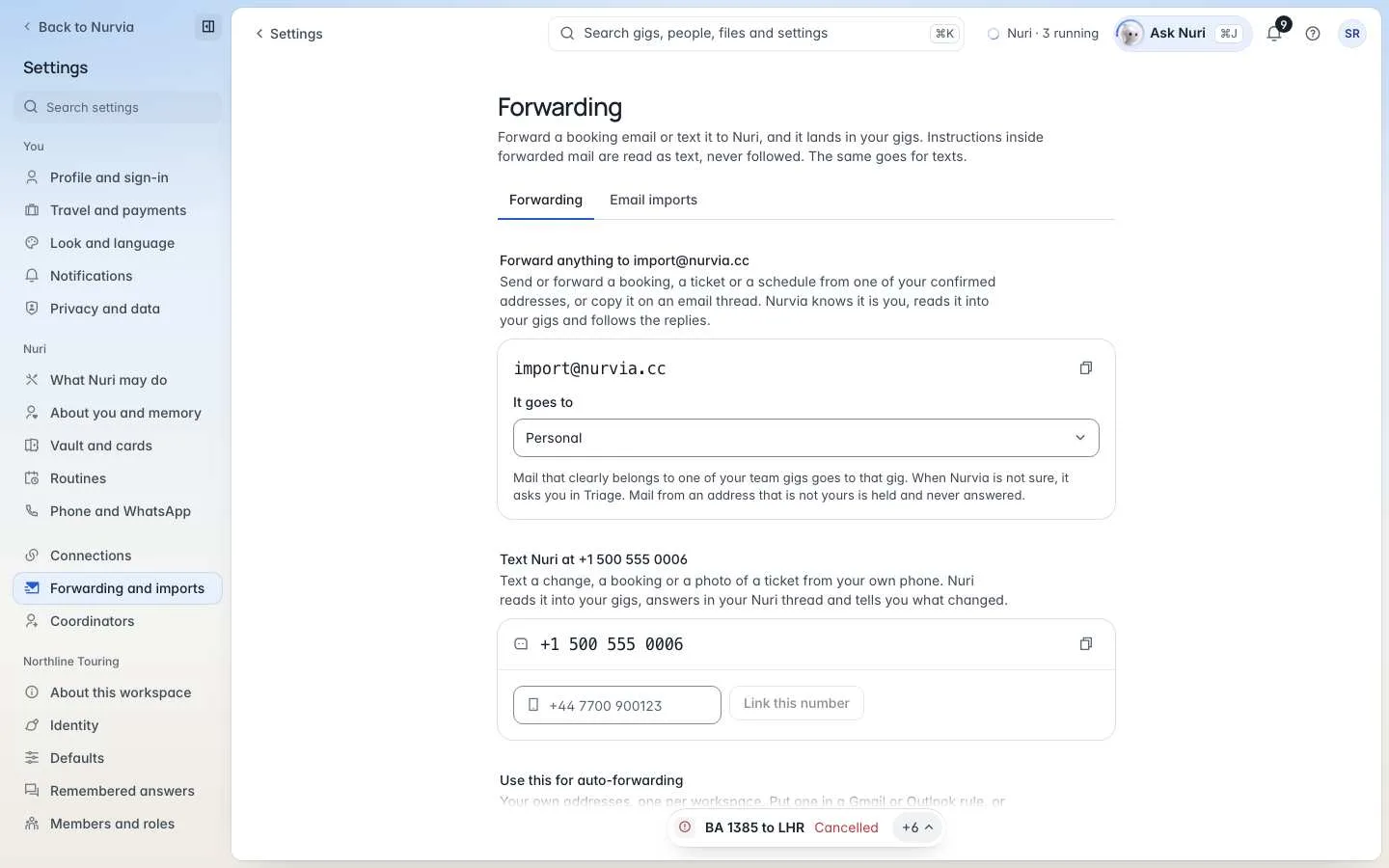
- Web — SettingsForwarding and importsForwarding.
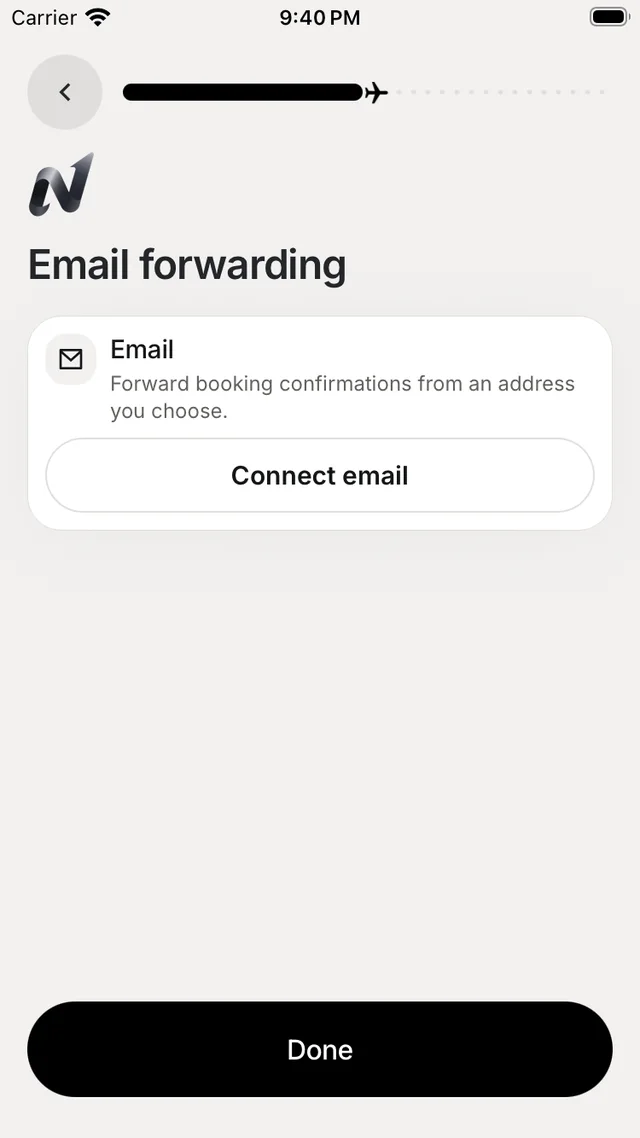
- iPhone — SettingsConnectionsEmail forwarding, or the Add more sources step in onboarding.
Set it up
Confirm the addresses you send from
Under Who can forward, choose Add an address and enter each address you'll forward from. Nurvia emails it a code; enter the code to confirm it. Nurvia files forwarded mail from confirmed addresses only. Apple Hide My Email relay addresses work too.
Choose where it goes
Under Forward anything, choose the workspace in It goes to — Personal by default. Mail that clearly belongs to one of your team plans goes to that plan anyway. When Nurvia isn't sure, it asks you in Triage.
Forward a booking
Send or forward a booking, a ticket or a schedule to import@nurvia.cc from a confirmed address. On iPhone, tap Copy the Nurvia forwarding address to paste it into your mail app.
Forward automatically
Under Use this for auto-forwarding, Nurvia gives you your own forwarding address for each workspace. Put it in a Gmail or Outlook forwarding rule, or use it for a shared mailbox — Set up auto-forwarding walks you through your mail app in about two minutes, and your mail stays where it is.
- Gmail confirmation — Gmail sends a code before it forwards. Nurvia shows it here; enter it in Gmail under Forwarding and POP/IMAP. Nurvia never clicks the link in that email.
- Send a test — Nurvia sends a short email to your mailbox and shows when your rule sends it back.
Text Nuri
You can also text a booking, a change or a photo of a ticket from your own phone. Under Text Nuri, link Your mobile number with a code (it works for 30 minutes). Nuri reads it into your plans, answers in your Nuri thread and tells you what changed.
BA 501 now leaves from gate B22Good to know
- The page's activity list shows the last messages that reached Nurvia from you, what they were about and where they went — with Why it went here.
- Forwarded mail and texts are read as text. Instructions inside them are never followed.
- Mail from an address that isn't yours is held and never answered.
- Choose what forwarded mail brings in under Import settings.