Email & calendar
Connect your mailbox or forward bookings, and Nurvia turns confirmations into plan items — with a source and an undo for everything.
Email is where most plans already live. Nurvia reads booking emails, works out which workspace and plan each one is about, and fills that plan in — the show, flights, hotels, rides, contacts, guest lists, schedules and documents — so you don't have to copy anything across.
Reading is separate from sending
Connecting a mailbox lets Nurvia read your confirmations. Nuri only sends email, changes a calendar or pays for something when you approve it, or a rule you set allows it.
Three ways to bring email in
 Connect a mailboxGmail, Google Workspace or Outlook. Best for most people.
 Forward bookingsSend confirmations to import@nurvia.cc from any account.
 WhatsApp or textSend bookings, screenshots and changes to Nuri.
What happens to each email
Nurvia reads it
It looks for bookings and plan details — confirmations, itineraries, advance sheets, contracts and guest lists. With Only confirmed bookings on, holds, quotes and enquiries stay out until they're confirmed.
It finds the right home
Each detail is matched to a workspace and plan using the artists, people, places and dates involved. Bookings for an artist with no matching workspace are skipped — not filed and not asked about.
Sure things are added, doubtful parts wait
Clear matches are added on their own, with the email as their source. Only the doubtful part of an email waits in Triage — never the whole email.
Changes update what's there
A changed flight or stay updates the existing item, and the change keeps its email as the source. Your own edits always win — lock a field to keep it.
Set it up your way
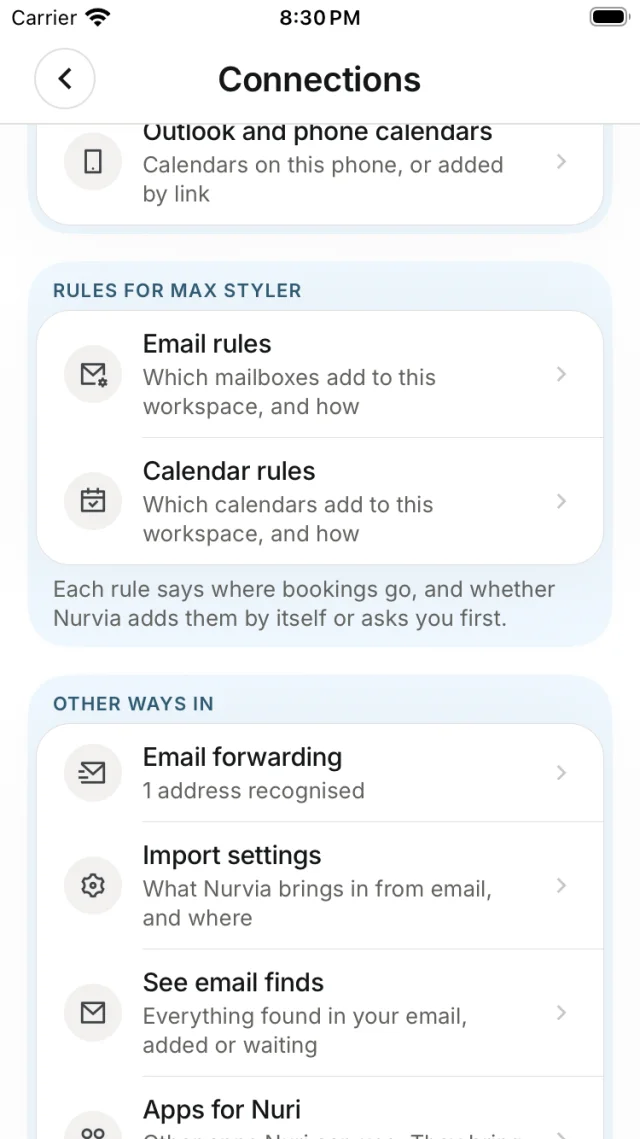
- Email rules — which mailboxes add to which workspace, and how. See Email rules.
- Import settings — what Nurvia brings in. See Import settings.
- Calendar rules — which calendars sync. See Calendars.
On iPhone it's all in SettingsConnections; on the web, in SettingsConnections and SettingsForwarding and imports.
Personal vs team workspaces
Your Personal workspace only gets your own participation — your own travel, your meetings and events you attend. Being CC'd on someone else's booking doesn't make it yours.
Where to see what was imported
- Home shows what was Found in your email.
- Triage shows finds that need a look — see Reviewing finds.
- Each plan's Sources shows where every detail came from, with View original.
- Import progress shows each mailbox's emails by outcome.
Nurvia reads your mail looking for bookings and plan details. Email rules decide which mailboxes are read, for which workspace and artist, and how far back. Emails are read as text — instructions inside an email are never followed.
Open it from the plan's Sources or from Triage, choose the right plan, and Nurvia learns from your answer. See Reviewing finds.