Web app
Describe what you want to see and Nurvia builds a live panel — a run of show, a seating plan, a shift grid — from your plan's data.
Build makes a panel — a live card drawn from your plans' real data — from a sentence. Ask for "who is driving each day" or "seating for the dinner", and Nurvia lays it out for you. Panels stay up to date as the plan changes.
Where to find it
- Web: Build at the top of Home, or Build in a plan's header. New panel on the Panels page opens it too.
- Panels page: All panels in the Your panels section at the bottom of Home.
- iPhone: open a gig, tap its ⋯ menu and choose Build a panel for this gig.
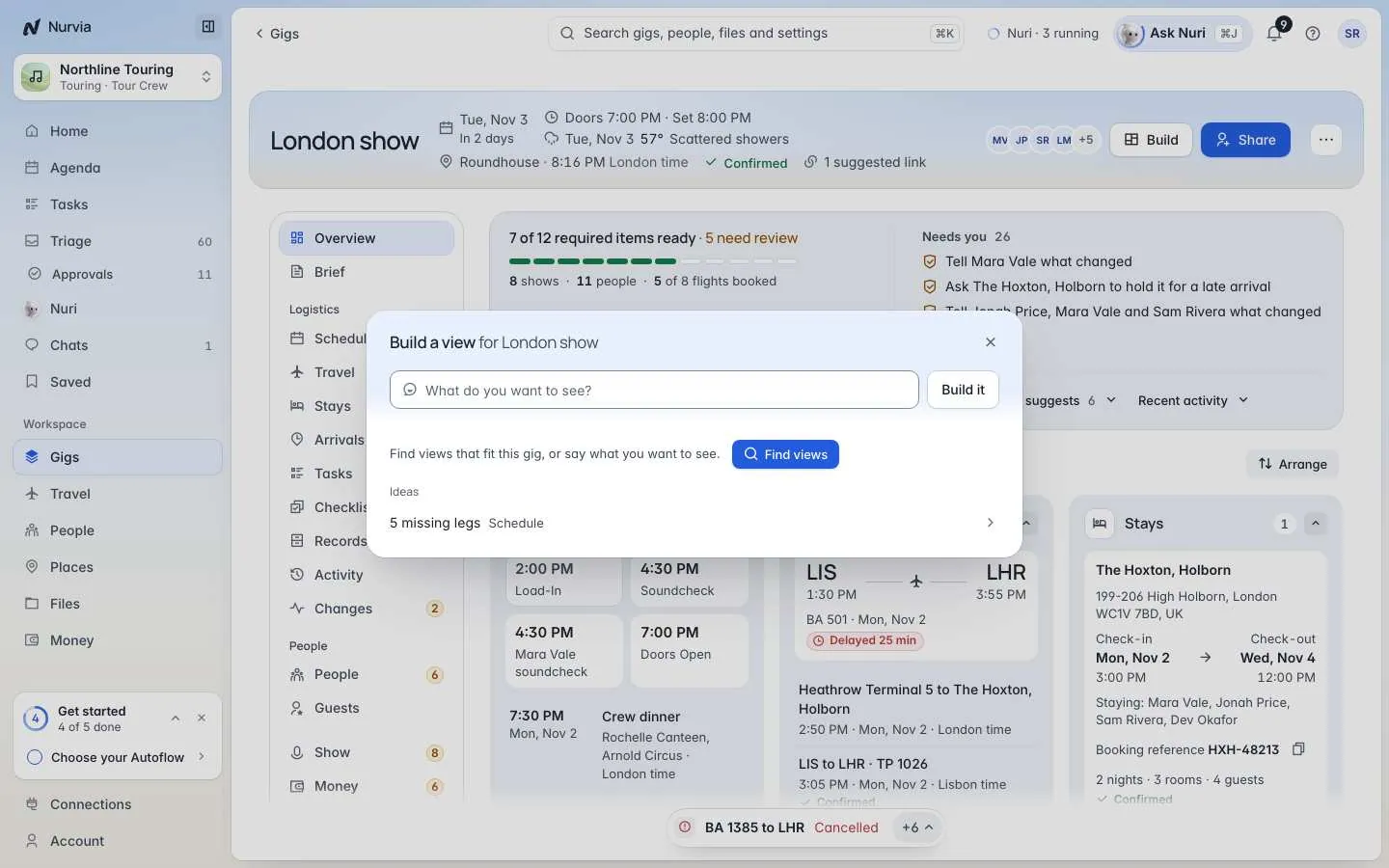
On a plan, Build suggests panels that fit it — like a missing-legs check on the schedule. From Home, it looks across all your plans.
Build a panel
Say what you want to see
Choose Build and type into What do you want to see? — for example "who is driving each day". Then choose Build it.
Or start from an idea
Choose Find panels for panels that fit this plan, or pick from the Ideas and the gallery below — seating, rooms, running order, guest lists, shift cover and more.
Change it in words
Not quite right? Type the change — "add who is driving" — and the panel updates.
Keep it
Choose Add panel. On a plan it goes on the plan's Board; from Home it goes on Home. Nothing is added until you choose Add panel.
A suggestion only reads your data
A suggested seating plan or shift grid doesn't seat, book or assign anyone. Choose Make an editable panel when you want one you can type into.
The Panels page
Panels holds everything you've kept from Build, plus the live cards Nuri keeps fresh.
- On Home — the panels on your Home, in the same order. Choose Edit to drag them, pick a size, pin one in place or take it off Home.
- In Panels only — panels that aren't on Home right now. Open panel to see it full size, or Show on Home to put it back.
- Add panel adds a ready-made card from the catalogue, and New panel opens Build.
You can share a panel with the people on a plan. They open it as a Shared panel.