Web app
Every schedule block, flight, stay and calendar event in one calendar, in each place's own time.
Agenda shows everything with a time across your plans — schedule blocks, travel, stays and events from calendars you've connected. Use it to see your week at once and spot clashes before they happen.
Where to find it
- Web: Agenda in the sidebar, or press G then A. Executive workspaces call it Meetings.
- iPhone: the Agenda tab. See Agenda and checklist.
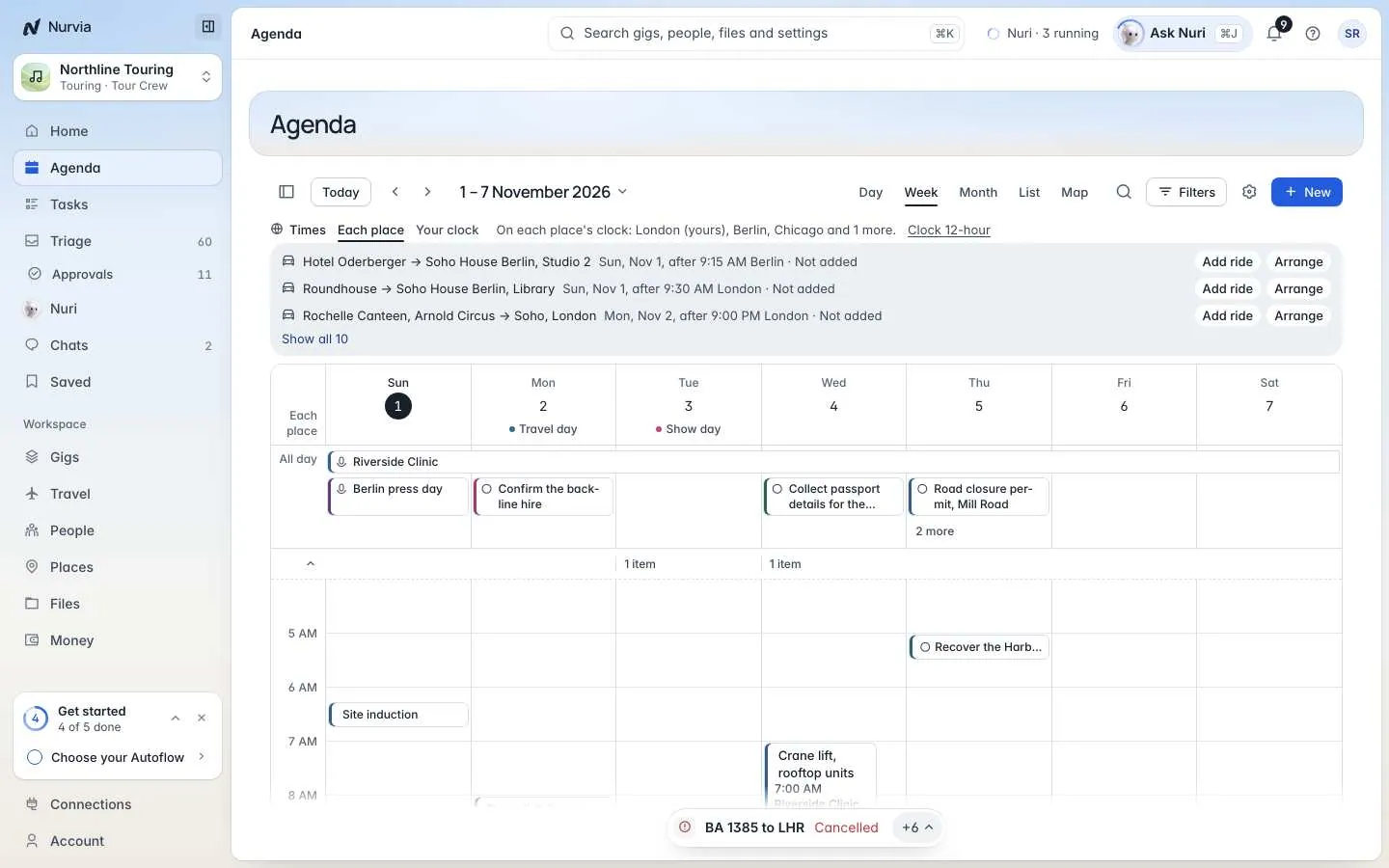
Agenda opens on the week by default. Every time shows on the clock of the place it happens, and travel days and show days are marked at the top of each day.
Add something to Agenda
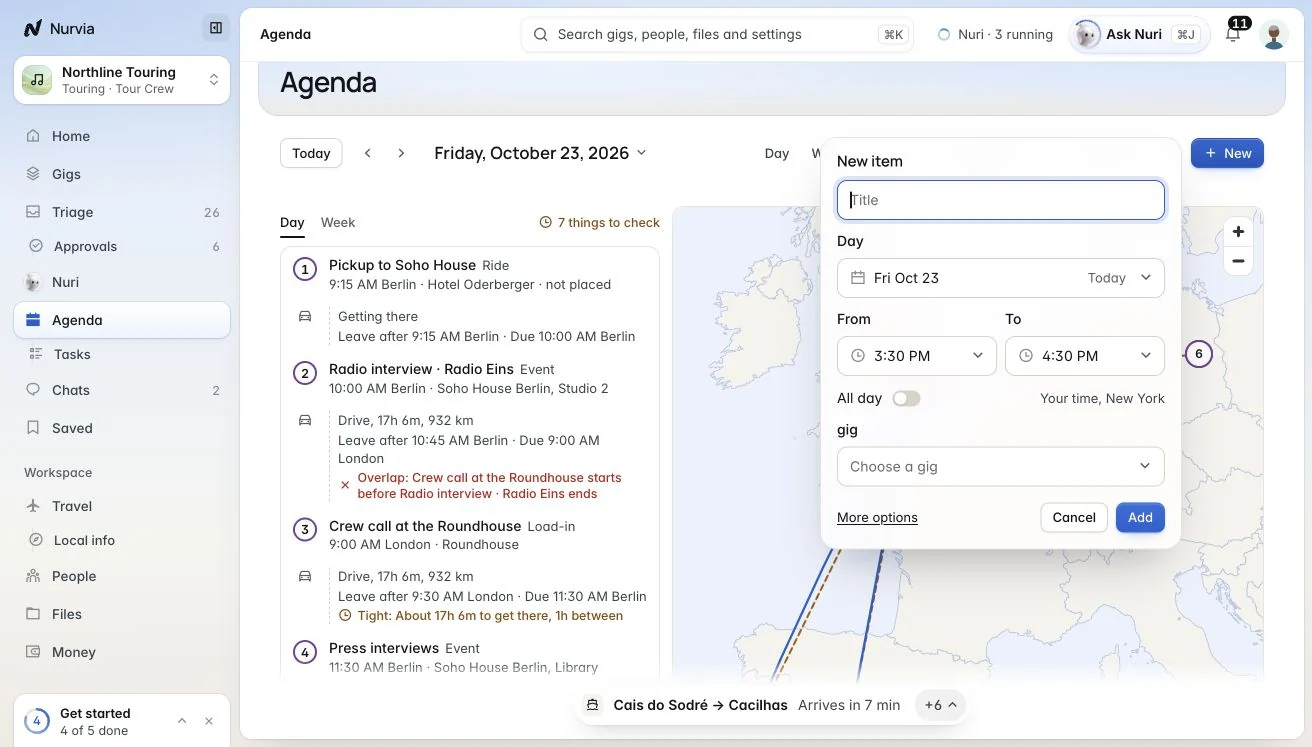
Start a new item
Click New (or press N), or drag across an empty slot in the calendar.
Fill in the basics
Give it a Title, a Day, From and To times (or tick All day), the plan it belongs to, and the People it's for.
Add more if you need it
Open More options for the kind (Event, Meal, Show, Transport, Load-in, Load-out), a description, notes and Repeat. Then save.
Nobody gets an email
People you add see the item on their calendar. Nurvia doesn't email them. Repeating items are added a year ahead, and Nurvia keeps adding dates as time goes on.
Find your way around
| View | Key |
|---|---|
| Day | D |
| 3 days | 3 |
| Week | W |
| Month | M |
| List | L |
| Map | P |
- Today brings you back to now. Click the date range (or press G) to Go to a date.
- Filters narrow the calendar by plan, person or category.
- In the side panel, hide a plan or choose Only to see just that one.
Where a time comes from
Open any item to see where its time comes from. A flight's time comes from the flight itself — the item says Change it there. An event from a connected calendar says so too. This keeps one source of truth for every time.
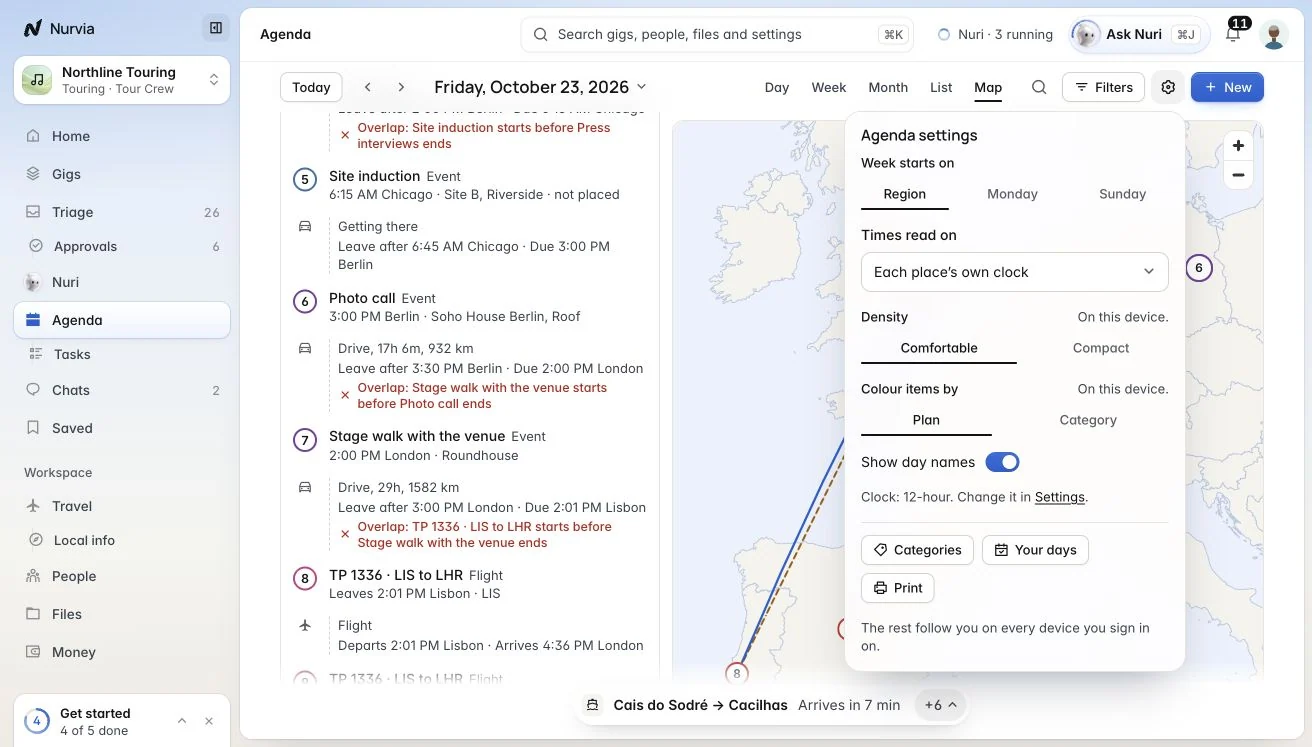
Agenda settings
Open the gear next to the views.
| Setting | What it does |
|---|---|
| Week starts on | Your region's default, Monday or Sunday. |
| Times read on | Each place's own clock, your clock, or One time zone. |
| Density | Comfortable or Compact. Set per device. |
| Colour items by | Plan or category. Set per device. |
| Show day names | Show or hide the names you give days, like Travel day or Show day. |
| Categories | Rename or recolour the built-in categories, or add your own. |
| Your days | The days you've named. The names show under the date, and only you see them. |
| Print the view you have open. |
Everything except Density and Colour items by follows you to every device you sign in on.