Web app
Find flights, stays and cars, approve the exact amount, change bookings, watch prices and claim money back.
Search and book finds flights, hotels, other stays and cars for a plan, checks them against when people need to arrive, and books only what you approve. You pay the provider the exact amount you approved — Nurvia adds no booking fee.
Where to find it
Web: TravelSearch and book. Price alerts and Discover are at the top of the search page, and Claims is in the Travel header.
Nothing is booked until you approve it
Searching never books or charges anything. Every booking waits in Triage under Needs a decision until you approve it, and if the price changes before booking you're asked again at the new price.
Book a flight or a stay
Search
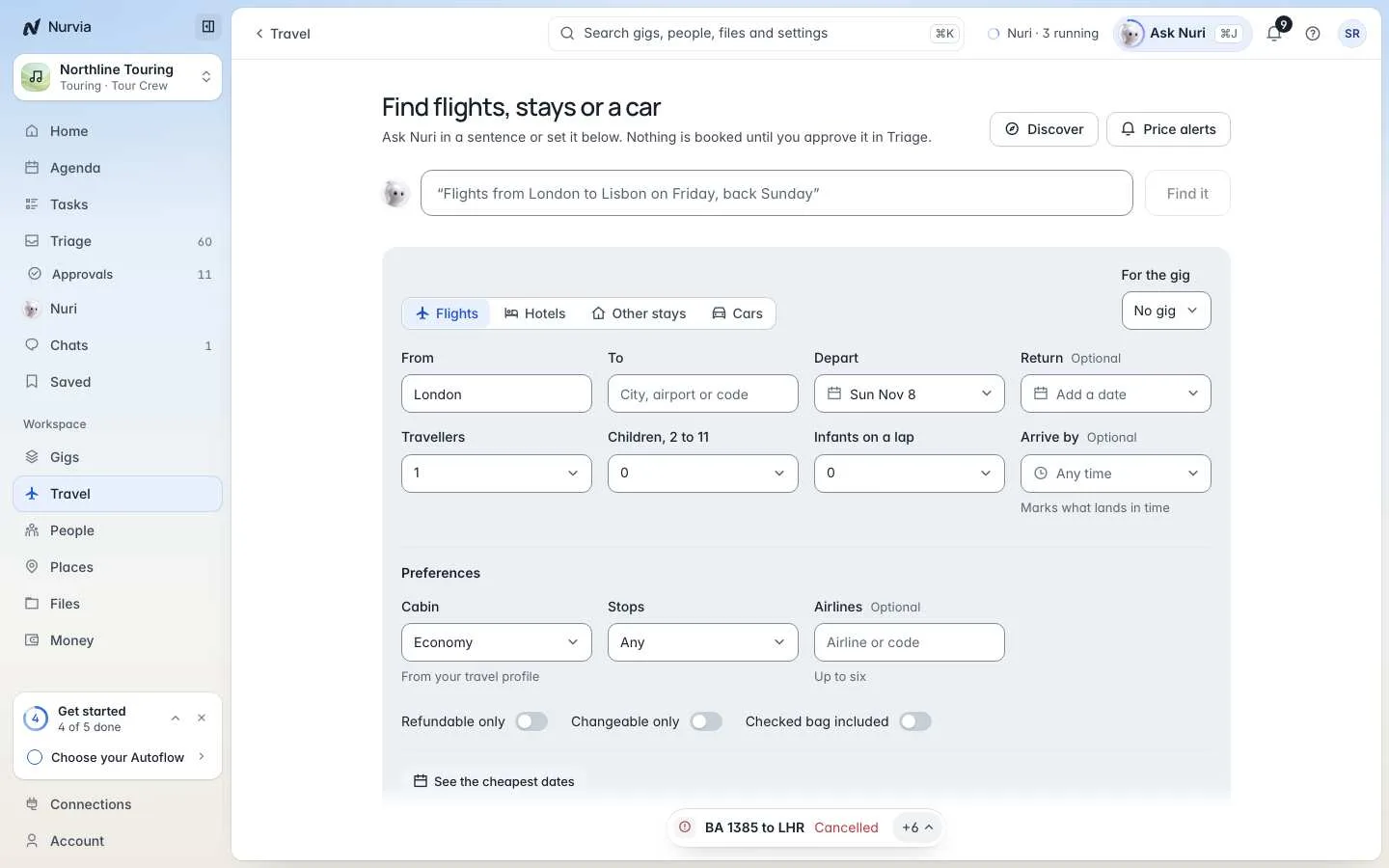
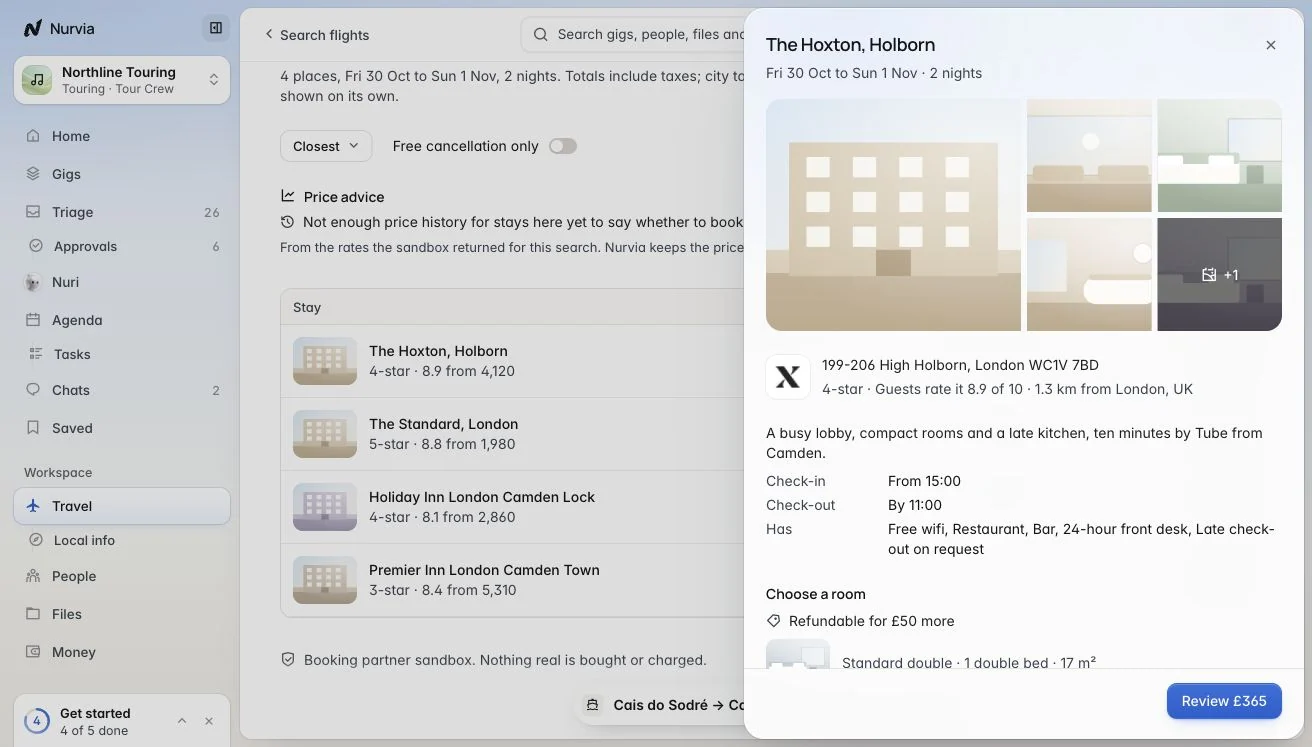
Type what you need for Nuri in a sentence and choose Find it, or set the search yourself on Flights, Hotels, Other stays or Cars. Choose the plan under For the plan (in music workspaces, For the gig) so results are checked against it.
Compare results
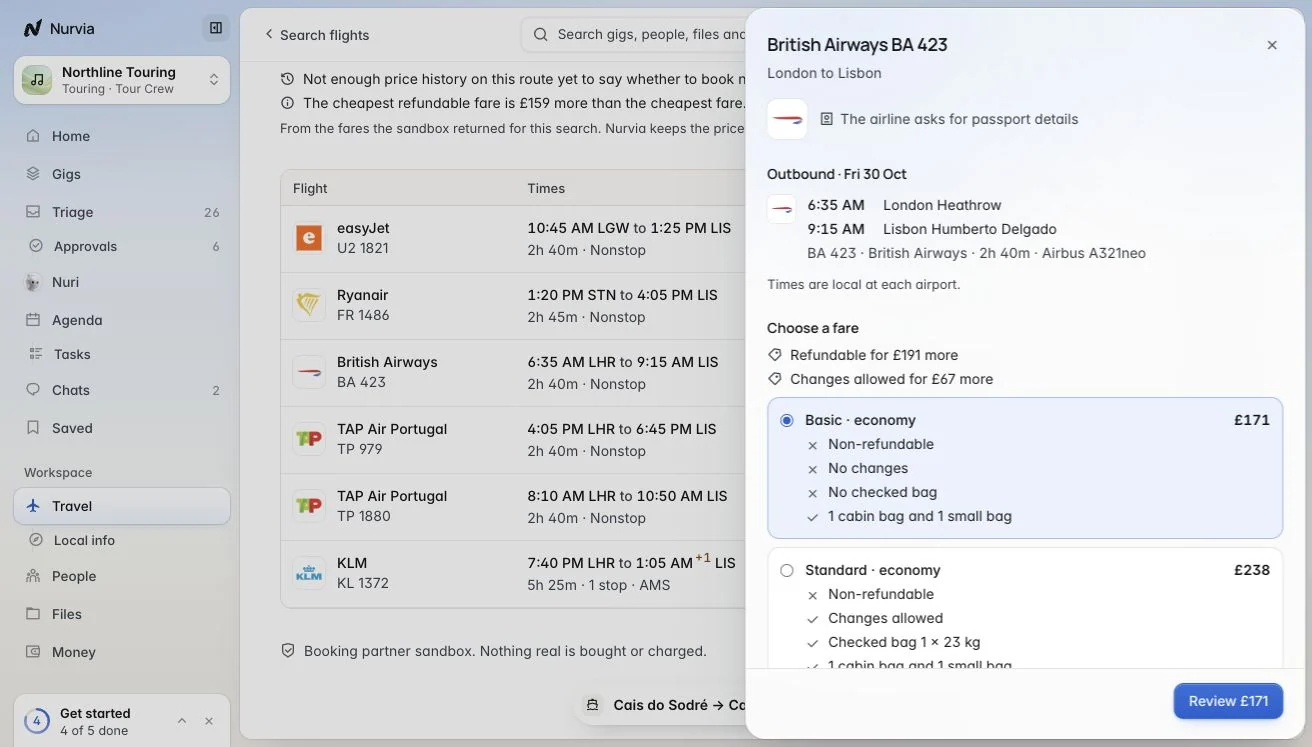
Sort by Best, Cheapest, Earliest arrival or Shortest (stays: Closest or Top rated). Flights are split into Arrive in time and Too late for the plan. Prices are not held — results expire after a while.
Review and approve
Choose who it's for, check What will be shared, add bags and extras, then choose Approve with the exact amount. Keep goes back to the results and books nothing.
Confirm it's you
Approving asks you to confirm it's you. The booking reads Confirmed only when the airline issues the ticket or the hotel confirms the room.
What you can search by
| Search | Options |
|---|---|
| Flights | From, to, depart, return, travellers (children and infants on a lap), Arrive by, cabin, stops, airlines, refundable or changeable only, checked bag included, See the cheapest dates. |
| Hotels and Other stays | Near a venue, check-in and check-out, guests, rooms, stars and bed types. |
| Cars | Pick-up and return places, dates and times. |
Follow a booking
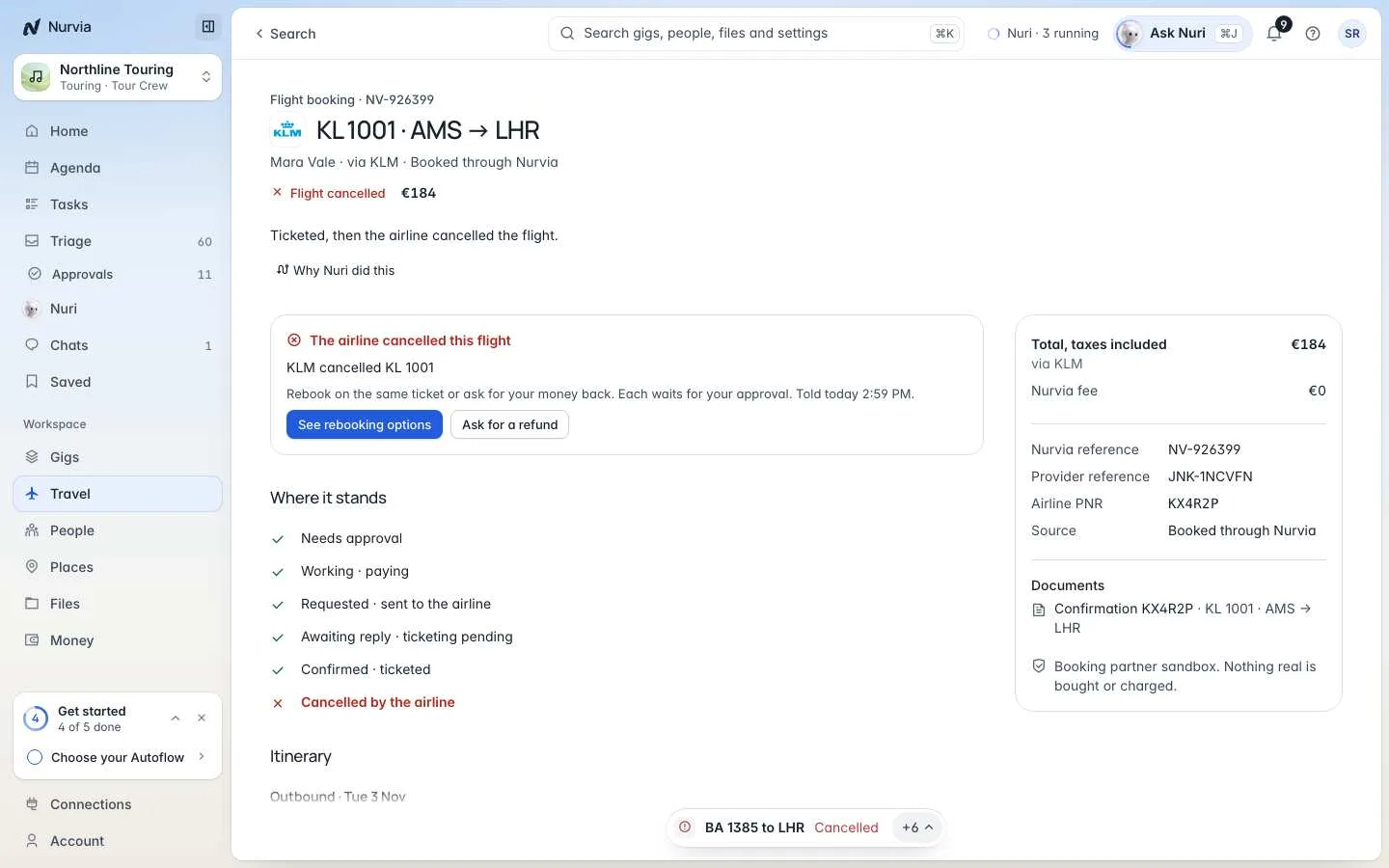
A booking's page shows Where it stands — Needs approval, Working · paying, Requested · sent to the airline, Awaiting reply, Confirmed · ticketed — with the itinerary, travellers, Changes and cancellation, Money back, What was shared, the references and proof.
Change or cancel
Choose Change booking to pick a new flight, new stay dates, late checkout, early check-in or a different car — or Ask to cancel. Each change waits for your approval, and nothing is bought twice. If the airline cancels, See rebooking options or Ask for a refund.
Price alerts, Discover and claims
| Page | What it does |
|---|---|
| Price alerts | Routes Nurvia watches for you. You're told once each time a fare drops under your price. Nothing is booked or held. |
| Discover | Where you could go from here, inside a window and a budget. |
| Claims | What you may be owed after a delay, cancellation or price drop. Nuri writes the letter; nothing goes to an airline without you. |
Paying for travel
You approve the exact amount and pay the provider directly. Nurvia never adds a booking or rebooking fee — the booking shows a Nurvia fee of 0. See Payments.