Web app
Find any plan, person, place, flight or file — and jump to any page or setting from the keyboard.
One search box finds anything in Nurvia — plans, people, places, flights, files and settings — and runs commands too. It's the fastest way around the web app.
Where to find it
- Web: the search box in the top bar, or press ⌘ K (Ctrl K on Windows) or / from anywhere.
- iPhone: Search at the top of every main screen. See Getting around.
Find something
Open search
Click the search box or press ⌘ K. Search and commands opens over the page you're on.
Type at least two characters
Results show as you type, grouped by kind — saved items, places, travel, plans and more. Press Tab to narrow to Gigs (or Plans), People, Files, Settings or Actions.
Open it, or see everything
Press Enter to open the top result, or choose See all results to open the full Search page. Not finding it? Choose Ask Nuri instead.
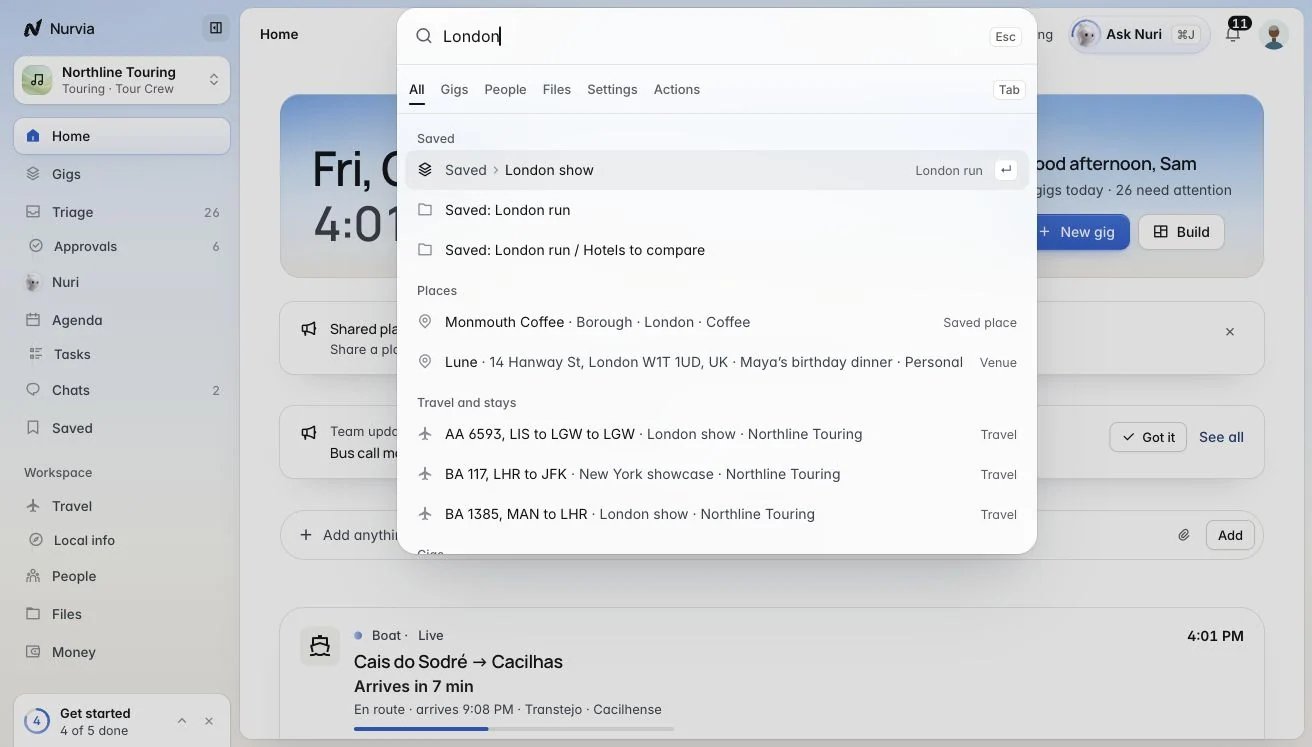
Each result shows where it belongs, like the plan and workspace a flight is on.
The Search page
The full page gives you more room and more filters.
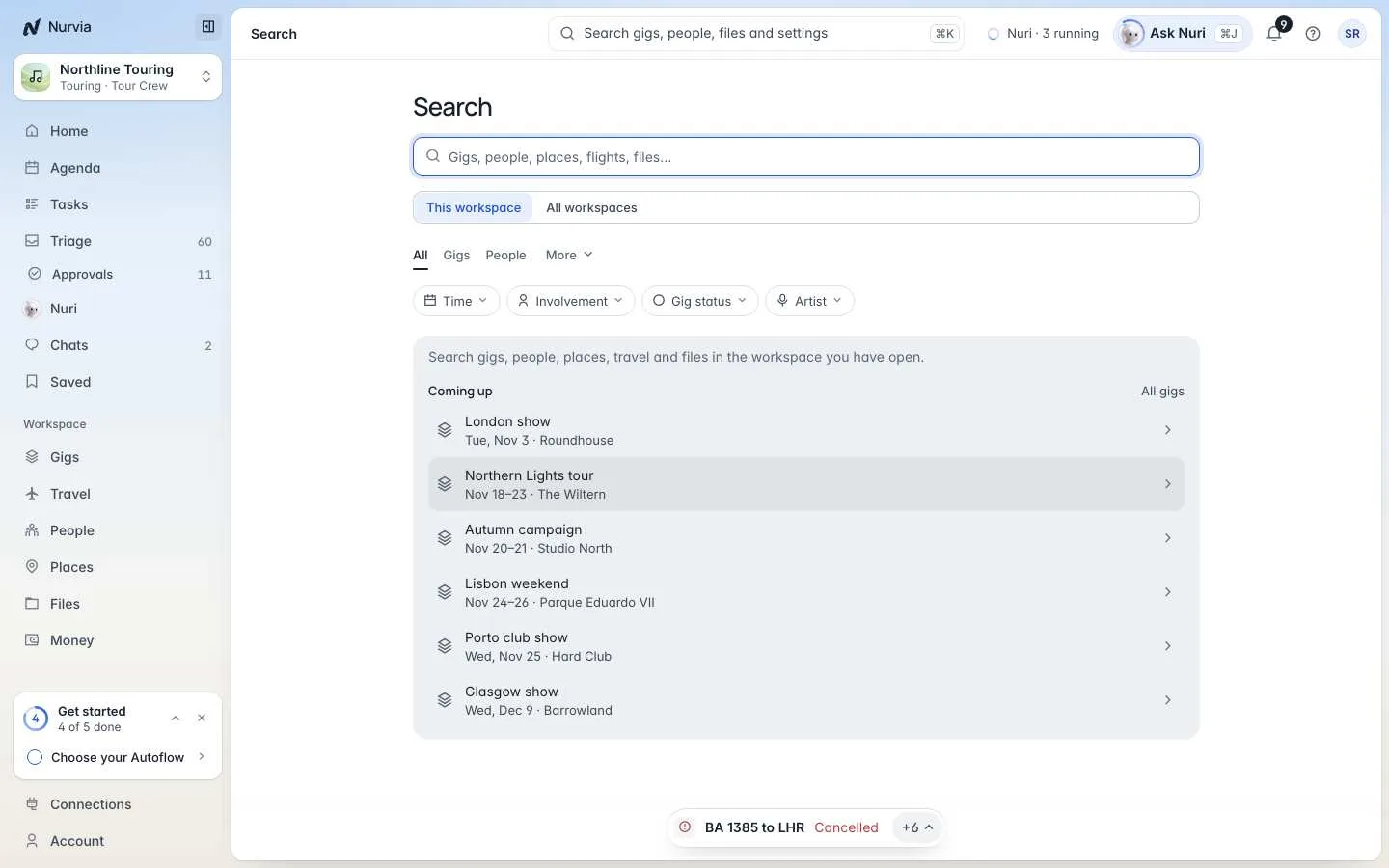
- Search in — This workspace or All workspaces, when you have more than one.
- Kind — All, your plans, People, and more under More.
- Filters — narrow plans by time, how you're involved, status and artist.
Commands
With nothing typed, the palette shows quick actions. You can also:
- Jump to any page or settings page — for example Settings › Workspace › Members.
- Ask Nuri directly, or ask What needs me today?
- Run commands like Add an expense, New gig, Upload files…, Connect Gmail, What's new, Contact support, Take the tour and Sign out.
Find settings by what they do
Every setting is searchable by what it does. Typing "quiet hours" finds Notifications; "door code" finds the venue access settings.