Web app
Expenses and receipts, splits and settling up, budgets and per diems, show settlements, reimbursements and analytics.
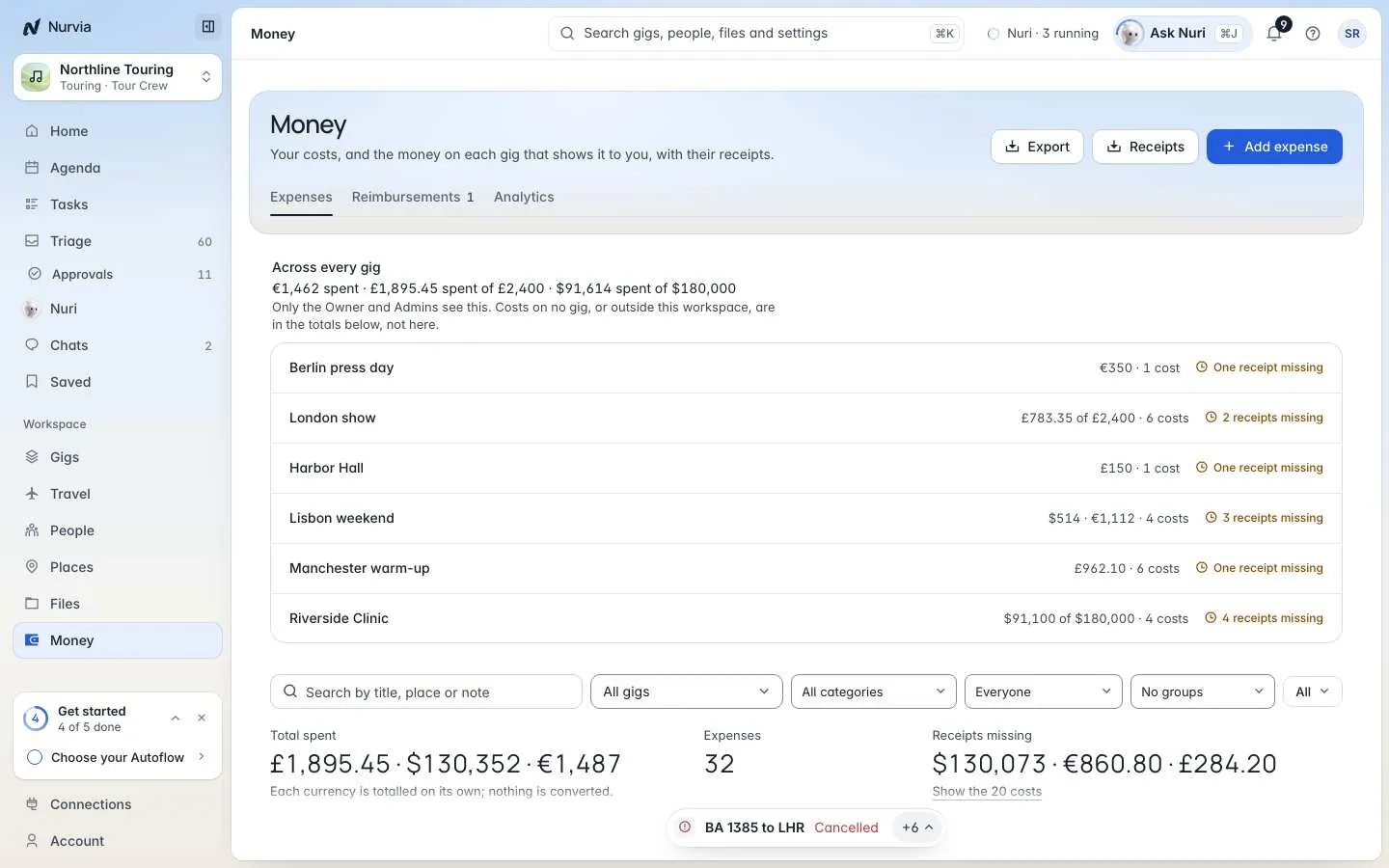
Money records what each plan costs, who paid, who owes whom and what's been paid back. Use it to keep receipts together, settle a show, and see where the money goes.
Nurvia records money — it never moves it
Nurvia keeps the record of what was spent, owed and paid back. Paying someone back happens outside Nurvia. Each currency is totalled separately — nothing is converted.
Where to find it
- Web: Money in the sidebar, with three tabs: Expenses, Reimbursements and Analytics. Each plan also has its own Money section (press G then M on a plan).
- iPhone: the gig's Expenses tile. See Money on iPhone.
Executive workspaces call it Expenses. Amounts show only to people with the See money figures ability.
Add an expense
Start it
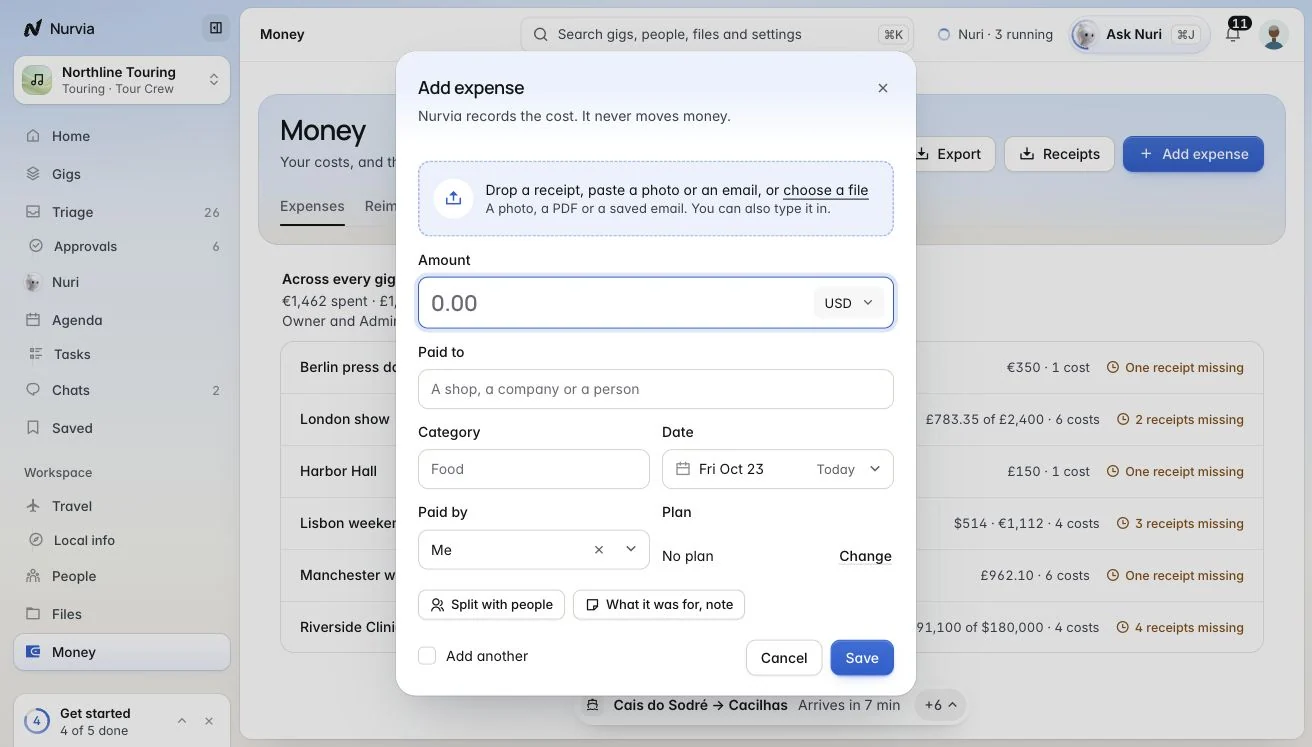
Choose Add expense, or press N on the Money page.
Read the receipt
Choose Read a receipt and add a photo or file. Nuri fills in the fields — check each one.
Fill in the rest
Set Paid to, the amount and currency, Category, Date, Paid by (you, a person, Company card or Promoter) and For — whose cost it is. Tick This is a refund to save it as a minus amount.
Split a cost
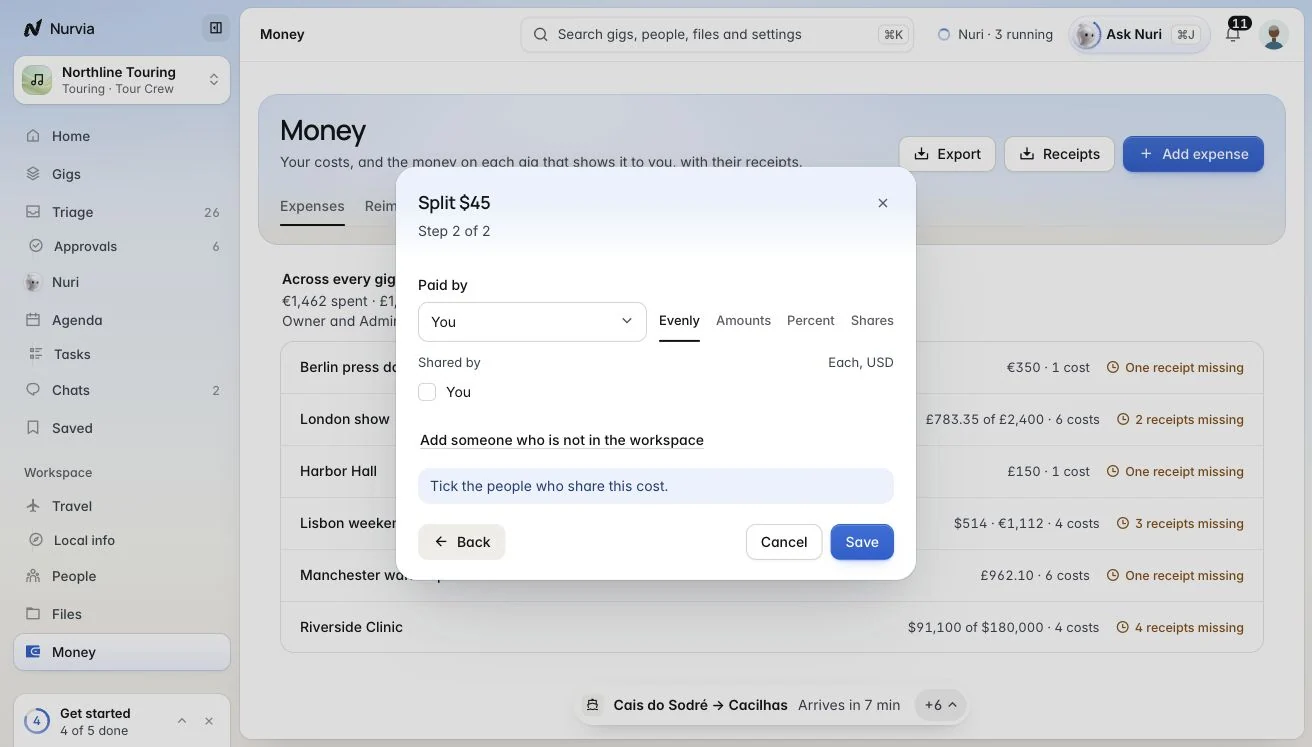
Split shares a cost between people and tracks who has paid back — Evenly, by Amounts, Percent or Shares. You can include people outside the workspace.
Money on each plan
| Tool | What it does |
|---|---|
| Budget | Planned spend per category, with Budget used and Over by. |
| Per diems | A daily allowance per person, counted in the budget and the settlement. |
| Settle up | Who owes whom for split costs. Record payment for part of it, or Mark settled. |
| Deposits | Deposits received and due. |
| Exports | CSV, an expense report PDF, and receipts as a zip or PDF. |
Settle a show
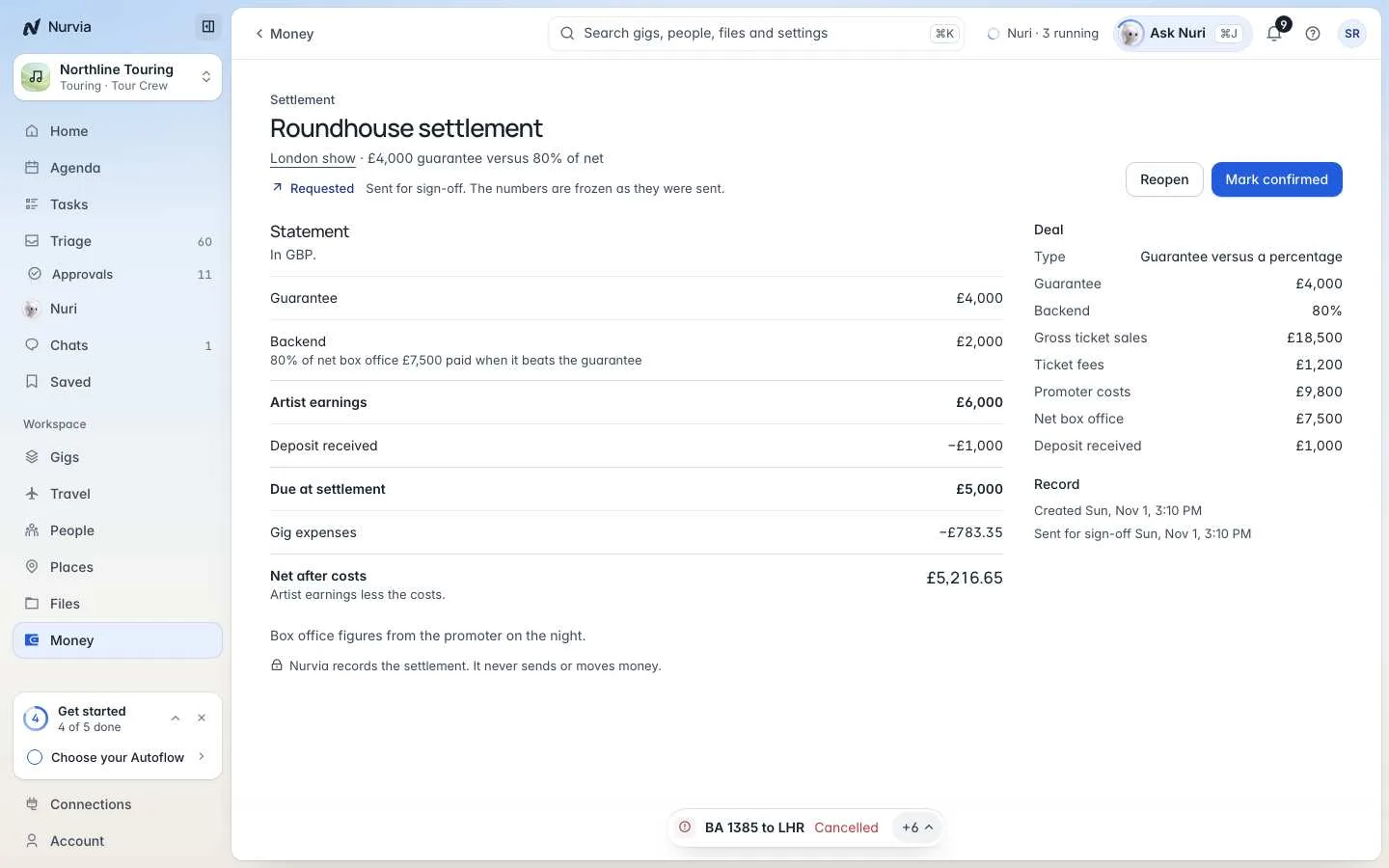
A settlement is the show's statement: the deal, the deposit and the costs — deal type, guarantee, backend, gross ticket sales, fees, promoter costs, net box office and deposit received — down to Net after costs.
Fill in the deal
Add the deal terms and the box office figures from the promoter on the night.
Send it for sign-off
Choose Send for sign-off. The numbers are frozen as they were sent.
Confirm or reopen
When it's agreed, choose Mark confirmed. To correct something, choose Reopen.
Get paid back
In team workspaces, choose Request reimbursement on the Reimbursements tab for costs you paid yourself (one currency and one workspace per request). An owner, admin or manager approves or declines it in Triage, then marks it paid once they've paid you back outside Nurvia.
Analytics
Analytics shows where time and money go across your plans: spend by category and by plan, travel days, bookings, approval wait and booking speed — over 90 days, 6 months or 12 months. Spend is shown in each currency on its own.