Web app
Create a plan from a sentence or a booking email, and find, pin, archive or restore every plan in your workspace.
A plan holds everything about one thing you're organising — a show, a tour leg, a shoot, a trip. Music workspaces call them gigs; every other workspace says plans, unless it picked its own word. The Plans page lists every plan you can see in the workspace you have open.
Where to find it
- Web: Gigs or Plans in the sidebar, or press G then P.
- iPhone: the Plans tab (Gigs in a music workspace). See The plan hub.
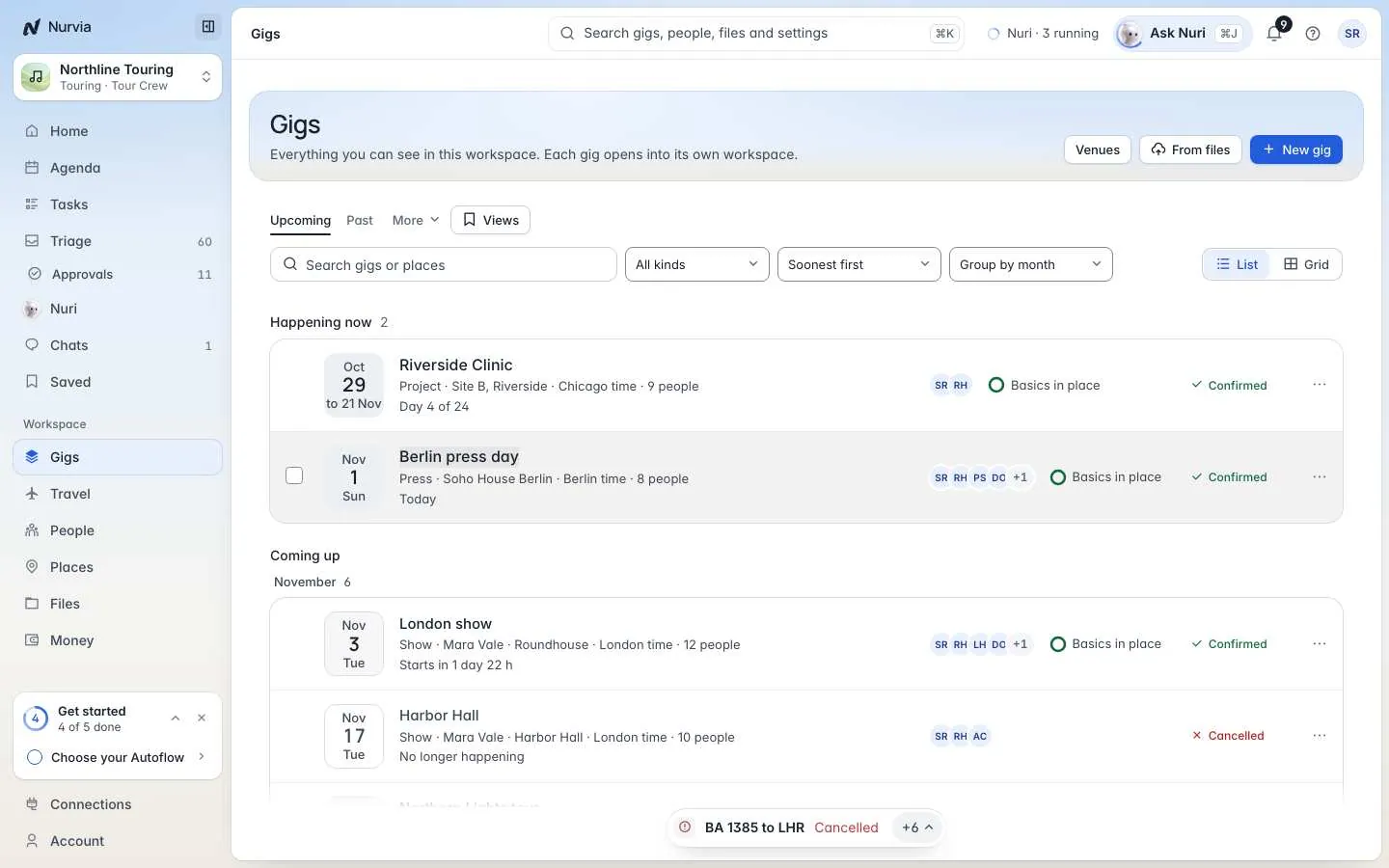
Each row shows the dates, kind, act, venue, local time and people, with how ready the plan is and its status.
Create a plan
Say what it is
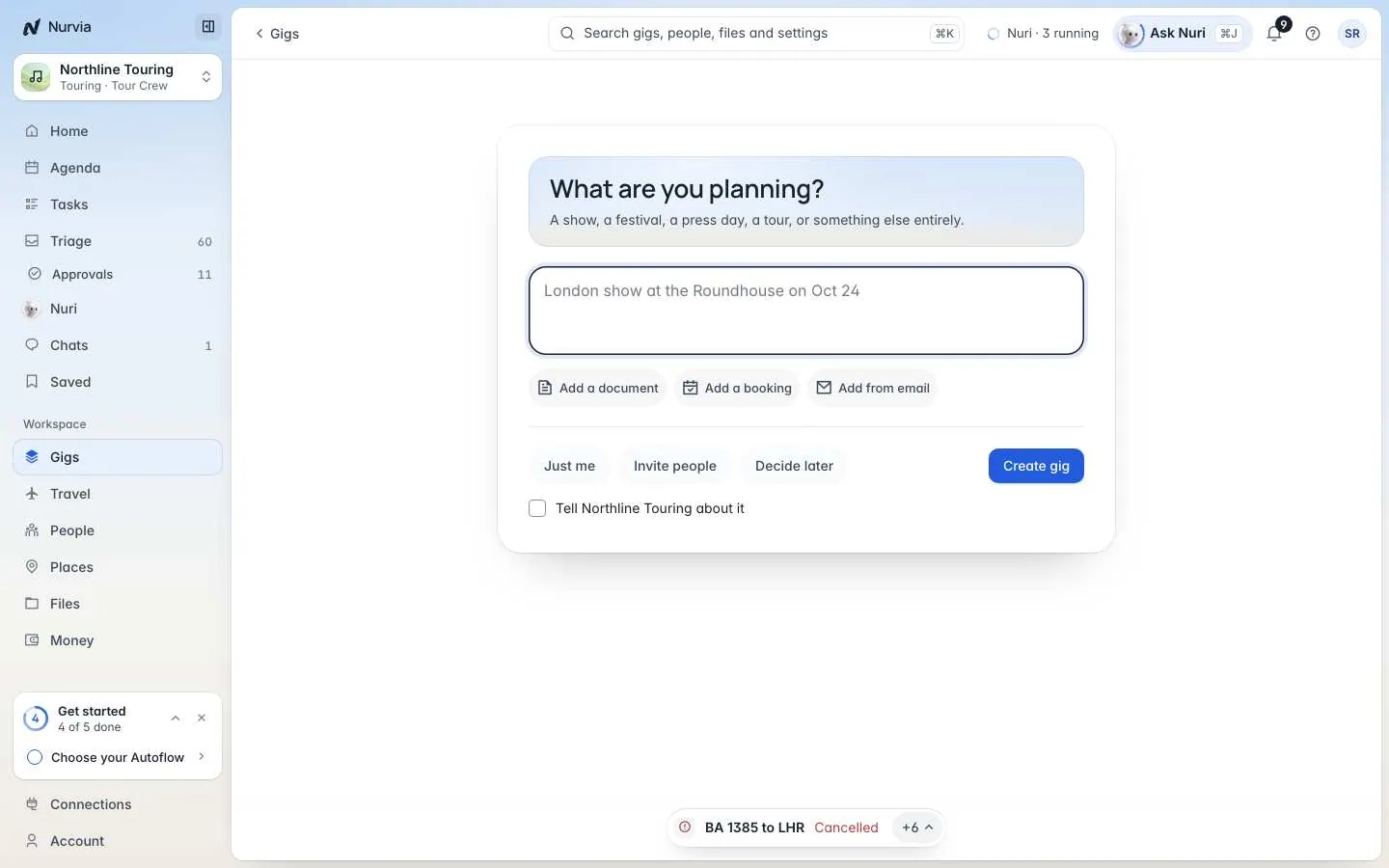
Click New plan (music workspaces say New gig), or press N anywhere. Under What are you planning?, type it in a sentence:
Board meeting in New York on Nov 12
Family trip to Lisbon, Aug 3–10
London show at the Roundhouse on Oct 24
Or bring in what you have
Choose Add a document, Add a booking (paste the whole confirmation email or page), or Add from email to pick from emails that already reached Nurvia. To start from several files at once, use From files on the Plans page, or drop them onto it.
Choose who it's for
In a team workspace, pick Just me, Invite people or Decide later. To let the team know, tick Tell … about it (it shows your workspace's name).
Check what Nurvia found, then create it
Nurvia shows what it read and the panels the plan starts with. Edit the details, leave panels out, or add more. Then choose Create gig (or Create plan).
Teach it once
Nurvia shows how it Reads as your plan — a show, a trip, a shoot. If that's wrong, change it and tick Use this for every … so it remembers next time. Kept answers live in SettingsWorkspaceRemembered answers.
Nothing is sent or booked when you create a plan.
Find a plan
- When — Upcoming, Past, All or Archived. Plans on right now show under Happening now.
- Search plans or places, filter by Kind, and Sort by soonest, latest, name or recently added.
- Group by month and other fields, and switch the View between List and Grid.
- Plans someone shared with you say Shared with you.
Pin, archive or remove a plan
Open a row's ⋯ menu.
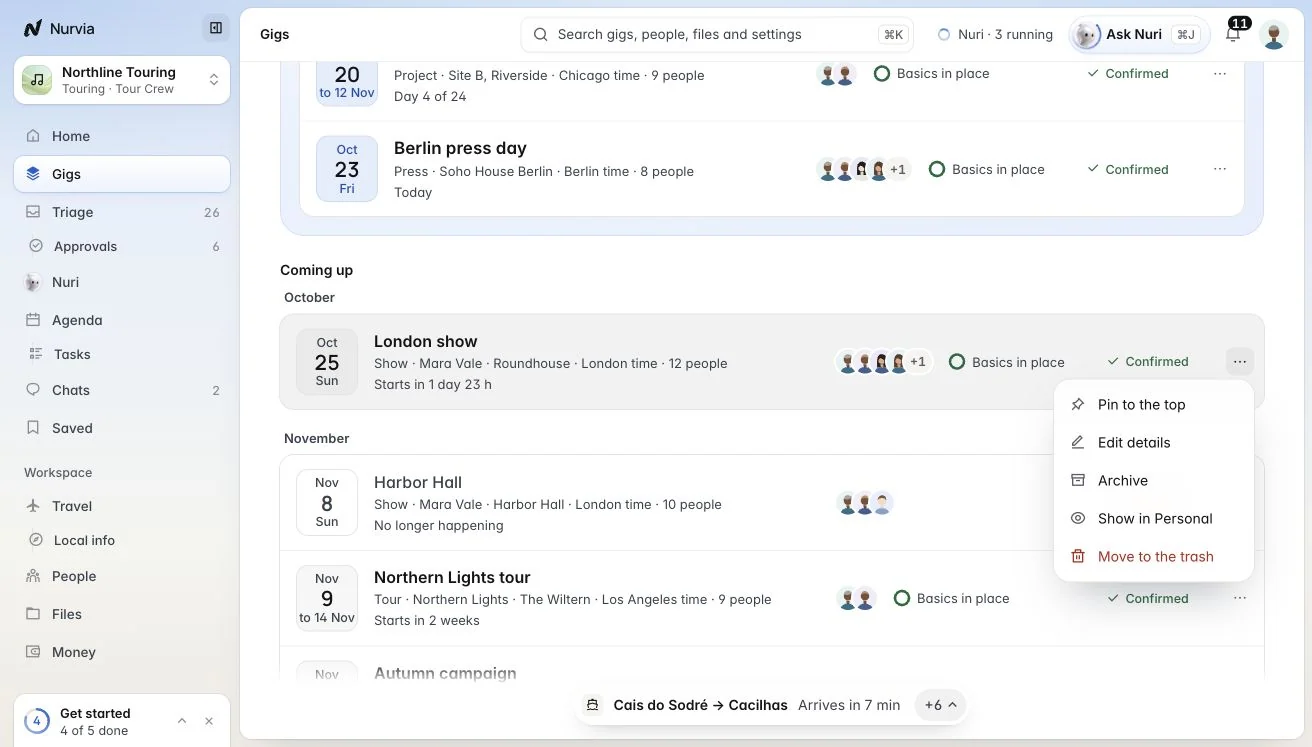
| Action | What it does |
|---|---|
| Pin to the top | Keeps it above the rest. Pins are yours alone. |
| Edit details | Name, act, dates, kind, status and notes. |
| Archive | Takes it off your lists and Home and keeps everything. Nobody is told. |
| Hide from Personal / Show in Personal | Team plans you're on can also show in your Personal workspace. |
| Move to the trash | Removes it, with everything it held, for 30 days. |
To act on several plans at once, tick them. The bar that appears can Archive, Restore, Pin, Export or Move to the trash the plans you picked.
Drafts, trash and venues
- Drafts — plans you started but haven't made yet. Nothing in a draft is sent or booked. Continue or Discard. The Drafts button shows on the Plans page when you have any.
- Trash — deleted plans stay for 30 days. Restore puts a plan back exactly as it was. Delete for good can't be undone, though bookings made through Nurvia and money you may be owed stay in your account. Open it from the ⋯ menu on a plan's History page.
- Venues — every venue on your plans, most visited first, with the last and next plan there.