Web app
Where your plans took you — flights, countries, cities and nights away — with a yearly recap and an opt-in leaderboard.
Passport counts where your plans took you, from your own records: flights, distance, countries, cities and nights away. When a plan is over, its flights, cities and countries are stamped here.
Where to find it
- Web: TravelPassport.
- iPhone: ProfilePassport. See Places and Passport on iPhone.
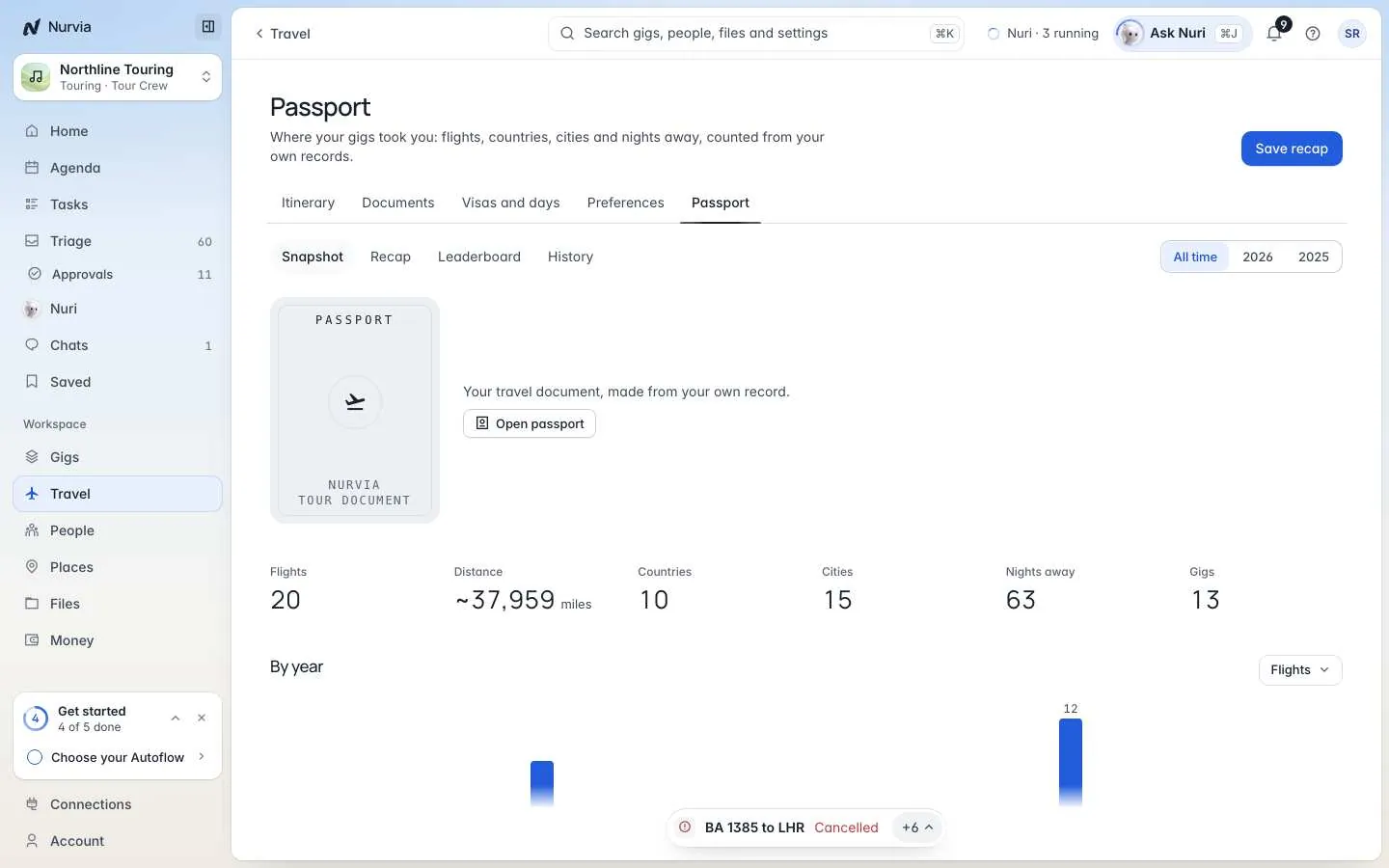
Passport has four tabs. Switch between All time and a single year at the top right.
| Tab | What it shows |
|---|---|
| Snapshot | Your totals, a chart by year, Personal bests, Latest flights and your countries on a map (World coverage). |
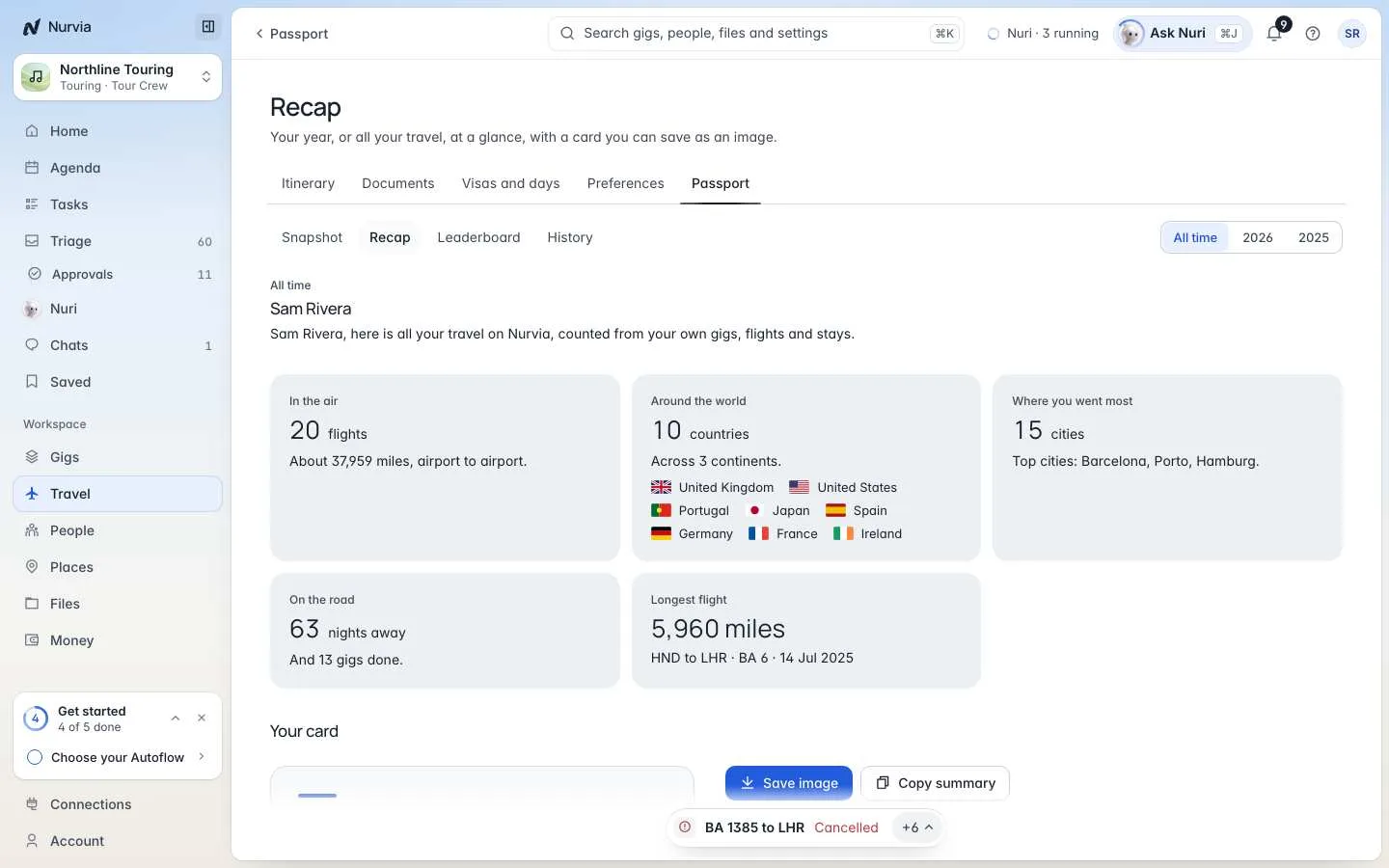
| Recap | Your year or all time as a card. |
| Leaderboard | Plans done and miles flown, ranked among people who chose to join. |
| History | Plans, flights, ground travel, airports, stays, venues and saved guests, newest or oldest first. |
Share your recap
Open Recap
Go to TravelPassportRecap and pick All time or a year.
Save or copy it
Choose Save image for a card you can post, or Copy summary for the text.
Join the leaderboard
Open Leaderboard, type an alias of up to 20 characters, and choose Join the leaderboard. You can leave at any time.
Leaderboard privacy
Everyone signed in to Nurvia can see the board, but you appear only by your alias, with plans done and distance flown. Distance is measured airport to airport, so it's an estimate.
Missing older trips? Import flights from another app, or rebuild past travel from Visas and days.