Use cases
Plans across every team, approved by the right people — with private plans kept private.
For operations, travel and executive teams coordinating people across departments and locations. One change reaches several teams at once, each with its own approver, budget and details the others shouldn't see.
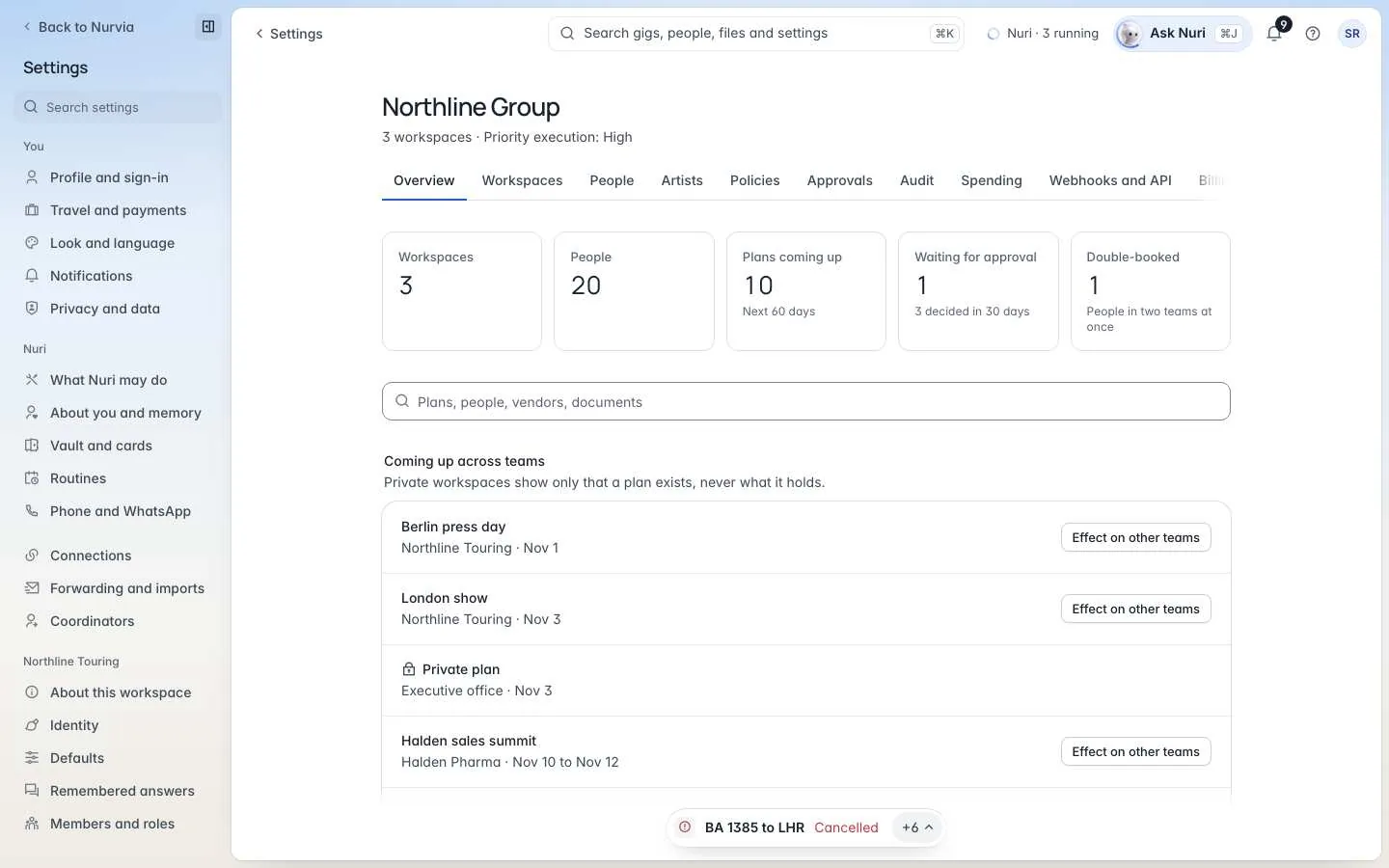
Example: an office closure
Arcwell Group runs a Sales team, a Field operations team and an Executive office, each in its own workspace. The Berlin office closes on the 29th.
The organization view shows who's affected: the Sales summit's second day (42 people), a Field operations training (9 people) and one private Executive office plan. Each team's approver hears about it. The private plan shows only that it's affected — never what it holds.
Try asking
You: The Berlin office is closed on the 29th. Who's affected?
Nuri: Three teams: the Sales summit's second day (42 people), a Field operations training (9 people), and one private Executive office plan. I've told each team's approver; the private plan's details stay with its owners.
What matters most
Policies the plan already knows

Roles and workspaces
Every approval on record
Start with one workflow
Recommended setup
| Setting | Recommendation |
|---|---|
| Organization | One organization with a workspace per team or office. Organization roles: Owner, Admin, Billing, Auditor or Member. |
| Workspace kinds | Executive for the executive office; Events, Production or Something else for other teams. |
| Word for plans | Plan, or a word per team — Trip, Meeting, Offsite. |
| Roles | Coordinators as Managers in their team's workspace; everyone else as Members or Contributors. |
| Rules | One organization policy, plus approvers per team or threshold. |
A typical rollout
Week 1: map one workflow
Teams, approvers and the systems you use today.
Week 2: set up workspaces and roles
Create the organization, its workspaces, and roles.
Week 6: review with your team
Expand to more teams, or adjust.
Enterprise plan
Enterprise adds SSO, SAML, SCIM, custom data retention and an SLA, and includes security reviews and procurement support. SOC 2 Type II and ISO/IEC 27001 are in progress — see Security. Specific controls and terms are agreed with each organization.